• Paragraph panel

    12
    4
    0 Votes
    12 Posts
    9k Views
    B
    @VectorStyler Thanks. I've tested on my two W11 pc & it is the same issue.
  • Shape core-line setting?

    12
    1
    1 Votes
    12 Posts
    9k Views
    b77B
    @Ayo I'm back to this discussion: Are you requesting a way to change the shape's "core-line" when selected because editing the color of the stroke is more difficult when this colored contour is superimposed over the shape?
  • Crash due to system UI font call.

    6
    0 Votes
    6 Posts
    5k Views
    b77B
    @richbyte You can use the Console app (from Applications > Utilities) to find the last crash report for VS.
  • Expand Stroke Weird Result

    7
    0 Votes
    7 Posts
    6k Views
    G
    @VectorStyler Thank you Admin
  • Modal Dialogs on Mac

    7
    1 Votes
    7 Posts
    6k Views
    F
    The whole "Delete" thing came into play around the same time that Apple started pushing "auto-save": with auto-save, the document is saved automatically and continuously, so there is no concept like "Don't Save" any more at that point. "Delete" makes more sense once you have an auto-saved document and want to get rid of it, but if it was never saved in the first place, then it becomes confusing, and if it was, then it should save automatically anyway, so there is no reason to prompt... the way the whole "auto-save" thing is presented to users was poorly designed in my opinion, particularly as it is mixed in with apps that will and will not use it adding further to the behavioral confusion.
  • 0 Votes
    6 Posts
    8k Views
    VectorStylerV
    @b77 said in What is different about adding a spot color via the artboard tool compared to manually using the plus sign icon in the palette panel?: Expanded to RGB or CMYK color mode, depending on the document color mode? Expanded to the color mode of the original spot color.
  • How do I view the 'Shape Editing Indicator'?

    7
    0 Votes
    7 Posts
    6k Views
    b77B
    @VectorStyler These two at least could display the tool name in parentheses, like this: Shape Erasing Style (Trim and Join tool) Shape Editing Indicator (Grid, Super Ellipse, Super Shape tools) Btw, the last one is a slider, so a better description could be: Shape Editing Slider (Grid, Super Ellipse, Super Shape tools)
  • Is There a Hotkey/ Command to Hide All Panels or Maximize the View?

    2
    0 Votes
    2 Posts
    3k Views
    VectorStylerV
    @gotanidea Will be in version 1.2
  • How to Stick Two Rectangles using Alignment Tools?

    10
    0 Votes
    10 Posts
    12k Views
    VectorStylerV
    @gotanidea said in How to Stick Two Rectangles using Alignment Tools?: Could you please make it as simple as that? I will try.
  • Appearance Panel and Batch modifications

    2
    4
    2 Votes
    2 Posts
    3k Views
    VectorStylerV
    @Ayo It is in the backlog
  • Missing initial tangent line indicator

    6
    1
    0 Votes
    6 Posts
    5k Views
    AyoA
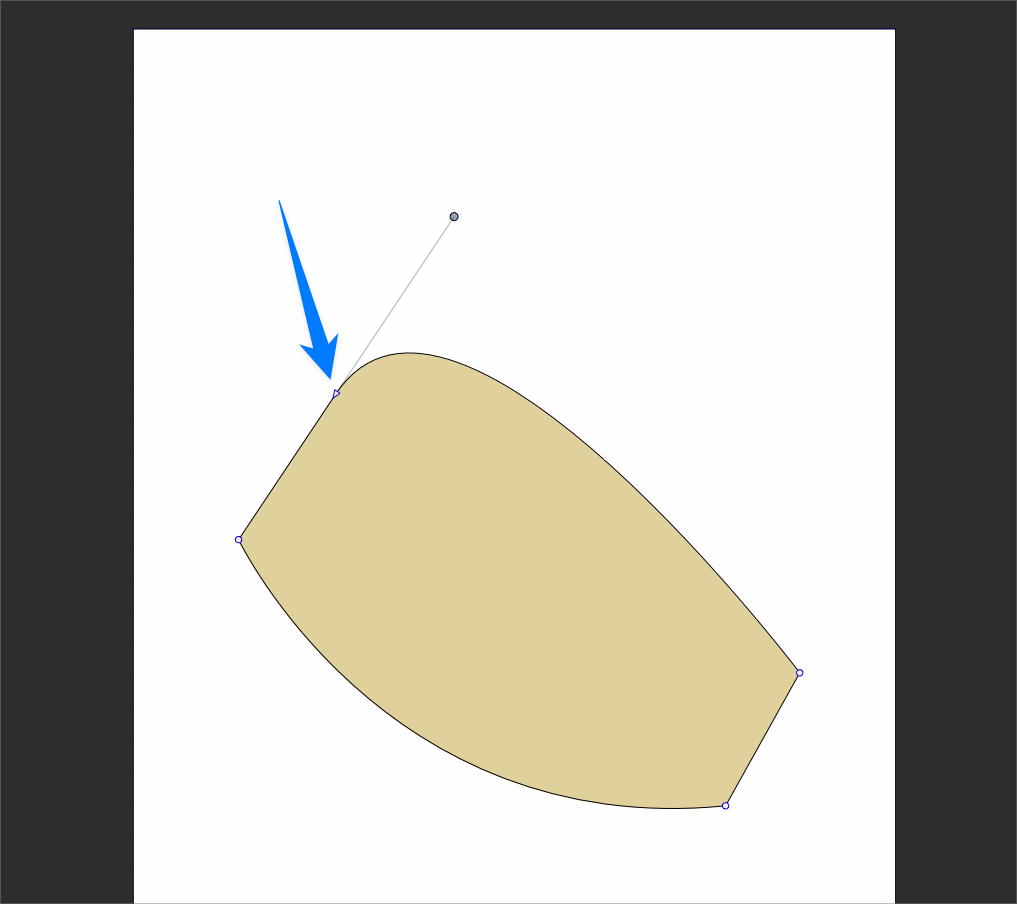
    @VectorStyler said in Missing initial tangent line indicator: Is the first step a click (with release) or just a mouse press (without release) ? Press without release
  • 0 Votes
    10 Posts
    8k Views
    b77B
    @Subpath Got it.
  • 0 Votes
    5 Posts
    5k Views
    b77B
    @Ayo If you want to move the rectangle (or any shape) mid drawing, press the Space bar and drag the object around. Works great with snapping.
  • How to control Hover Selection Outline

    6
    1
    0 Votes
    6 Posts
    7k Views
    AyoA
    Nice! A lot is coming your way. Respect!
  • Can't find the node

    20
    0 Votes
    20 Posts
    14k Views
    VectorStylerV
    @Ayo said in Can't find the node: The Collider Node I assume is the node appearing at the collision point between two shapes. In Indicator Shapes I can change the Collider Node all I want but it has no effect. Remains a Tiny Circle. This is now not in use anymore, as it is handled by a snapping indicator, will be removed. Which selection from Editing Options 1 should give the color and line settings for this node? This will be the "Collision Snapping Indicator"
  • Clipping Group Content Nodes or Points in Outline Preview Mode

    2
    0 Votes
    2 Posts
    3k Views
    VectorStylerV
    @gotanidea No such option in VS for now, but it is easy to add. Will be fixed ASAP.
  • Difficult to Select Object Behind Transparent Clipping Group

    4
    1 Votes
    4 Posts
    4k Views
    BoldlineB
    I was testing out the double click options in preferences. I made the simple double click be "select inside" and it does not seem to work. If I double click on something visible that is inside another shape, it will not seem to do anything. I also made the option-double click also "select inside" and that works just fine. So it seems the double click by itself option is not functioning as it should in this setup. I will check some others and see how the perform [image: 1686450315147-b485fb7e-ca2e-4052-bae6-ecbc91c931e1-cleanshot-2023-06-10-at-22.23.20-resized.png]
  • How to Froce Device CMYK in EPS Export

    5
    1
    0 Votes
    5 Posts
    5k Views
    VectorStylerV
    @VectorByName Added this to the backlog, and will get back with a solution soon.
  • 0 Votes
    2 Posts
    3k Views
    VectorStylerV
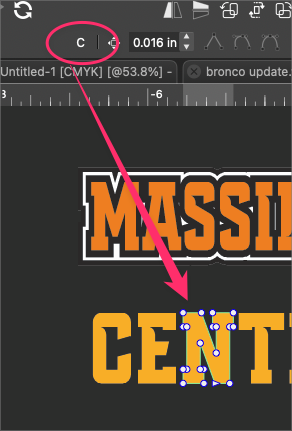
    @Boldline If it is a path, then select the node at the end of a line and the Path panel will show the angle.
  • Text Horrors

    12
    0 Votes
    12 Posts
    9k Views
    BoldlineB
    @Igull It would help some to take screenshots and do some screen recording and including those with your questions so others can see what you are dealing with