• 0 Votes
    2 Posts
    3k Views
    VectorStylerV
    @pentool The Place tab is not shown when the app edits options of multiple artboards. But I have to check why does it think that there are multiple artboards selected in this case, could be a bug.
  • Licensing - how many computers?

    2
    0 Votes
    2 Posts
    3k Views
    VectorStylerV
    @pentool said in Licensing - how many computers?: I'm curious about how many computers can I activate a single license, say if I have a desktop and a laptop? You can use the same license on several of your computers. If the license is only for a single machine, what happens if I get a new one? Just use the same license on the new computer. Can I move the license over to the new computer without any issues? Yes. Does this require an unregistration of some sort from the older machine? No.
  • What does Keep Selection Mode setting do

    3
    0 Votes
    3 Posts
    4k Views
    S
    @pentool thanks for the video didnt know this too
  • Why vertical guideline grids are not showing?

    6
    2
    1 Votes
    6 Posts
    9k Views
    VectorStylerV
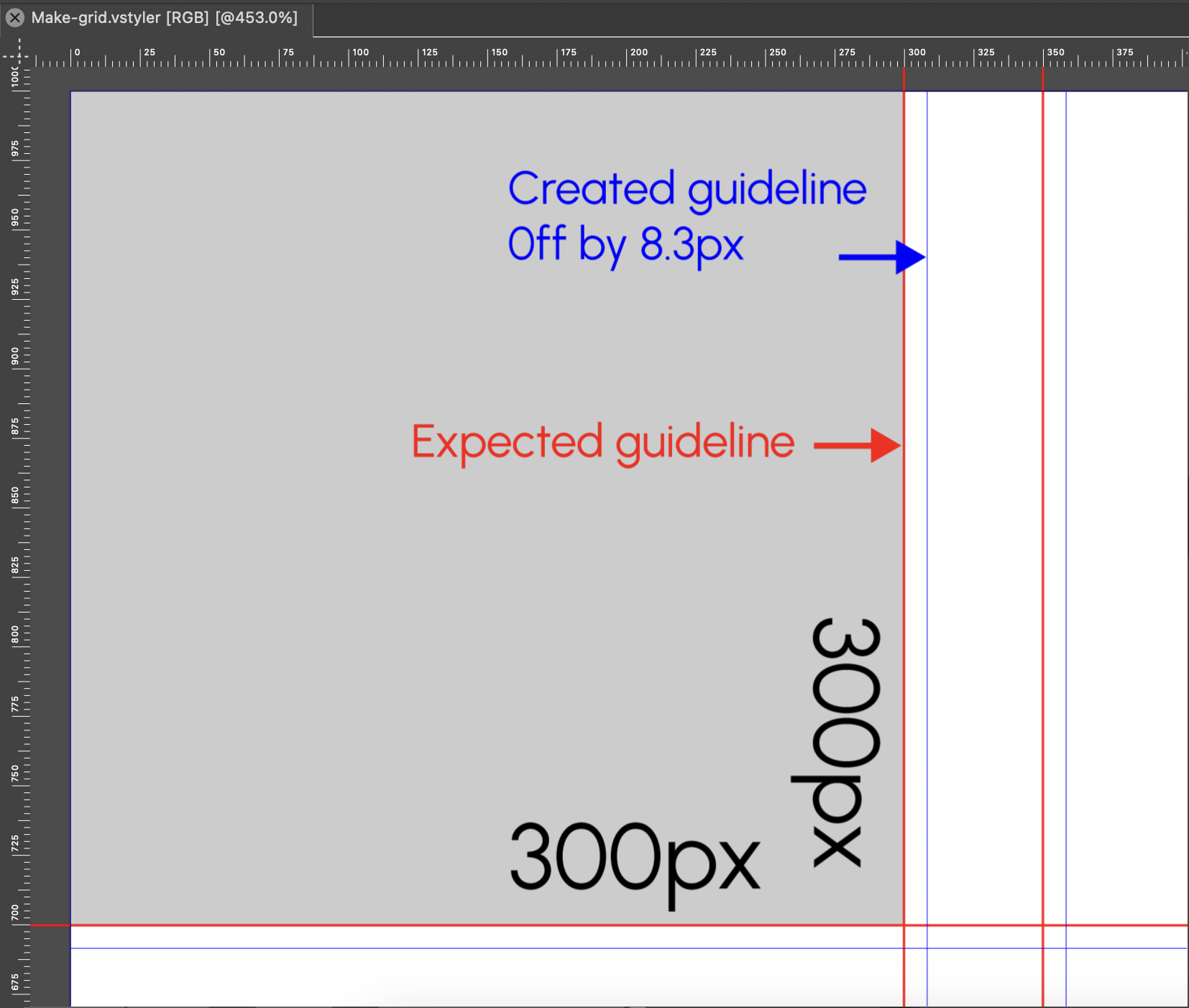
    @pentool said in Why vertical guideline grids are not showing?: I think the reason you only saw still 2 guidelines on Artboard 2 because you moved it using the Artboard Editor Tool. Yes, that is the case. When changing the artboard position like that, the guidelines are not moved. I added this to the backlog as a bug.
  • Why the artboard of "Artwork Canvas" cannot have a grid?

    3
    1
    1 Votes
    3 Posts
    3k Views
    P
    Thanks, I was able to recreate it so it works fine. Not sure what I have done wrong initially.
  • No panels on startup, opening a backup copy does not work

    4
    1
    1 Votes
    4 Posts
    4k Views
    H
    @encart said in No panels on startup, opening a backup copy does not work: Although you can see ticks in the panel menu, the panels are not visible I have the opposite - a lot of panels opened and a few panels ticked (since I work on VS - from version 1.1.06x): [image: 1690135719212-obraz_2023-07-23_200836216-resized.png]
  • Copy and paste line with a brush style

    6
    0 Votes
    6 Posts
    6k Views
    AyoA
    @Subpath said in Copy and paste line with a brush style: Sorry, I guess I'm missing the point. Don't get me wrong. Copy and paste line with a brush style does happen correctly when registered as preset in app. Not when not registered. Strange to me too. Anyway, registered in the buglog.
  • Can custom preferences file remain intact during updates?

    2
    0 Votes
    2 Posts
    3k Views
    VectorStylerV
    @Boldline said in Can custom preferences file remain intact during updates?: Is there a way to keep the same custom preferences file when performing a build update in VS? Normally, it should keep the current settings file. But there were some changes on how these are handled internally and it might have reset them.
  • Alter a Symbol or Symbol Preset

    8
    0 Votes
    8 Posts
    7k Views
    VectorStylerV
    @Ayo yes there seems to be a bit of smoothing inside, can be replicate here also. I added this to the backlog of bugs.
  • How to print / export outlines in SVG file?

    2
    0 Votes
    2 Posts
    3k Views
    VectorStylerV
    @Harry said in How to print / export outlines in SVG file?: I'm trying to print the outline preview, but without success. (I'm assuming it is only for preview purposes.) Yes, that is only for preview. The way to do this is to remove all fill styles and set the stroke style to a solid width with black color.
  • Don't understand behavior of VS when importing a bitmap

    7
    0 Votes
    7 Posts
    9k Views
    b77B
    @VectorStyler Yep, I suspected that.
  • svg Export Problem/Bug?

    6
    2
    0 Votes
    6 Posts
    5k Views
    VectorStylerV
    @Buntstift The SVG export bug (for uneven cap endings) will be fixed in the next build. The file size is caused by some embedded color profiles (at least one large CMYK color profile).
  • License Code Invalid

    2
    0 Votes
    2 Posts
    3k Views
    VectorStylerV
    @dcr said in License Code Invalid: What could cause the license to become invalid? Not sure what caused this, but from the license server it seems that the license code was fine but it was missing the name and email. Could be that the VectorStyler application data was removed from the applications folder. Is there a file I need to backup? No need to backup anything, just use the license key with the name and email. Is license data stored in the application package such that I can just keep a backup of the app and restore it if needed? Keep the original license email, that will be sufficient if the license is asked again, or if you need to move to a new computer.
  • SVG Export Outline Issue

    5
    0 Votes
    5 Posts
    5k Views
    IgullI
    @VectorStyler said in SVG Export Outline Issue: @Igull There seem to be stroke width profiles used, they are all uniform, but even in this case it will be expanded when exporting. Select all shapes and use the solid stroke button in the Stroke panel (second last in the icon row), to clear all stroke attributes. Yes, it seems that the stroke profile was the issue. I have no idea how that came about, I would never have a use for that. I can only assume that I hit the wrong choice in the stroke panel at some point and when doing copy/paste for common parts, just extended the issue ! Thanks for finding that, makes sense when you say that the stroke is profiled - I can't imagine another app being able to pick up on that unless it was an outline - certainly as an SVG export at least Thanks, you saved the day - and a good number of hours of work Neil
  • Cannot 'clear all overrides' in Character panel

    4
    0 Votes
    4 Posts
    4k Views
    VectorStylerV
    @Ayo In this case "top level" means the character formatting applied to the whole text (as an object). And "local" means character formatting on any part less than the whole. Of course, this is easy to change if it is really needed, not sure how it is done in other parts
  • Color replace one palette with another?

    8
    0 Votes
    8 Posts
    8k Views
    VectorStylerV
    @heuristicbishop said in Color replace one palette with another?: Can't wait for a proper API to play with so I can whip up my own silly plugins! VS can save its document in XML or JSON formats (Document Setup -> File -> File Format), that can be then manipulated with external scripts / tools.
  • Why would the save indicator button stay black?

    2
    1
    0 Votes
    2 Posts
    3k Views
    VectorStylerV
    @Boldline Looks like it is not updated correctly.
  • Single click fill select

    11
    0 Votes
    11 Posts
    9k Views
    AyoA
    @VectorStyler said in Single click fill select: Clicking again will select the next object behind the selected one Works very nice, without modifier key!
  • Instruction for customizing icons?

    6
    0 Votes
    6 Posts
    6k Views
    VectorStylerV
    @Ayo said in Instruction for customizing icons?: Can someone give me a suggestion where I can find an instruction for customizing icons? Any post or video somewhere? I want to change an existing icon. Which is possible according to the documentation. The online manual v1.1.085 is too general about this. The only way for now is with Symbols, as described by @b77
  • Canvas (background) color to white?

    5
    1 Votes
    5 Posts
    5k Views
    b77B
    @Ayo Nice!