• Keyboard shortcuts explanation "Em space" and "En Space"

    5
    1
    0 Votes
    5 Posts
    7k Views
    VectorStylerV
    @b77 Added this to the backlog.
  • Rome-Kana conversion key

    8
    1 Votes
    8 Posts
    10k Views
    861475_VctSt8
    @VectorStyler Thanks. I'm glad it was a bug and not a reduction in Japanese language functionality. Please fix this as soon as possible. It seems it's been like that since ver 1.1.xx. I didn't notice it either, as I've been away from VS for a bit. I feel a little sad that there are not many Asian users.
  • A question from a newbie.

    17
    0 Votes
    17 Posts
    13k Views
    b77B
    @FanVidder What I described is a pretty specialized area, so you won't find tutorials for it. Anyway, don't forget to: create artboards that match the UPM (in Glyphs it's 1000 by default, so make the artboards 1000pt tall); drag guidelines at least for the baseline (default is at 200pt) and for the ascent line (default is at 900pt). Btw, there are a few VectorStyler instructional videos here: https://vimeo.com/user95036806
  • Repeat secondary shape using first shape rotational center point

    3
    1
    0 Votes
    3 Posts
    4k Views
    BoldlineB
    @b77 I'll give it a try thanks!
  • How to modify a mask

    5
    1
    0 Votes
    5 Posts
    5k Views
    M
    @VectorStyler: great, thanks
  • Strange behavior of multiple lines of Shape Text

    6
    2
    0 Votes
    6 Posts
    6k Views
    VectorStylerV
    @Boldline said in Strange behavior of multiple lines of Shape Text: what if selecting multiple lines of text allowed for adjusting several lines at the same time? Almost exists, does not work well for open path baselines. Will be fixed in the next build. The feature is to select "Expand Path" in the Multiline drop down (Lines tab) of the text on path options.
  • Scaling image effects.

    5
    0 Votes
    5 Posts
    5k Views
    M
    @vectoradmin said in Scaling image effects.: Should it be inherited by member objects in a group? from my point of view yes. It would save me a lot of clicking . But that's just my opinion.
  • Why large triangles

    3
    2
    0 Votes
    3 Posts
    4k Views
    IngolfI
    @b77 said in Why these arrows: @Ingolf It looks like 'Selection Outline Node' is set to 'Large Triangle' in Preferences > Indicator Shapes. The default is 'Small Rectangle'. You are right, thanks!
  • Moving cusp nodes + pressing control key

    14
    1 Votes
    14 Posts
    11k Views
    b77B
    @Boldline I said โ€œnot that practicalโ€. But youโ€™re right, I might be missing some cool possibility. If you find some cool use for it, please record a short video, Iโ€™m interested.
  • Node and handle color editor in preferences - did it get moved?

    5
    0 Votes
    5 Posts
    5k Views
    VectorStylerV
    @Boldline it got moved to Editing Options 1, but it resulted in a regression, will be fixed as soon as possible.
  • How to create this 3D effect in VS

    10
    1
    0 Votes
    10 Posts
    9k Views
    S
    @MajorTom I can only agree with what Victor Vector said. Great Result.
  • How do we use the current version of the Anchor Point tool?

    8
    0 Votes
    8 Posts
    10k Views
    Victor VectorV
    @vectoradmin Gave it a try in Win 11 on VS 1.1.037 Had glitches too. File attached. 0_1651248685865_Anchor Point Tool issue.vstyler
  • 0 Votes
    2 Posts
    3k Views
    VectorStylerV
    @Boldline Not possible to customize at this time. I will think of a suitable solution.
  • Snapping options

    7
    0 Votes
    7 Posts
    6k Views
    VectorStylerV
    @Devil-Dinosaur said in Snapping options: Is it possible to have something like : if you move up/down with shift it will snap the (almost) same level point of the same object. Same for shift + right/left ? @Devil-Dinosaur Added this to the backlog.
  • What's the view on New View?

    6
    0 Votes
    6 Posts
    5k Views
    Victor VectorV
    @vectoradmin May I suggest moving Panels > Arrange Views menu item to the View menu? I would suggest under View > New View. As a user it seems better suited there, as evidenced by the question and discussion above, but please let me know if I am missing the mark. Also may I suggest moving View > Lock Panels to the Panels menu. Perhaps the first item in the menu list, where "Arrange Views" used to be. Again, let me know if I am off the mark in my suggestion. Thank you for considering.
  • Knife tool - confusion

    10
    0 Votes
    10 Posts
    8k Views
    VectorStylerV
    @Ingolf The knife tool will try to separate the resulting part now (enabled by default, can be changed in the preferences). But since the parts are touching, separation will not always work. Adding an automatic break apart would not work because it could break shapes with holes.
  • Clipping method

    7
    1
    0 Votes
    7 Posts
    7k Views
    VectorStylerV
    @Devil-Dinosaur said in Clipping method: I guess it would be smoother if the position of the group was "above the fill" by default. Will be in the next build. This a bug
  • Convert object shape to curve shape

    13
    3
    0 Votes
    13 Posts
    12k Views
    Victor VectorV
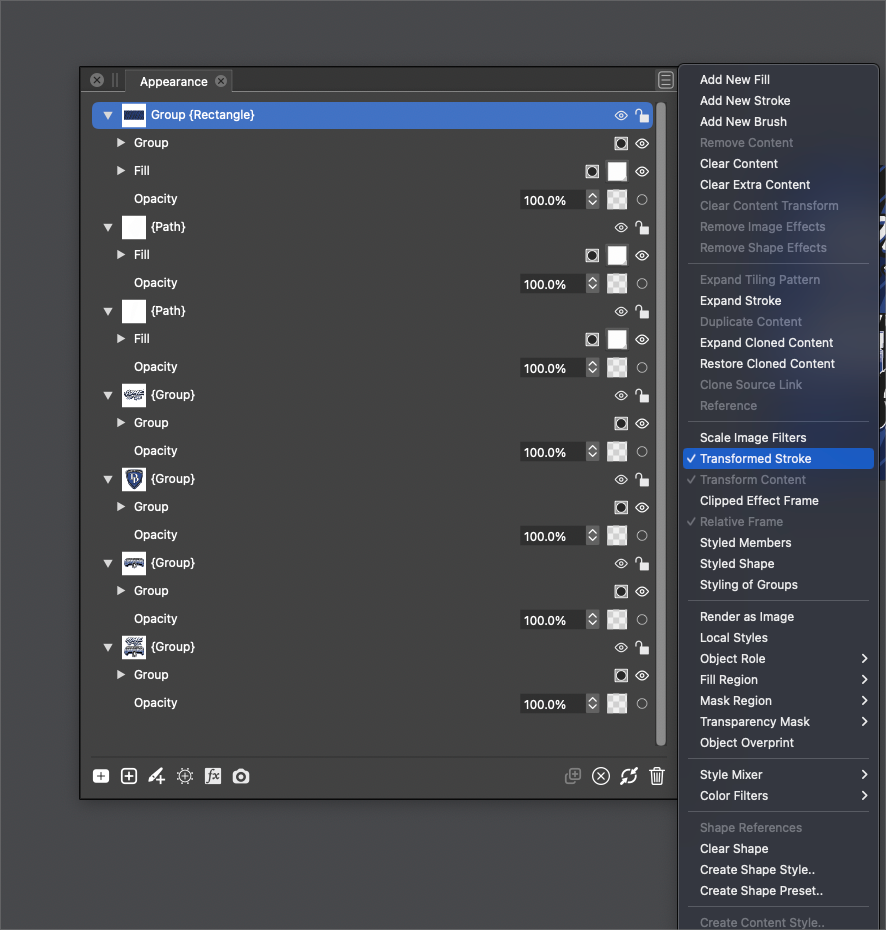
    @gentlecl I think @vectoradmin explained what is going on 3 posts up: https://www.vectorstyler.com/forum/topic/1903/convert-object-shape-to-curve-shape/10 It's not a bug, but it exposes the "Bending" Shape Effect when pressed once. Click on the "Fx" icon to bring up the Shape Effect options window. [image: 1650154868549-bending-shape-effect-after-expand-stroke.png] Press "Expand Stroke" again and it converts the bend effect to curves.
  • Is there a better way to create an editable raylight?

    7
    0 Votes
    7 Posts
    7k Views
    VectorStylerV
    @Boldline said in Is there a better way to create an editable raylight?: @vectoradmin would it make sense for choosing "clone" from the options inside the rotate panel, for that to suffice in having all duplicates mimic the first shape? I added this to the backlog. Currently clones do not inherit the rotation pivot, I will try to fix that.
  • Style , expand stroke

    2
    1 Votes
    2 Posts
    3k Views
    b77B
    @gentlecl See my reply here: https://www.vectorstyler.com/forum/topic/1903/convert-object-shape-to-curve-shape