• PDFs do not export embedded images with a drop shadow

    Moved
    7
    0 Votes
    7 Posts
    7k Views
    Victor VectorV
    @vectoradmin a big thank you for fixing this in 1.1.030!!!
  • 0 Votes
    3 Posts
    4k Views
    Victor VectorV
    @vectoradmin Thank you for the explanation. I will adapt for now
  • Very Simple Trace

    Moved
    5
    4
    0 Votes
    5 Posts
    7k Views
    VectorStylerV
    @fewerjunk There is still need for improvement in the image trace. I attached the vectors I got with VS.0_1649264673534_imagetrace1.vstyler [image: 1649264631306-traceexample-resized.png]
  • Insert node with "+" key now sets 2 nodes

    Moved
    5
    1
    0 Votes
    5 Posts
    5k Views
    S
    @vectoradmin, fixed now with 1.1.029
  • Win 10 - Key repeating doesnt work in VS since 1.1.028

    Moved
    6
    0 Votes
    6 Posts
    6k Views
    S
    @vectoradmin fixed now with 1.1.029
  • VS window snaps back to a default position

    Moved
    6
    0 Votes
    6 Posts
    6k Views
    S
    @vectoradmin , wow, that was fast is fixed now
  • Rasterization Movement

    Moved
    4
    0 Votes
    4 Posts
    5k Views
    VectorStylerV
    @Sullyman There is a fix related to this issue. There is always a small movement are vector are rasterized to images, but it should be much smaller now.
  • Difficulty quickly editing a node handle

    Moved
    4
    0 Votes
    4 Posts
    4k Views
    VectorStylerV
    @Boldline When hovering over a node, it should change its color and size (unless that was customized). This would indicate if the node will be selected and grabbed when clicked. There could be some kind of "aging" bug that causes issues with the editor in general.
  • Rotate Canvas

    Moved
    4
    0 Votes
    4 Posts
    5k Views
    ambrosA
    Thank you. That's excellent news.
  • Node and handle

    Moved
    6
    0 Votes
    6 Posts
    6k Views
    J
    @vectoradmin I am thinking this because when the node close with cusp node the handle handle doesnot retract. You can see in this video when I move the handle closer to the node the issue solve to some extent.
  • 0 Votes
    9 Posts
    11k Views
    VectorStylerV
    @Boldline I think this could be a regression in the node selection method. EDIT: yes, it is caused by a change in the node selection, I will roll back that for the next build and it will be fixed.
  • 0 Votes
    15 Posts
    12k Views
    VectorStylerV
    @Boldline There is a small change in how the eraser / path brush are handling lines, and will have separate settings from the Pencil tool.
  • Difficulties to detach the Toolbox popup group menu

    Moved
    5
    0 Votes
    5 Posts
    5k Views
    S
    @vectoradmin said in Difficulties to detach the Toolbox popup group menu: @Subpath This problem should be fixed now, let me know if it still occurs. is fixed, thank you
  • Visibility of nodes and guides flashing on and off.

    Moved
    3
    1 Votes
    3 Posts
    4k Views
    Qode5Q
    As you can imagine this was difficult to capture in a screenshot, but the screenshot of the entire VS window shows that the guides and artboard name are not visible. The second shows the guides and the artboard name. I should also add that the effect seems more prevalent when there are more nodes. [image: 1648149414354-vs-visibility2-resized.jpg] [image: 1648149425263-95935a1b-e316-4a04-bc14-1964ac49ddb9-image.png] Hope this helps.
  • First change to object style won't propagate ( accumulated )

    Moved
    3
    0 Votes
    3 Posts
    4k Views
    N
    @vectoradmin Refresh does help, thanks.
  • Stroke width : weird behaviour sometimes

    Moved
    2
    2
    0 Votes
    2 Posts
    3k Views
    VectorStylerV
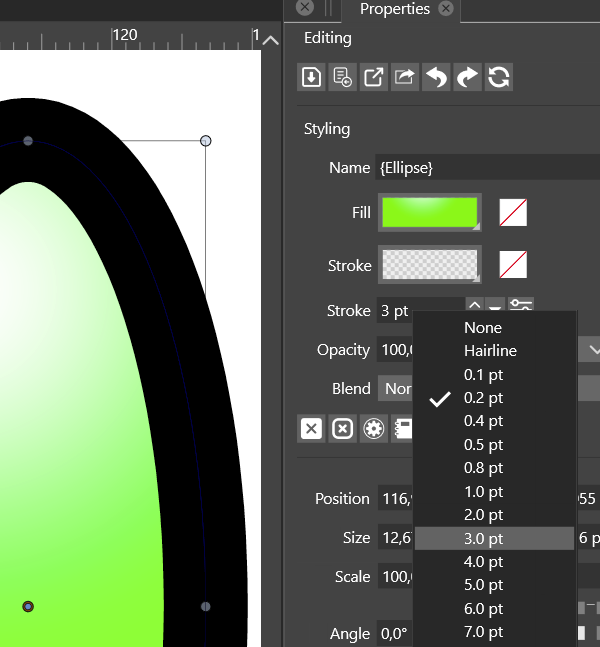
    @PatrickM I tested the stroke width selection from the Properties panel on an object with no stroke and it is working here (both on Windows and Mac). If there is a short recording of what happens when the object is selected and the Properties panel is used for stroke selection, please link it here, it would help replicating the issue. Thanks.
  • 0 Votes
    2 Posts
    3k Views
    VectorStylerV
    @Nils Replicated, will get fixed in the next build.
  • Selecting with Shift-key doesn't work properly(single file affected)

    Moved
    5
    0 Votes
    5 Posts
    5k Views
    encartE
    @vectoradmin said in Selecting with Shift-key doesn't work properly(single file affected): @encart said in Selecting with Shift-key doesn't work properly(single file affected): Not present in the new file. Just to clarify: this error occurs only with this one file? Exactly. I created a new file and problem has gone.
  • Toolbox can not be attached

    Moved
    6
    0 Votes
    6 Posts
    6k Views
    J
    @vectoradmin If the panel is lock can we disable or hide the cross button to close the panel. This happened to me many times when I accidentally close the panel.
  • Snapping not working with CTRL key?

    Moved
    3
    0 Votes
    3 Posts
    4k Views
    Victor VectorV
    @vectoradmin Ah! Thank you for your help. I appreciate the configurability of VS.