• (Win beta 1.0.027) Zoom ALT keyboard doesn't zoom out

    Moved
    3
    0 Votes
    3 Posts
    4k Views
    J
    That explains why it zooms in such a high amount. I should have read the manual! Thank you.
  • (Win beta 1.0.027) Lag with previous beta files

    Moved
    3
    0 Votes
    3 Posts
    4k Views
    J
    Hi, will do. I’m actually just off to work so I’m afraid it’ll be tomorrow (Thursday in UK) before I can do this.
  • (Win beta 1.0.027) Clipped drop shadow when applied to scatter brush

    Moved
    4
    1
    1 Votes
    4 Posts
    5k Views
    VectorStylerV
    @Jono I can replicate this one, so no need for a file.
  • 0 Votes
    3 Posts
    5k Views
    VectorStylerV
    @encart The layers panel list should auto scroll when dragging objects, in the new build 1.0.027
  • 0 Votes
    3 Posts
    6k Views
    VectorStylerV
    @Vector-Rock The tooltip problems of the toolbox are fixed in build 1.0.027
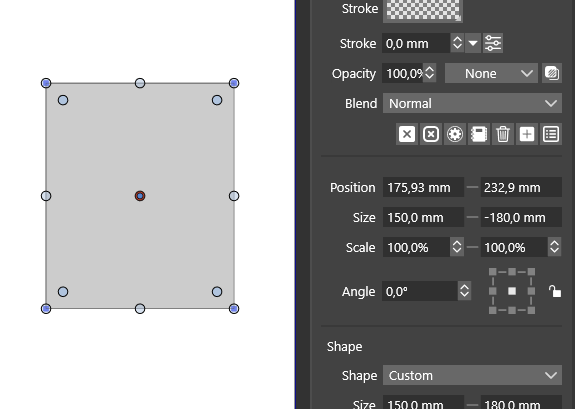
  • Properties Panel/ Size. Height value have to be preceded by a minus.

    Moved
    5
    1
    0 Votes
    5 Posts
    6k Views
    VectorStylerV
    @encart The height field in the properties panel should work now with top-down coordinate direction also.
  • Undoing a brush stroke makes previous stroke change size

    Moved
    4
    0 Votes
    4 Posts
    6k Views
    VectorStylerV
    @Boldline The refresh issues caused by brush stroke changes (both undo and expand) has been fixed in build 1.0.027
  • Bring Forward/Backward Shortcut doesn't work with text

    Moved
    3
    0 Votes
    3 Posts
    5k Views
    VectorStylerV
    @encart The bring forward (and other) while text is selected, shortcut issue has been fixed in build 1.0.027
  • Can't draw Concentric Circles (Windows)

    Moved
    10
    0 Votes
    10 Posts
    11k Views
    VectorStylerV
    @Gremriel The concentric circle drawing issue has been fixed in build 1.0.027.
  • Object selection problems

    Moved
    9
    0 Votes
    9 Posts
    10k Views
    VectorStylerV
    @Kyriakos said in Object selection problems: Nice, this seems to fix the text issue. I take it this isn't the expected behaviour? It's not giving me the nodes in new documents irregardless of the setting. It looks like a bug. The corner handles should not be visible for the text. But I could not replicate here, even with the settings/workspace files. I keep this as an open issue in the backlog.
  • [M1] App crashing when pasting-in image from Skype

    Moved
    5
    0 Votes
    5 Posts
    7k Views
    K
    @vectoradmin Just reporting that this seems to be fixed in the latest OS update.
  • 0 Votes
    2 Posts
    3k Views
    VectorStylerV
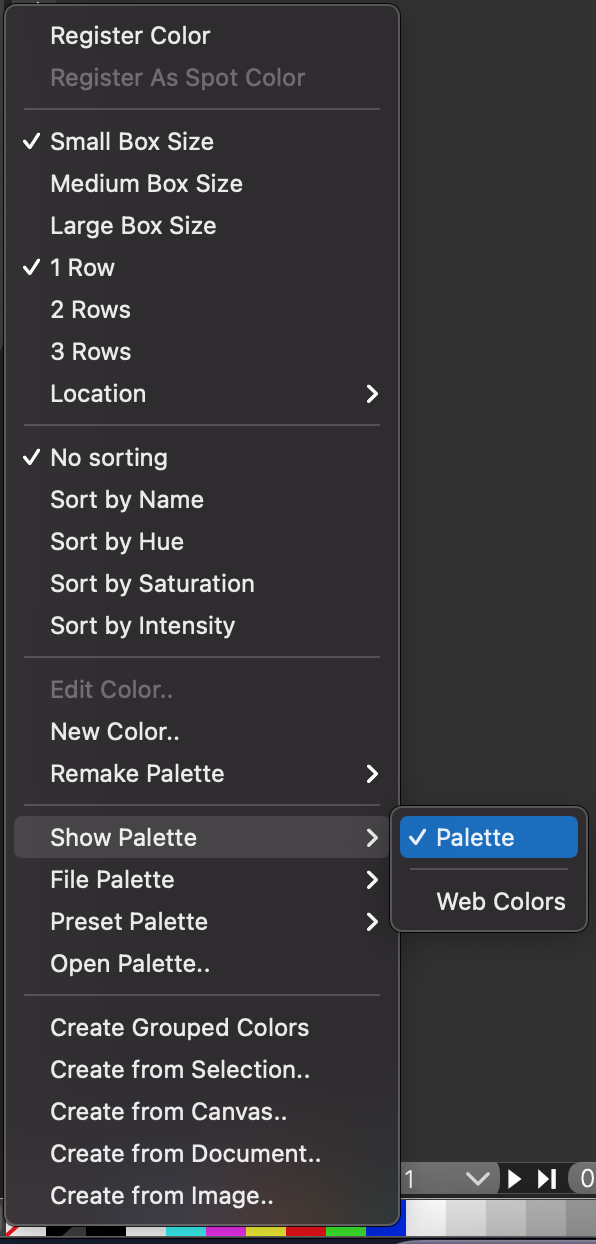
    @Vector-Rock The Palette (maybe should have a different name) is available only when a document is open. It can be sometimes left there after a all documents are closed.
  • Heavy flickering of nodes when using Corner Tool/Shape Tool

    Moved
    5
    0 Votes
    5 Posts
    8k Views
    G
    @vectoradmin I turned off GPU distortion for Mesh and Distortion, and the flickering was gone. I then turned both options on again, and the flickering didn't occur anymore.
  • Stroke weight in appearance panel not changing incrementally

    Moved
    4
    0 Votes
    4 Posts
    6k Views
    V
    @boldline. Yeah, that's why I started the topic on this originally as noted by @b77. It's cool that @vectoradmin has put both the "incremental Up/Down arrow icon adjustment scrolling" and a better "slider" icon on the backlog. I can see why it might take a while to implement. My recommendation was to have the Incremental Up/Down arrow icon adjustment scrolling control appear in every spot that currently has "sliders"- that's a lot of places- even preferences. While I do occasionally use the "slider" control, and am glad it is available, I really don't use it much. Would use "incremental" all the time, along with "direct numerical entry". @vectoradmin I actually find myself wishing that the drop down icon choice was more widely used. It's nice to get that very quick "live" visual update as you hover/zip down the presets.
  • Wrong control sizes (macOS) in certain dialog boxes

    Moved
    3
    1
    0 Votes
    3 Posts
    5k Views
    A
    @vectoradmin Thanks. It is great that fixes can be addressed as directly as this. When not, I always feel that the code is beyond the reach of developers, and more or less module based so that fixes like these can only be expected along with framework/library updates.
  • Distortion of shapes when moving nodes 1.0.025 RC2 Win10

    Moved
    2
    0 Votes
    2 Posts
    4k Views
    VectorStylerV
    @encart Got it. Will try to fix it in the next build. A workaround: select all nodes and convert them to cubic curves, by clicking the last icon from these icons in the context panel: [image: 1620416248017-curve.png] TrueType (and some OpenType) fonts result in quadratic curves (typically not directly editable by other apps), but SVG has them so in VS they are editable. But there seems to be a bug here.
  • Gradient mesh shape will persist for every other new shape created

    Moved
    4
    0 Votes
    4 Posts
    5k Views
    K
    @vectoradmin Works fine now, thanks. I noticed something else with it that might be a problem, after double-clicking inside your mesh to create a new node you need to reselect the newly created node in order to colour it, otherwise the entire shape gets filled and you cannot undo. So it might be better if newly created nodes are already selected so you can immediately adjust their colour without having to re-click them. *Forgot to add that after accidentally filling the shape with a solid colour it sometimes breaks and creates some weird vectors as such... [image: 1620374588914-mesh.png]
  • Combining text with a shape does not work

    Moved
    13
    0 Votes
    13 Posts
    13k Views
    VectorStylerV
    @Gremriel The new build 1.0.025 has some fixes regarding the text shape combination issues.
  • 0 Votes
    2 Posts
    4k Views
    VectorStylerV
    @encart I will try to replicate, there was a regression in duplication in version 1.0.022 and 23.
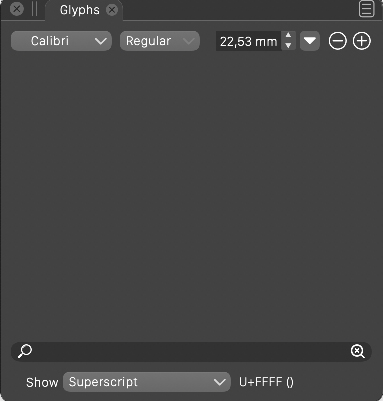
  • Glyphs panel: glyph categories are not shown for certain fonts

    Moved
    12
    1
    0 Votes
    12 Posts
    13k Views
    A
    @vectoradmin said in Glyphs panel: glyph categories are not shown for certain fonts: @Arde In the Glyphs panel menu, the Unicode Blocks menu item has some options to reveal other blocks Wow, the features of this app are just incredible!