VectorStyler
    • Categories
    • Unread
    • Recent
    • Tags
    • Popular
    • Register
    • Login
    1. Home
    2. Bugs in VectorStyler
    3. Resolved 1.2 bugs
    Log in to post
    Load new posts
    • Recently Replied
    • Recently Created
    • Most Posts
    • Most Votes
    • Most Views
    • debraspicherD

      Dropping Layer in an Expanded Layer ends up outside instead of inside

      Watching Ignoring Scheduled Pinned Locked Moved
      2
      1 Votes
      2 Posts
      3k Views
      VectorStylerV
      @debraspicher This can be replicated easily, will be fixed ASAP.
    • debraspicherD

      Laggy update of Color Picker in Context Bar on Windows

      Watching Ignoring Scheduled Pinned Locked Moved
      4
      1 Votes
      4 Posts
      5k Views
      H
      Color Picker in the Context Bar has a tendency to change the position of a Hue (moving only on a rectangle area), I would like to change the hue myself. Also, I can't reach for the whole color spectrum compared to Color panel - video
    • BoldlineB

      Pencil tool fill adds stroke despite removing it in menu bar- endless cycle

      Watching Ignoring Scheduled Pinned Locked Moved
      2
      0 Votes
      2 Posts
      3k Views
      VectorStylerV
      @Boldline said in Pencil tool fill adds stroke despite removing it in menu bar- endless cycle: but if I remove the stroke and then DESELECT and remove the stroke option in the contextual menu, it will still keep making new shapes WITH the stroke I removed I will try to fix this.
    • debraspicherD

      Tooltips are intermittent/slow to appear

      Watching Ignoring Scheduled Pinned Locked Moved
      4
      0 Votes
      4 Posts
      4k Views
      VectorStylerV
      @debraspicher Got it, I will try to replicate with this workspace.
    • BoldlineB

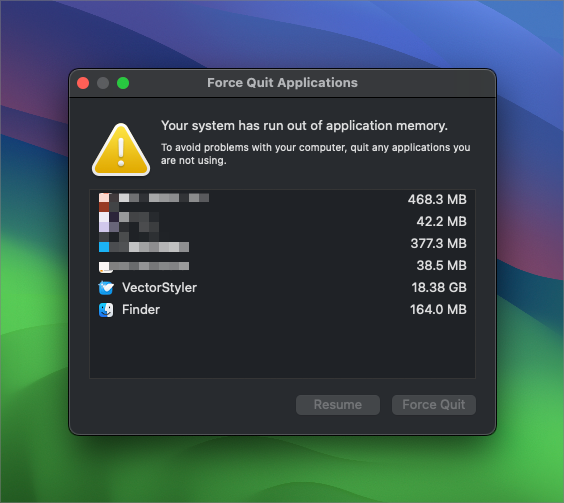
      VS is Consistently Taking Up Massive Memory

      Watching Ignoring Scheduled Pinned Locked Moved
      16
      3
      0 Votes
      16 Posts
      14k Views
      debraspicherD
      Memory usage here is much more slimmed down and certainly more efficient. Thanks!
    • debraspicherD

      Transform Origin with Move with Transform Origin doesn't work with Copies.. but Object Menu>Transform does...

      Watching Ignoring Scheduled Pinned Locked Moved
      4
      0 Votes
      4 Posts
      4k Views
      debraspicherD
      @VectorStyler I just posted this, it's related to your #1 point: https://www.vectorstyler.com/forum/post/25773
    • debraspicherD

      Imported Image Corruption

      Watching Ignoring Scheduled Pinned Locked Moved
      4
      2 Votes
      4 Posts
      4k Views
      debraspicherD
      @VectorStyler Yes, the issue I was having is it was reverting work and removing all Undo steps before that change after the revert. So I could not get back recent changes. This seemed to trigger really when I was Undo-ing much more frequently, for example, repeatedly laying down lines with the Pencil tool and playing with the Stroke panel to get a certain look. When I do another intensive document, I'll try to capture it in better detail. I have other footage, but I have to dig through it to make clips...
    • B

      Compound shape with a cloned object ?

      Watching Ignoring Scheduled Pinned Locked Moved
      12
      0 Votes
      12 Posts
      10k Views
      B
      @VectorStyler Yes, that's right I'm mixing up different tests and trying to pass on an action...
    • LoginErrorL

      Dragging many selected objects results in HUGE preview blocking everything

      Watching Ignoring Scheduled Pinned Locked Moved
      10
      2
      1 Votes
      10 Posts
      9k Views
      L
      @VectorStyler Thank you so much! Version 1.2.029 is working perfectly. I tested it by freely moving over 100,000 objects in the Layers panel, and everything is functioning correctly.
    • L

      Crash occurs when deleting an object

      Watching Ignoring Scheduled Pinned Locked Moved
      3
      2 Votes
      3 Posts
      4k Views
      L
      @VectorStyler fixed. thanks
    • H

      Glyph dragged and dropped on the canvas can't be accessed by Text tool

      Watching Ignoring Scheduled Pinned Locked Moved
      2
      1 Votes
      2 Posts
      2k Views
      VectorStylerV
      @Harry Yes, but this it not a bug. A glyph dropped from the glyph panel will be a "glyph" shape, a special kind of parametric shape, that has a single glyph as the attribute.
    • debraspicherD

      File>Import Single Click posts content outside of Clipping Mask

      Watching Ignoring Scheduled Pinned Locked Moved
      2
      0 Votes
      2 Posts
      2k Views
      VectorStylerV
      @debraspicher I will try to replicate this.
    • debraspicherD

      Transform/Rescale works in unexpected ways when selecting Layer AND Objects

      Watching Ignoring Scheduled Pinned Locked Moved
      2
      1 Votes
      2 Posts
      2k Views
      VectorStylerV
      @debraspicher Yes, here both the layer and its content are selected when resizing, resulting in that double scaling and movement. I will try to fix this by scaling only the top selected object(s)
    • W

      VS fails to change artboard orientation in Document Setup

      Watching Ignoring Scheduled Pinned Locked Moved
      6
      1 Votes
      6 Posts
      6k Views
      W
      @William-Kansepa said in VS fails to change artboard orientation in Document Setup: With an existing document, VS fails to change artboard orientation from Landscape to Portrait (but Portrait to Landscape is not a problem) through the Artboard section in the Document Setup modal view. This is only possible if I edit the artboard using the Artboard Editor. Note that this is an old bug. In VS 1.2.0.028 I am glad to say that this is now a thing of the past. @VectorStyler Thank you!
    • M

      Under the polygon lasso and magic wand modes, the magnifying glass tool fails and only the mouse middle button can be used to zoom in and out of the view.

      Watching Ignoring Scheduled Pinned Locked Moved
      5
      1 Votes
      5 Posts
      5k Views
      VectorStylerV
      @monsterfox said in Under the polygon lasso and magic wand modes, the magnifying glass tool fails and only the mouse middle button can be used to zoom in and out of the view.: The magic wand function fails, and it is now just a normal selection tool. I opened a bug on this.
    • debraspicherD

      Layers Panel trashcan deletes text from Text on a path one character a time

      Watching Ignoring Scheduled Pinned Locked Moved
      2
      0 Votes
      2 Posts
      3k Views
      VectorStylerV
      @debraspicher Can be replicated here also. Will be fixed for the next build. This happens only when the text editor is active.
    • debraspicherD

      Dragging to highlight numeric field for W,H in New Dialog is treated like scrolling behavior

      Watching Ignoring Scheduled Pinned Locked Moved
      7
      4 Votes
      7 Posts
      6k Views
      VectorStylerV
      @debraspicher The "Scrolling Mode" settings determines how to handle swipes (scroll wheel) when hovering over a text field.
    • debraspicherD

      Can't rename Layers by clicking once until after opening Layer Options

      Watching Ignoring Scheduled Pinned Locked Moved
      9
      1 Votes
      9 Posts
      11k Views
      VectorStylerV
      @debraspicher I will try to find out what can cause this and fix it.
    • debraspicherD

      {UX} Updating Stroke dialog behavior pre-selection

      Watching Ignoring Scheduled Pinned Locked Moved
      6
      1 Votes
      6 Posts
      6k Views
      VectorStylerV
      @debraspicher Not for the stroke settings. The default for most of these is fixed to the basic stroke. The color, width and profile can be a custom default. In Settings -> Selection, disable the "Update Default Styles" and that will keep these defaults and not update them from the selection. But the other stroke options are not kept. I will try to improve this.
    • debraspicherD

      Document Window can't be undocked manually by dragging

      Watching Ignoring Scheduled Pinned Locked Moved
      4
      1 Votes
      4 Posts
      4k Views
      VectorStylerV
      @debraspicher I will try to improve this.