• Activating Node Tool when in Isolation Mode requires Layer selection

    Moved
    6
    3 Votes
    6 Posts
    6k Views
    VectorStylerV
    @debraspicher said in Activating Node Tool when in Isolation Mode requires Layer selection: I was just curious if there was an alternative to access the other Isolation mode Only the menu commands. So maybe a shortcut could be assigned to these.
  • Glitchy Navigator UI (when docked, being undocked)

    Moved
    3
    1 Votes
    3 Posts
    3k Views
    VectorStylerV
    @debraspicher These can be replicated, I will try to fix them ASAP.
  • Layer thumbnail preview when dragging Layers

    Moved
    3
    1 Votes
    3 Posts
    3k Views
    debraspicherD
    @VectorStyler Working beautifully. Thank you!
  • Program window expands on Save (Windows 10)

    Moved
    3
    1 Votes
    3 Posts
    4k Views
    debraspicherD
    @VectorStyler I didn't think so either in this case, but good to check because a slight "pause" could be caused by a drive taking too long if it is bound to fail or experiencing errors. The other possibility I thought of was maybe the drive was waking back up, but that drive is almost always active from media being accessed or Onedrive updates. I'll try to get the intervals just to be sure that it is indeed backup. I have video of it happening intermittently, but have to dig through and find a session.
  • 1 Votes
    3 Posts
    3k Views
    debraspicherD
    @VectorStyler I will edit to readd the video link. I tried both methods (out of curiosity). I generally don't touch the unit text.
  • Strange box when scrolling through Keyboard Shortcuts

    Moved
    2
    1 Votes
    2 Posts
    4k Views
    VectorStylerV
    @debraspicher yes, this can be replicated here also. I will try to have it fixed for the next build
  • PostScript Type 1 errors in 1.2 (Windows)

    Moved
    2
    1
    1 Votes
    2 Posts
    3k Views
    VectorStylerV
    @Arde I opened a bug on this and will try to fix it ASAP.
  • Will no longer print

    Moved
    13
    1
    0 Votes
    13 Posts
    11k Views
    VectorStylerV
    @ambros said in Will no longer print: it might be that the file is corrupted or something ? Not sure, can you send me that file.
  • Show Grid Shortcut Key not working

    Moved
    4
    1 Votes
    4 Posts
    5k Views
    VectorStylerV
    @monsterfox said in Show Grid Shortcut Key not working: @VectorStyler Alt+~ It can't be used either. Please repair it by the way Will do so
  • Guidelines Panel is a wee bit truncated at bottom of scrollable list

    Moved
    2
    1
    1 Votes
    2 Posts
    3k Views
    VectorStylerV
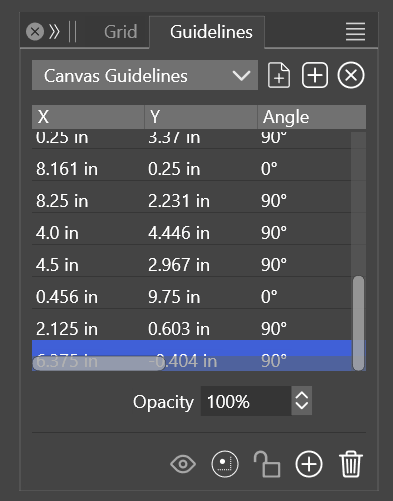
    @debraspicher I added this to the backlog.
  • Gradient Editor

    Moved
    16
    1 Votes
    16 Posts
    14k Views
    debraspicherD
    @VectorStyler Yeah I've been able to still work with it using the gradient line. Sometimes it "unmucks" the UI also and allows me to work with it through the Gradient Editor panel. But largely using the line now. The only "problem" I have with using the line is that when I do use the color panel fly out, it's sometimes blocking elements so I can't see what it is actually doing. That's the only real downside.
  • Export dialog is reporting output size as inaccurate and in decimels

    Moved
    2
    1
    1 Votes
    2 Posts
    3k Views
    VectorStylerV
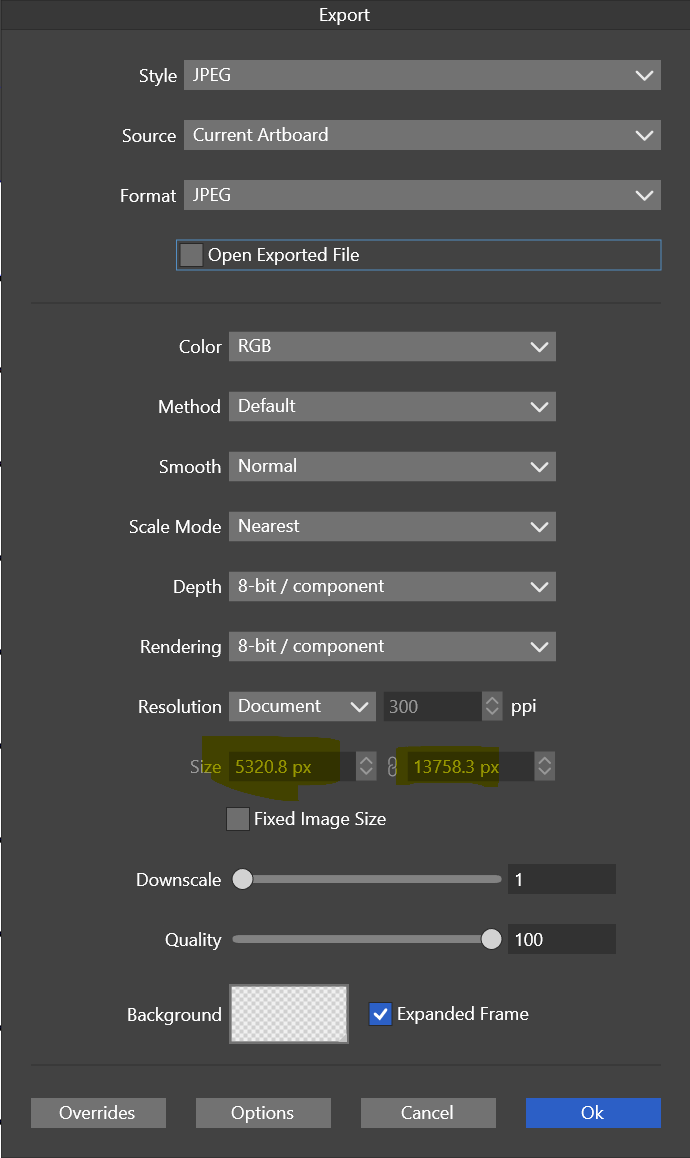
    @debraspicher I will try to replicate this, and fix it.
  • Text error in Documentation

    Moved
    1
    1
    1 Votes
    1 Posts
    3k Views
    No one has replied
  • The "crlt" key fails.

    Moved
    6
    1 Votes
    6 Posts
    5k Views
    VectorStylerV
    @monsterfox I will try to add these.
  • Transform Panel UX

    Moved
    3
    1
    1 Votes
    3 Posts
    3k Views
    debraspicherD
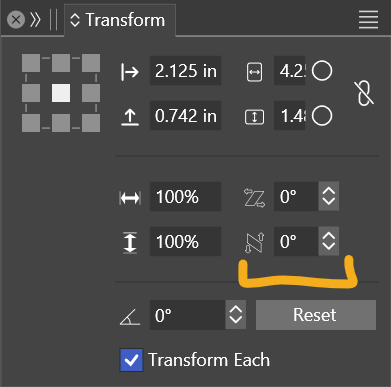
    @VectorStyler Perfect! [image: 1718920786975-311147dd-da3d-4588-86c5-2d024ecae2cc-image.png] Smallest: [image: 1718920851894-5968bb65-e30e-4f3f-a0da-8ea27d9f7bdd-image.png]
  • Erase block still not erasing only selected shape

    Moved
    5
    0 Votes
    5 Posts
    4k Views
    VectorStylerV
    @Boldline said in Erase block still not erasing only selected shape: What about adding an option for same-style? The problem is identifying the style. Could be the current color, but that will handle solid fills only.
  • Error in mirror tool

    Moved
    3
    1
    1 Votes
    3 Posts
    4k Views
    M
    @VectorStyler This problem has been fixed.
  • Duplicating a group/Layer results in an offset

    Moved
    6
    0 Votes
    6 Posts
    6k Views
    IngolfI
    @debraspicher said in Duplicating a group/Layer results in an offset: @Ingolf Seriously, thank you! I have no idea how that got changed. Might've moved when I was checking through options on the above setting. As he says, this is the default in VectorStyler, likely inspired (perhaps a bit too much) by Adobe Illustrator. The intention is probably to make it easier to see and select the new object in relation to the original. It disrupts my workflow significantly, and I find this behavior outdated, likely stemming from a bygone era. The world has duplicated billions of objects since this "helpful" feature was conceived. It is clearly evident in the layers panel on our high-resolution screens that we have added extra objects. In any case, I use duplicate most of the time to create an object I need to move horizontally or vertically a certain distance aligned precisely with the original, so I quickly disabled this behavior. The idea of duplicate is to create a copy faster than copy-paste, so placing objects somewhere I have to move them away from creates more work than copy-paste. For me. Personally, I think this is a behavior and setting that could be removed entirely to make the program easier to use and the preferences slightly less cluttered.
  • Color Palette > Global Color issues

    Moved
    7
    0 Votes
    7 Posts
    6k Views
    debraspicherD
    Just glad to be of help. Thank you for looking into these.
  • Layer panel sluggishness/non-responsive behavior

    Moved
    8
    2 Votes
    8 Posts
    7k Views
    debraspicherD
    @VectorStyler I did the wipe. Long story short, yes, the behavior is still occurring and no differences there: https://1drv.ms/v/s!AuWHX0h5bAoRio871zPyvvseBns5VQ?e=FBejHD Edit: Checking current WS folder contents only has a /resources folder in case that is of help: https://1drv.ms/u/s!AuWHX0h5bAoRio88ioaZnAAoeIhbvg?e=G6ACSk