Subcategories

  • These features and ideas have been implemented in VS as suggested

    180 Topics
    1k Posts
    VectorStylerV
    @Ayo said in About the Snap feature: Wouldn't it be better to change "Snap to Visible Only" to "Snap to View Extend Only" or shorter "Snap to Viewport Only" or even shorter "Snap to View Only" ? There is a big chance of confusion with the term 'visible' which is mainly linked to the layer system. I added this to the backlog.
  • Ideas to improve the "Stroke Width Tool" a bit

    3
    2
    2 Votes
    3 Posts
    3k Views
    S
    @VectorStyler great appreciate it
  • Adding stroke to a fill shape uses same color as fill

    7
    2
    1 Votes
    7 Posts
    7k Views
    BoldlineB
    It could be part of the settings - just like there could hopefully be control over what the default black and white swatches are in the color panel. I'd like to set the permanent black and white swatches to spot colors in my main imported palette. I actually did not know about the trick of dragging the color from the stroke or fill to the other to copy the color over. - that's a handy tip
  • Creating a new gradient with Option-drag could do something useful

    8
    2 Votes
    8 Posts
    8k Views
    b77B
    Hey world! Poll here: https://linkto.run/p/7N58FT1L Although… if the poll would include a Preferences setting for all four as a 5th option, this would be checked by everybody.
  • Double clicking gradient handles should not do anything

    9
    1 Votes
    9 Posts
    8k Views
    VectorStylerV
    @Ingolf said in Double clicking gradient handles should not do anything: When Activate node editor is selected in Double click - No key is selected, the problem happens. If I set it to isolate, it does not. So it is a side effect of that setting. Yes, this could be a side effect. I added this to the backlog.
  • Right Mousebutton to fill the opposite Node in a Gradient

    25
    1
    1 Votes
    25 Posts
    40k Views
    b77B
    @Subpath That's great.
  • Node should be selected when i use the Gradient Editor Tool

    3
    1
    2 Votes
    3 Posts
    4k Views
    S
    @VectorStyler , thanks
  • Grid Visual Upgrade

    7
    1
    1 Votes
    7 Posts
    7k Views
    b77B
    @Igull Just keep in mind that a canvas can have multiple artboards. Anything else is not useful if you have simple needs, except maybe making the Canvas & Artboard panel (Option-A) visible.
  • Crop artboard to selection

    4
    1
    0 Votes
    4 Posts
    4k Views
    VectorStylerV
    @b77 said in Crop artboard to selection: @VectorStyler A name like 'Artboard Size to Selection' for the command would cover both situations β€” selection smaller OR bigger than the artboard. But it has to be a selection that overlaps at least partially the artboard, by this specifying which artboard is resized.
  • Finding back a topic

    4
    0 Votes
    4 Posts
    4k Views
    S
    @Devil-Dinosaur Another option is to enter your username "Devil-Dinosaur" into the search field. Then all discussions in which your name appeared will be listed. The whole thing can be refined, e.g. to a specific time period. By clicking the search box options. The gear on the right side.
  • 0 Votes
    1 Posts
    3k Views
    No one has replied
  • Selection mode depends on the direction

    2
    5 Votes
    2 Posts
    3k Views
    S
    @encart interesting, but I find it a bit curious that in both cases a selection box is used. In the second case, in my opinion a simple line would be totally sufficient Edited: ok take it back a little if you have many small objects a selections box will make sense
  • 1 Votes
    2 Posts
    3k Views
    VectorStylerV
    @Boldline I think it could be there. What happens is that when a parametric (rectangle, ellipse, ...) shape is selected with the node tool, its properties should be editable from the context panel, and among those properties, there si also a button to convert.
  • Delete Path Segment

    19
    2 Votes
    19 Posts
    15k Views
    IgullI
    @b77 said in Delete Path Segment: But I would go with it anyway, and think of a way to add the segment highlight later. That's exactly my thinking too Neil
  • Tool Cursors

    7
    0 Votes
    7 Posts
    9k Views
    IgullI
    @VectorStyler That's great, didn't know they were vectors, historically in Mac at least, you used to be able to edit them yourself in a small bit image editor (ResEdit) that was designed for editing "resources" - back when we used to display images on slate and the computers were run on boiling water Would probably be best to stick to the tool's own current operating cursor - just without the dot or tilde. Neil
  • Option to show existing location of path in ghost form as you move a node

    14
    2 Votes
    14 Posts
    12k Views
    S
    @encart like that idea too
  • Eyedropper Tool Enhancement

    13
    1 Votes
    13 Posts
    12k Views
    IgullI
    @Ingolf Yes, pretty much that idea. I think the individual really has to choose what's relevant for their purposes - my no selection context menu for instance only has 10 items - the multi selection has 15. I'm still refining what I need as I go along, but I'm getting a bit more au fait with VS now Neil
  • Merging vectors that cross over themselves results in two divided objects

    4
    0 Votes
    4 Posts
    5k Views
    VectorStylerV
    @Boldline I added this to the backlog. The required tools are already available, but not yet accessible.
  • Copy dimensions option

    2
    2
    0 Votes
    2 Posts
    3k Views
    VectorStylerV
    @Boldline Use the Alignment panel size alignment options.
  • 1 Votes
    3 Posts
    3k Views
    BoldlineB
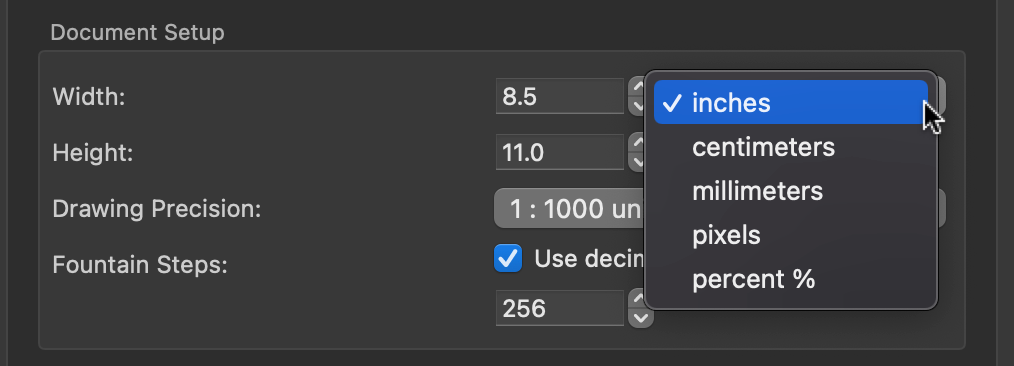
    @VectorStyler thanks! I'm fine with it converting the result to inches after I type it in if that helps
  • Request change to Transform Panel

    10
    1 Votes
    10 Posts
    8k Views
    IngolfI
    @Igull said in Request change to Transform Panel: @Ingolf LOL, I see your four and raise you my three Illustrator [image: 1658257365740-illustrator-resized.png] Ah, I think we might be comparing apples and pears. It looks like context bars in your post, and floating panels in my post. So a chronic horizontal narrow static bar vs floating bars with a dynamic size.