• Artboard margins ?

    22
    3
    0 Votes
    22 Posts
    27k Views
    VectorStylerV
    @PatrickM I added this to the backlog, I think it is easy to fix it.
  • Can the red dot in a vector object/group be used to align with?

    4
    1
    0 Votes
    4 Posts
    4k Views
    BoldlineB
    @b77 said in Can the red dot in a vector object/group be used to align with?: @Boldline An alternative: If you select all the nodes of the M shape (Cmd-A when in Shape Editing mode), you can grab it by one of the nodes in the middle and snap it to the middle of the other shape. Yes that could work as a temporary solution - but you'd still have to be sure there was a node directly in the place you feel is centered
  • Please update the Chinese interface, thank you

    2
    0 Votes
    2 Posts
    3k Views
    VectorStylerV
    @Huangzhi said in Please update the Chinese interface, thank you: Please update the Chinese interface, thank you Unfortunately, there is no Chinese (or any other than English) translation of the VS user interface yet.
  • Lock Artboard?

    2
    0 Votes
    2 Posts
    3k Views
    VectorStylerV
    @Boldline said in Lock Artboard?: Is there a way to lock an artboard? No such option. In VS, artboards re just "guides" for printing and exporting. The layer hierarchy is of a canvas covers all artboards. One workaround is to have a separate layer (with sublayers maybe) for an artboard, and then lock that.
  • How could I close pencil fills easily?

    3
    1
    0 Votes
    3 Posts
    3k Views
    BoldlineB
    @VectorStyler sent it. Maybe it's a fluke because it's working as expected with some of the other shapes
  • Mesh - how to...

    30
    4
    0 Votes
    30 Posts
    37k Views
    VectorStylerV
    @PatrickM said in Mesh - how to...: Sorry, I don't understand quite well your reply. What I meant is that the difference between image 2 and 3 could be caused by a bug. Shouldn't a change made by the Appearance panel be independent of the selected tool Yes it is mostly, but in some cases it might affect how the tool is working. But not in this case.
  • Select Adjoining ?

    7
    0 Votes
    7 Posts
    6k Views
    IgullI
    @b77 said in Select Adjoining ?: Not sure how many users deal with CAD exports, but the huge lines count resulted from the exploded objects slows many apps down. I've seen files with tens of thousands of lines… a rejoin command would halve the file size and make working with the file easy again. Plus it makes it easy to select actual objects. Yes, I think you're absolutely right, I hadn't given that side of the issue any thought, but I have seen the same thing. Neil
  • Touchpad scroll

    2
    0 Votes
    2 Posts
    3k Views
    VectorStylerV
    @Jayanta-Das No such option.
  • mapping pen button to control brush size

    2
    1 Votes
    2 Posts
    3k Views
    VectorStylerV
    @Jayanta-Das No such option for now, I added this to the features backlog.
  • Moving panel, not a bug but...

    2
    2
    1 Votes
    2 Posts
    3k Views
    VectorStylerV
    @PatrickM Yes, I will try to improve this.
  • Is there any option to set size while exporting?

    2
    1
    1 Votes
    2 Posts
    3k Views
    VectorStylerV
    @Jayanta-Das No, the size is calculated automatically using the resolution set when exporting (for images). I add this to the feature request lists, and will do it as soon as possible, as this one is indeed something that is needed.
  • where is the view / zoom option on the left panel

    17
    0 Votes
    17 Posts
    13k Views
    BoldlineB
    @VectorStyler said in where is the view / zoom option on the left panel: @Boldline said in where is the view / zoom option on the left panel: would it make sense to have a second click of to "z" key take you back to the last tool used? much like the "a" key swaps between node editor tool and transform tool? I think the automatic tool on/off selection with shortcuts could be generalized for all tools. I added this to the backlog. this would be amazing!
  • Brush: Content - black box

    4
    2
    0 Votes
    4 Posts
    4k Views
    VectorStylerV
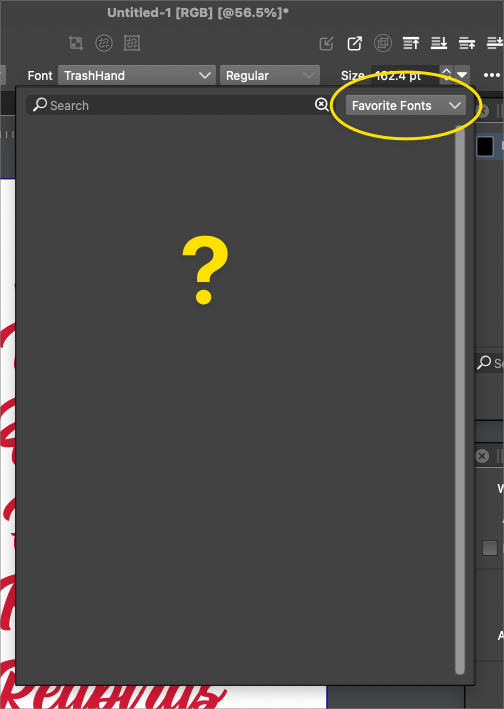
    @PatrickM said in Brush: Content - black box: When I click Edit the brush attribute in the Appearance panel, I don't get all features The brush drop down size is a bug. The "Content" drop down contains a list of symbols, but if there aren't any symbols it should not open. I tested on Windows, and there seems to be a bug here (opens an empty popup menu).
  • New from template but how to save...

    13
    0 Votes
    13 Posts
    11k Views
    VectorStylerV
    @Boldline said in New from template but how to save...: Would it make sense to add an option in the "document setup" so any file could become a template file even retroactively? This is possible to add, but not retroactively. But the issue here is that template files should also be editable as regular documents, in the case if the template is to be modified. I think what we need here is a better "New from Template" window, that lists previously saved templates or a content of a folder with templates (but will be problems with App Store version).
  • Is this selection box intentional?

    5
    1
    0 Votes
    5 Posts
    5k Views
    VectorStylerV
    @Boldline I can replicate this issue and it seems to be a bug, it should have the whole shape bounding box. It will be fixed in the next build.
  • Collider Tool Constraint ?

    5
    0 Votes
    5 Posts
    5k Views
    IgullI
    @VectorStyler said in Collider Tool Constraint ?: @Igull There is a bug here, will be fixed ASAP. Thanks Neil
  • Small but annoying issue :-)

    8
    0 Votes
    8 Posts
    7k Views
    IgullI
    @b77 said in Small but annoying issue : But I would ignore that and just type the name without adding the '.vstyler' extension, and the app adds it automatically. LOL, now why wasn't that my first consideration I just assumed that it wouldn't parse that, patently it does Thanks for that. Neil
  • Option to select within groups added to VS?

    7
    1
    0 Votes
    7 Posts
    6k Views
    VectorStylerV
    @Boldline said in Option to select within groups added to VS?: There is also the strong wish to be able to select an object nestled within a group and use that as the source for selecting all related objects on the layer/artboard Yes, this is possible. Select the object inside the group (small circle in the Layers panel), and enable the "Select Inside Layer" and / or the "Select Inside Artboard" options.
  • VS does not load preferences and settings at start-up.

    3
    0 Votes
    3 Posts
    4k Views
    encartE
    Yes, It was running during this incident. Deleting the folder you specified helped. Reinstalling was not required. Thank you.
  • 0 Votes
    2 Posts
    3k Views
    VectorStylerV
    @Boldline When copying (cutting) text, two versions of the text should end up in the clipboard. One with styling and one plain. When pasting, the order should be to look for the styled first (if found). Probably this is a bug.