• Blend ranges?

    3
    0 Votes
    3 Posts
    3k Views
    DazmondoD
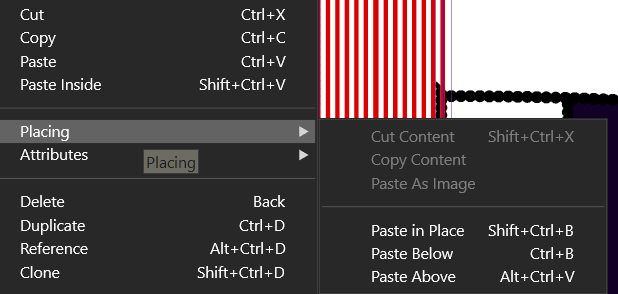
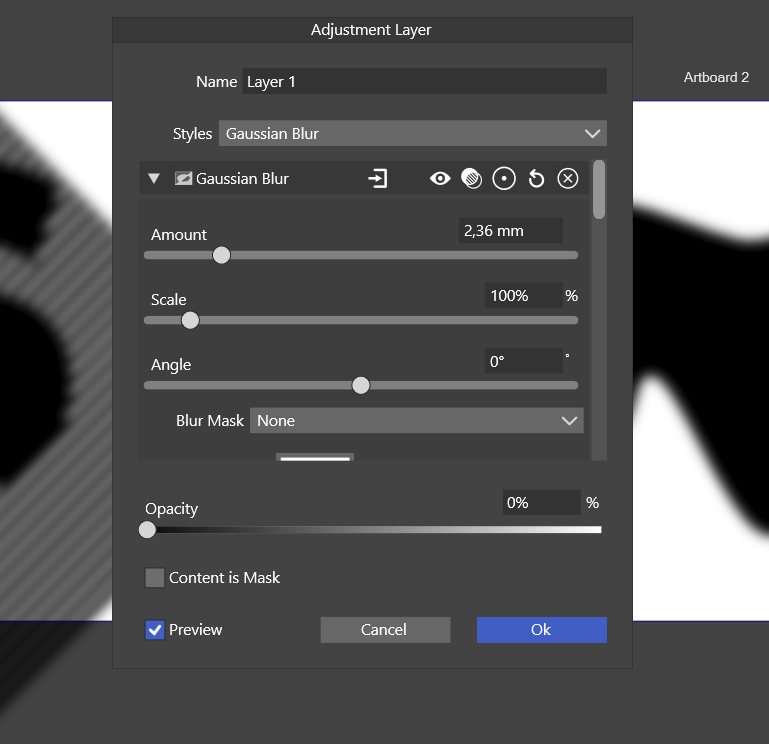
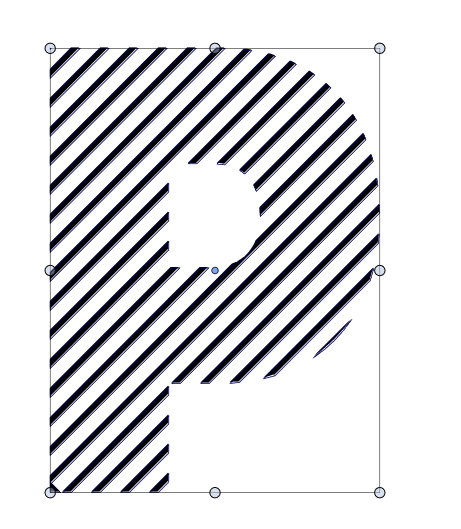
    @VectorStyler In Photoshop it's always been done by double clicking on a layer which gives you access to all layer features including Blend ranges which is done with sliders - in all Affinity apps you click on the cogwheel in the layers panel, which is done with curves - Always good for dropping off the opacity of colour and a really quick and easy way of producing a mask in Affinity which also works on groups. [image: 1662657798203-phoroshop-blend-range.jpg] [image: 1662657826541-screen-grab-resized.png] [image: 1662657826478-299337144_4405036669621410_7579783955263634809_n-resized.jpg]
  • The best way to record shapes/objects as assets in VS

    3
    0 Votes
    3 Posts
    3k Views
    B
    @VectorStyler A big thank you. I'll work on this asap. It reminds me (I think, not too sure, too long ago) AI and the possibility to create a shortcut of an external folder within the assets' native Illustrator folder. Thanks, Patrick
  • Scaling Zoom - no effect and usability advice

    8
    1
    0 Votes
    8 Posts
    7k Views
    IngolfI
    @VectorStyler said in Scaling Zoom - no effect and usability advice: I have to find a better name for it. Perhaps dynamic zoom?
  • Quick question about grids

    7
    0 Votes
    7 Posts
    5k Views
    K
    @VectorStyler Thanks!
  • Rendering quality

    10
    0 Votes
    10 Posts
    9k Views
    IngolfI
    @VectorStyler Looks crisp on macOS and Windows 11 now.
  • Something weird is going on with the Stroke

    9
    1 Votes
    9 Posts
    8k Views
    K
    @Subpath said in Something weird is going on with the Stroke: Short Video about that here Nice! I didn't know about that tip--thanks!
  • Dragging a file from file explorer right onto the canvas.

    6
    0 Votes
    6 Posts
    5k Views
    encartE
    @VectorStyler I can not explain how, but it works now. From search bar and file explorer as well. I didn't restart the app. VS was running in background. Since I remember I have random problems with opening files assigned to VS from file explorer, SVG's for example. I coudn't find any sequence yet. Do you have any ideas what should I do to get closer to solving the problem when it arises?
  • What option turns off grid by default on new documents?

    2
    1
    0 Votes
    2 Posts
    3k Views
    VectorStylerV
    @Boldline The only option to have it off by default is to turn it off. What probably happened here is that a document where the gird was on was opened and that turned on the grid for default mode.
  • Import AI Brush Collections

    6
    0 Votes
    6 Posts
    6k Views
    BoldlineB
    @SJStalter said in Import AI Brush Collections: ok---Yea! Thanks that worked! I thought since I dumped Illustrator that the brushes I had were lost money...but with your help I can use them now. Yeah - I have a few I've purchased over time that I was grateful I could still use in VS. I import swatch ase files as well
  • Too inexperienced for this software?

    11
    0 Votes
    11 Posts
    9k Views
    S
    @Buntstift also german here Aus eigener Erfahrung kann ich sagen, lass dich nicht entmutigen. Gib dir ein paar Wochen, oder befass dich immer mal wieder mit VS. Lass es etwas ruhiger angehen. Hab VS nun 1 Jahr, kenn ein paar andere Vectorgrafik Programme. Corel Draw ect. Dieses รผberwรคltigt sein legt sich nach einer Weile und man sieht klarer. Und ja Deepl ist Klasse Frag ruhig hier im Forum wenn du was nicht verstehst, hier hilft jeder gerne weiter. Das PDF Handbuch finde ich ebenfalls hilfreich. Du findest es im Tutorial Bereich. Das Handbuch ist leider nicht ganz so aktuell, da VS ziemlich schnell weiter entwickelt wird aber das PDF Handbuch lรครŸt sich leichter durchsuchen . . same text in english From my own experience I can say, don't get discouraged. Give yourself a few weeks, or deal with VS every now and then. Take it a little easier. Have VS now 1 year, know a few other vector graphics programs. Corel Draw ect. This being overwhelmed settles after a while and you see clearer. And yes Deepl is great Feel free to ask here in the forum if you don't understand something, everyone here is happy to help. I also find the PDF manual helpful. You can find it in the tutorial section. The manual is not that up to date, because VS is developed very fast, but the PDF manual is easier to search.
  • Preferences > User Interface > Missing Selection menu ?

    4
    2
    1 Votes
    4 Posts
    4k Views
    B
    Yesss, found it! Keep your eyes open in road traffic!
  • Problems around the corner

    18
    0 Votes
    18 Posts
    14k Views
    IgullI
    @VectorStyler said in Problems around the corner: I will make it work with the Node selection also. As they say in the movies, 'make it so' Excellent, thanks for that! Neil
  • Data folder

    3
    2 Votes
    3 Posts
    3k Views
    VectorStylerV
    @Ingolf Will fix this.
  • What are the steps to edit cursor right-click menu?

    6
    1
    0 Votes
    6 Posts
    6k Views
    S
    @Boldline yes, customization is one of the things I appreciate so much about VS. I can't have enough of them.
  • Troubles with divide / remove overlaps

    10
    3
    0 Votes
    10 Posts
    8k Views
    S
    @tudor seems good news
  • Styles issues

    4
    4
    0 Votes
    4 Posts
    4k Views
    F
    Suggestion: Drop-down lists are only a good choice when the number of items is small. A different type of control may provide a substantial improvement to usability for a few of these dialog boxes (as would fixing the labels on some of the buttons - "OK" is not "OK" - as it is not a verb, it should not normally be used any more): [image: 1661765458247-screen-shot-2022-08-29-at-5.30.12-am-resized.png]
  • Ungrouping changing the appearance of artwork

    12
    3
    0 Votes
    12 Posts
    10k Views
    VectorStylerV
    @tudor Yes the Illustrator compound shapes are imported as groups (in the AI file format, they are groups). I will try to find a solution for this.
  • Weird move by keyboard values

    2
    0 Votes
    2 Posts
    3k Views
    VectorStylerV
    @tudor The default is (should be 1 pt) after install. It can be set in the context panel. Could it be that it was inadvertently modified? It could also have been scrolled accidentally, while the mouse was hovering over it.
  • Object styles

    3
    0 Votes
    3 Posts
    3k Views
    IngolfI
    @VectorStyler said in Object styles: @Ingolf Use the Styles panel (Panel -> Styles -> Styles) to manage styles. The "Object Styles" is to manage style overrides (styles defined locally) of an object, a.k.a style overrides. I see. But the accessibility is reversed, and the terms used and the structure of the menu make the more administrative style tools come first, and where you then find something that has nothing to do with applying styles. They should identify themselves more as what they are, and perhaps in a submenu. The style panel, on the other hand, which I expect to use often, is a bit hidden at the bottom of the panel menu (I missed it when I scanned the rest of the menu alphabetically) illogically placed under palettes and presets with quite a few submenus. Styles are right up there with the other stuff in the panels menu. I imagine a simpler version of styles is to have a style panel or two (graphics and text), but that comes down to the wildest discipline in usability, reducing and simplifying. But it's a discipline worth all the effort, because the value of things can be lost when it's all drowned in detail and choice. But now I haven't used styles long enough in VS yet to have a particularly qualified opinion, so just this detail I'll assess a bit further. Let's just call this thread 'first impressions' to be fair. But overall, I often find that the very advanced features block, confuse and interfere with the more common use of the most common uses of features, and this is not the intention. They should be there, but in a second level. Discreetly. The most complex feature of a complex product is that the complexity of the functionality is reduced through clever UI design. That's the UI's job. Not the manual's.
  • Blend / profile of the objects and brush

    5
    3
    0 Votes
    5 Posts
    5k Views
    B
    @VectorStyler I can reproduce this issue and I can confirm that it works as you mention. I had forgotten to write it in my 1st post (see last screenshot).