• Fresh Install Error

    6
    1
    0 Votes
    6 Posts
    7k Views
    VectorStylerV
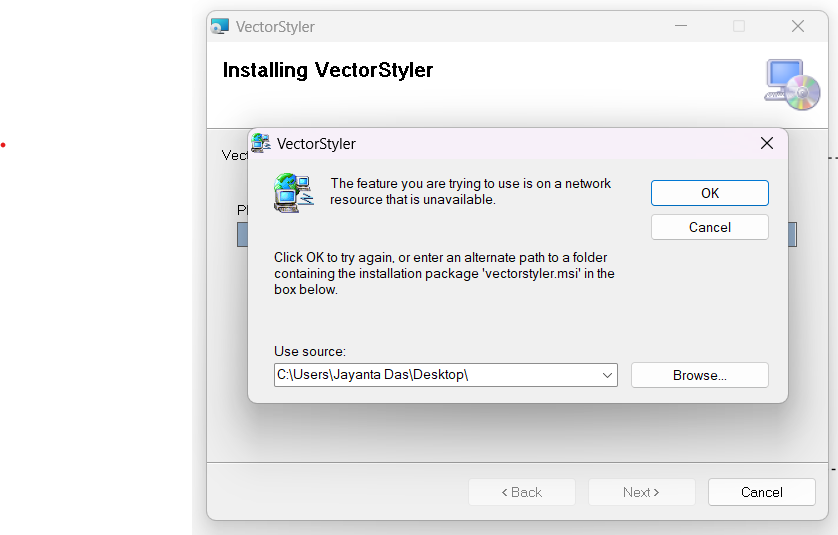
    @Jayanta-Das Searching for this error, this is what I found: https://appuals.com/fix-the-feature-you-are-trying-to-use-in-on-a-network-resource-that-is-unavailable/
  • Praise!

    1
    5 Votes
    1 Posts
    3k Views
    No one has replied
  • How easy it is !

    3
    5 Votes
    3 Posts
    5k Views
    S
    @Igull I bought vectorstyler about a year ago and since then I hardly open any other vector programs. It has become more or less my standard tool for vector graphics And I'm still discovering new features
  • 2 Votes
    5 Posts
    7k Views
    S
    @VectorStyler can only repeate what others already wrote works great
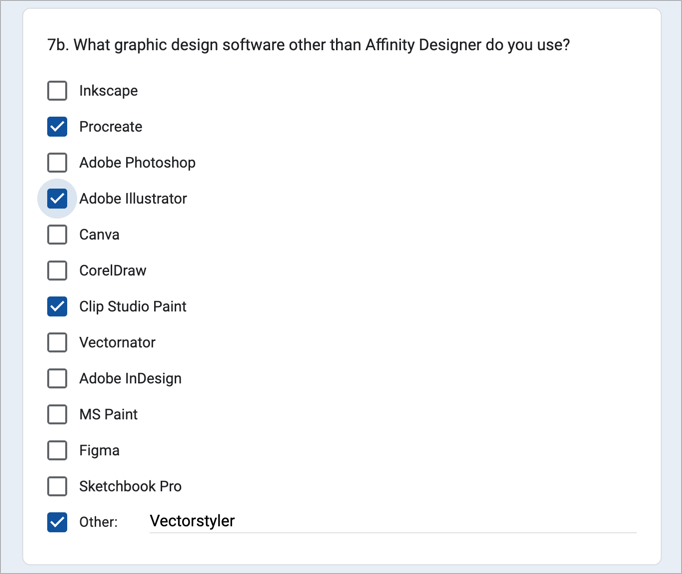
  • Affinity user poll excluded VS as an option!

    25
    1
    4 Votes
    25 Posts
    42k Views
    b77B
    @Subpath Thanks for the Xara mini-video!
  • Love the overlap percentage option!

    2
    1
    2 Votes
    2 Posts
    4k Views
    DazmondoD
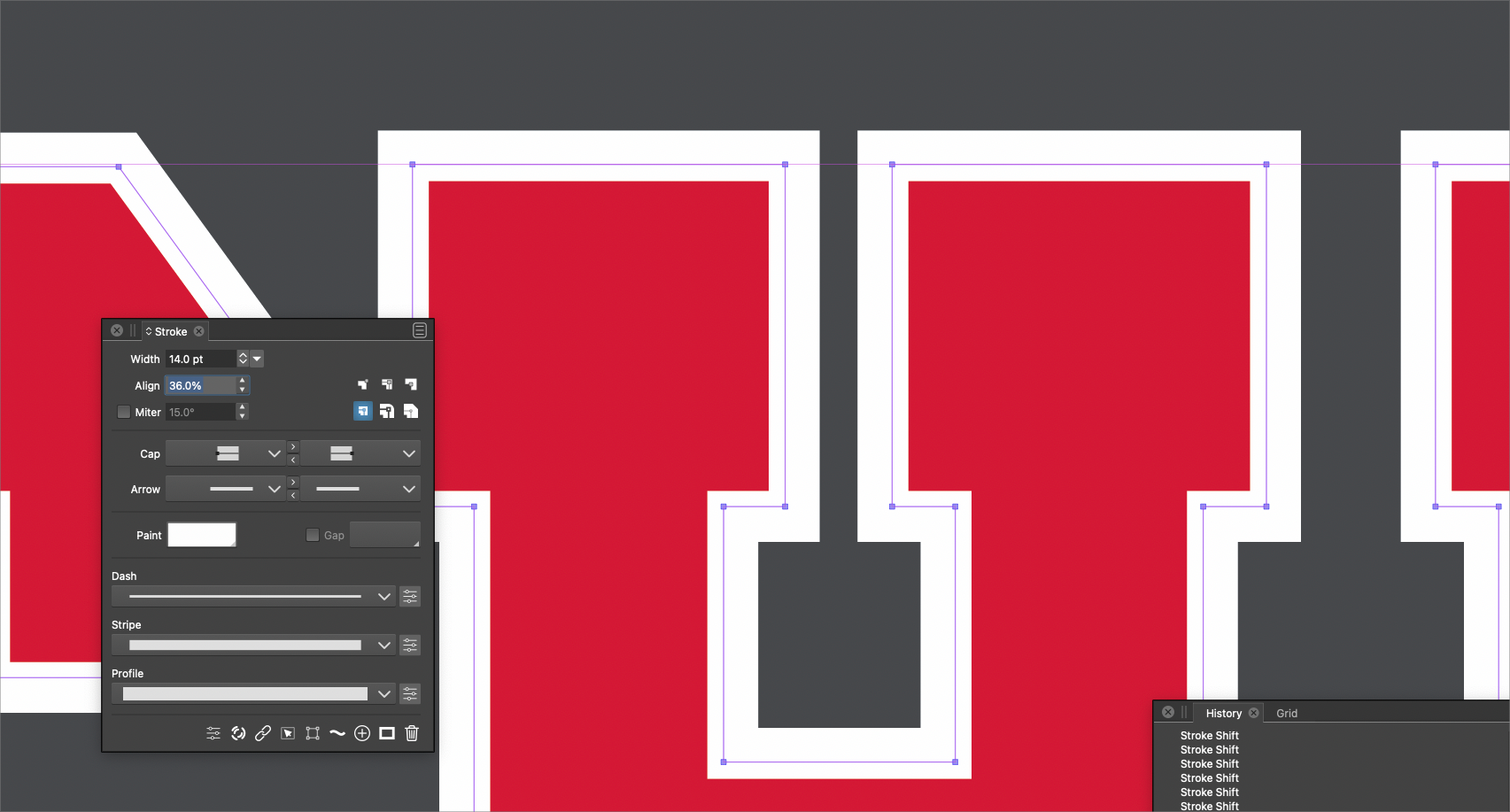
    @Boldline said in Love the overlap percentage option!: I just wanted to share how cool the align option is in the stroke panel. I was trying to get the spacing of the white around the letter "H" just right and it was awesome to set the exact percentage of overlap I wanted. It's the little things sometimes! ACE!
  • How do you use a software ?

    2
    2 Votes
    2 Posts
    4k Views
    S
    @Devil-Dinosaur I also take the project-based approach you describe and use the software that gives me the tools to try out my ideas. That you may not use all the features of a program is probably in the nature of things. It also happens to me that I don't use every feature. Either because I don't understand them despite many attempts or I don't want to invest the time. Or that functions are simply too unwieldy in use. Then I just look for programs where that works better. To come to the topic you mention. I love it when a design is editable and changeable at any time. Because that allows quick testing and changing of ideas. I usually use Clones for this in VS, because it seems to me this is one of the fastest way. So I have some sympathy for the idea of assigning roles on Shapes. And I appreciate the deep thinking behind this concept. So big Applause to @VectorStyler ! I know from experiments, that Objects with the Role Shape Behavior works similar to clones, but they offer some possibilities which Clones do not have. Since I don't work professionally anymore but i am still interest in graphical things and the possibilities the computer offers for it. I use all this to develop my own ideas and to have fun with it.
  • VS Review on Youtube

    32
    4 Votes
    32 Posts
    60k Views
    ?
    @Prevalent-Arts Everyone likes something different, I think 90% of Blender users love the fact that development happens practically in real time. That's a huge advantage of it, and maybe the same is true for VS. It's better than stalled projects like Affinity at the moment, where in the 21st century there are still no basic text warping or tracing options and we wait for no idea what, many bugs and features which do not work. In my opinion VS should be revamped a bit in terms of UI, but when I finish my week-long test I'll have the full picture. Currently I'm writing down what I like, what doesn't work and weaving it into a workflow.
  • Hi! How is this coming along?

    18
    1 Votes
    18 Posts
    20k Views
    IngolfI
    You have to judge a programme on what it is, not what you want or think it is. Affinity Designer is not actually designed to be a vector design program. I am both annoyed and indignant that Serif markets it (also) as a vector design program. They are so aggressive in their marketing that it ends up on the edge of truth. Their labels "styles" and "vector brushes" are pure nonsense. "Styles" are apply once presets and "vector brushes" bitmap brushes on a vector path. etc. Designer is essentially a program that controls bitmaps via vector elements, and that even when you try to make vector-only outputs rasterizes way too much. There are no more vector features in Affinity Designer than in many small programs. They're just beautifully implemented. A shame. As a design program for more artistic complete designs that end up as bitmap, or is bitmap, Designer works excellently, bitmap and raster can be mixed without thinking about the technique, and the programs are lightning fast. If you look at the work done in Affinity, it is obvious that the program's potential is being exploited to the full. Out there. I haven't experienced real alternatives to Affinity Designer in the program's own true genre measured in ease of use, easy workflows and raw speed, while Illustrator and CorelDRAW may get unexpected competition from Vectorstyler one day.
  • Tip - for manage Recordit Gif Animations (windows)

    1
    0 Votes
    1 Posts
    4k Views
    No one has replied
  • Inspiration from Inkscape development

    4
    2 Votes
    4 Posts
    6k Views
    IngolfI
    @VectorStyler said in Inspiration from Inkscape development: @Ingolf BTW: in VS the mouse wheel zooming preference is a single checkbox "Mouse Wheel Zooms". I see that Inkscape can also customize modifier keys now Yes, VS is decades ahead of Inkscape on most counts. However, both programs can work on bringing down the complexity of the user interface. And Inkscape has a long way to go. One thing is the incredibly clumsy way of working with e.g. perspective in Inkscape, another thing is the ultra old fashioned clip path and release clip, which is completely unacceptable when you have used the intuitive method like in VS and Affinity. I simply cannot use Inkscape for real work. Not much has changed since I discovered Inkscape 15+ years ago. But exciting that they are rising to the challenge - with just one annual release, we probably need 5-10 years before Inkscape becomes a real alternative to commercial programs.
  • Lock Rotating Pivot

    5
    0 Votes
    5 Posts
    6k Views
    J
    @encart Don't know it came up in my mind while working in a project. I think limiting it to a single or compund shape. Rest, you people think about it, is it going to be useful for all or just me thinking some nonsense
  • Extra point on shape.

    3
    1
    2 Votes
    3 Posts
    4k Views
    J
    [image: 1652939544755-screenshot-2022-05-19-111918-resized.png] This is from AI.
  • Common Vector Issues and Solutions

    1
    3
    3 Votes
    1 Posts
    4k Views
    No one has replied
  • Snapping panel

    5
    1
    5 Votes
    5 Posts
    7k Views
    VectorStylerV
    @Jayanta-Das said in Snapping panel: I would love to see some visual feedback in snapping for reference this is from inkscape, and more snapping options like in Inkscape. Added this to the features backlog.
  • Offset Path - How To:

    1
    1
    1 Votes
    1 Posts
    3k Views
    No one has replied
  • Type leading

    16
    0 Votes
    16 Posts
    16k Views
    VectorStylerV
    @electroplated what does units refer to Units are for the various number fields (stroke width, etc) in the UI, when the document is active. Different documents can have different units. Of course, a specific number field may set its own unit. What does canvas margin actually It is just an additional space around a canvas (not the artboard). Typically this can be left to the default value, but if "Large Canvas" is disabled, it may be useful to set it to something else. (large canvas is also known as infinite canvas in other apps). BTW: the canvas is the workspace on which artboards are placed. And a VS document may contain multiple canvases (here it gets complicated a bit ) text greeking The default greeking is now smaller. Some greeking is needed, if there is a lot of text and zoomed out to is faster to display. keyboard shrtct for show/hide grid Will add one in the next build. BTW: shortcuts can be customized. NO way to show hidden characters I added this to the backlog as a feature request. having problems pasting in a texture Is this on Windows or Mac? One way to get a file into VS is to just drag & drop onto the canvas.
  • @vectorstyler why the name change ?

    3
    0 Votes
    3 Posts
    5k Views
    b77B
    @vectorstyler A small problem is that if I want to mention you in a thread where you didn't post, the 'vectorstyler' name is way down the list: [image: 1652084598016-dzx.png] Maybe capitalizing the name (VectorStyler or VECTORSTYLER) will solve this.
  • Would you share your workflow optimization?

    12
    1
    2 Votes
    12 Posts
    14k Views
    S
    @Victor-Vector The Affinity Designers Symbols drew my attention to symmetry and patterning. Symbols is still the best feature in AD in my eyes. x x I can only recommend to have a look at the possibilities of the Shape Panel in VS. It gives you a much finer control over shapes and everything remains editable! Try Square Star, Gear and Line Grid, you will be amazed at the shapes variety. And all this can be combined with clipping and clones. VS offers really a lot for someone who like to play with symmetrical Designs.
  • Noise transparency in appearence

    3
    1
    0 Votes
    3 Posts
    5k Views
    J
    @vectoradmin thanks got it.