• update 1.2.005

    Moved
    2
    11 Votes
    2 Posts
    3k Views
    B
    @VectorStyler said in update 1.2.005: VectorStyler 1.2.005 release notes Added a preview button to the create guidelines view. @VectorStyler & with "All artboards on canvas" Very helpful, thanks ... and of course for all great improvements
  • Text disappears

    Moved
    20
    0 Votes
    20 Posts
    20k Views
    K
    @VectorStyler This is what I am experiencing. Column and inset options work when text in the frame are selected not the frame. https://recordit.co/0haxza4pA5
  • Initial Highlight Hover Shape fails

    Moved
    2
    0 Votes
    2 Posts
    3k Views
    VectorStylerV
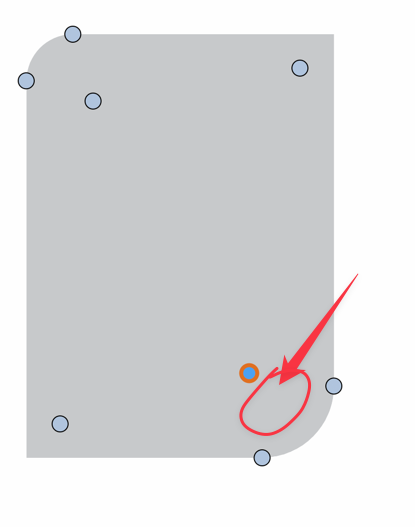
    @Ayo Replicated here also. For now the hovering will work for shapes that are converted to curves already. I will try to improve this.
  • Can't find the Object Selection Frame

    Moved
    7
    1
    0 Votes
    7 Posts
    7k Views
    VectorStylerV
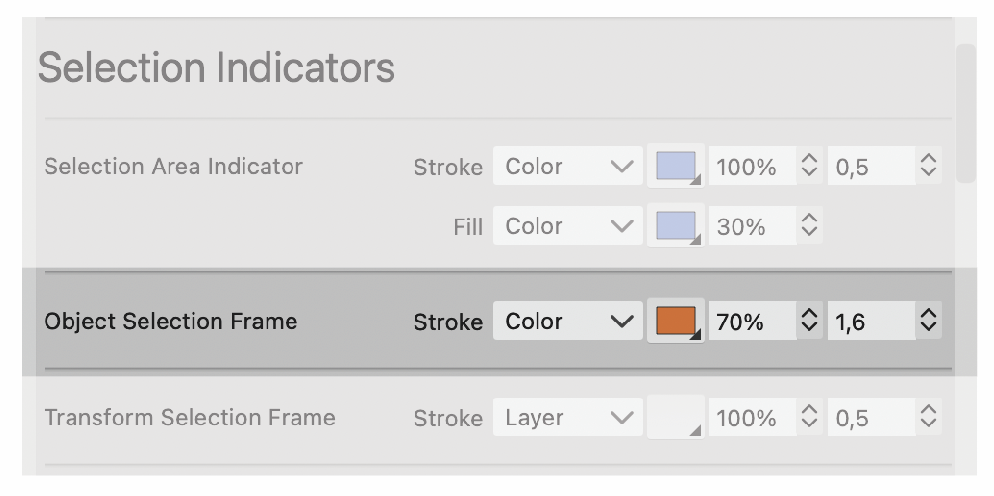
    @Ayo said in Can't find the Object Selection Frame: Only if I increase the line thickness extremely to, say, 8 point, then I see it. I will look into this.
  • Hyphenation doesn't seem to work

    Moved
    4
    0 Votes
    4 Posts
    4k Views
    VectorStylerV
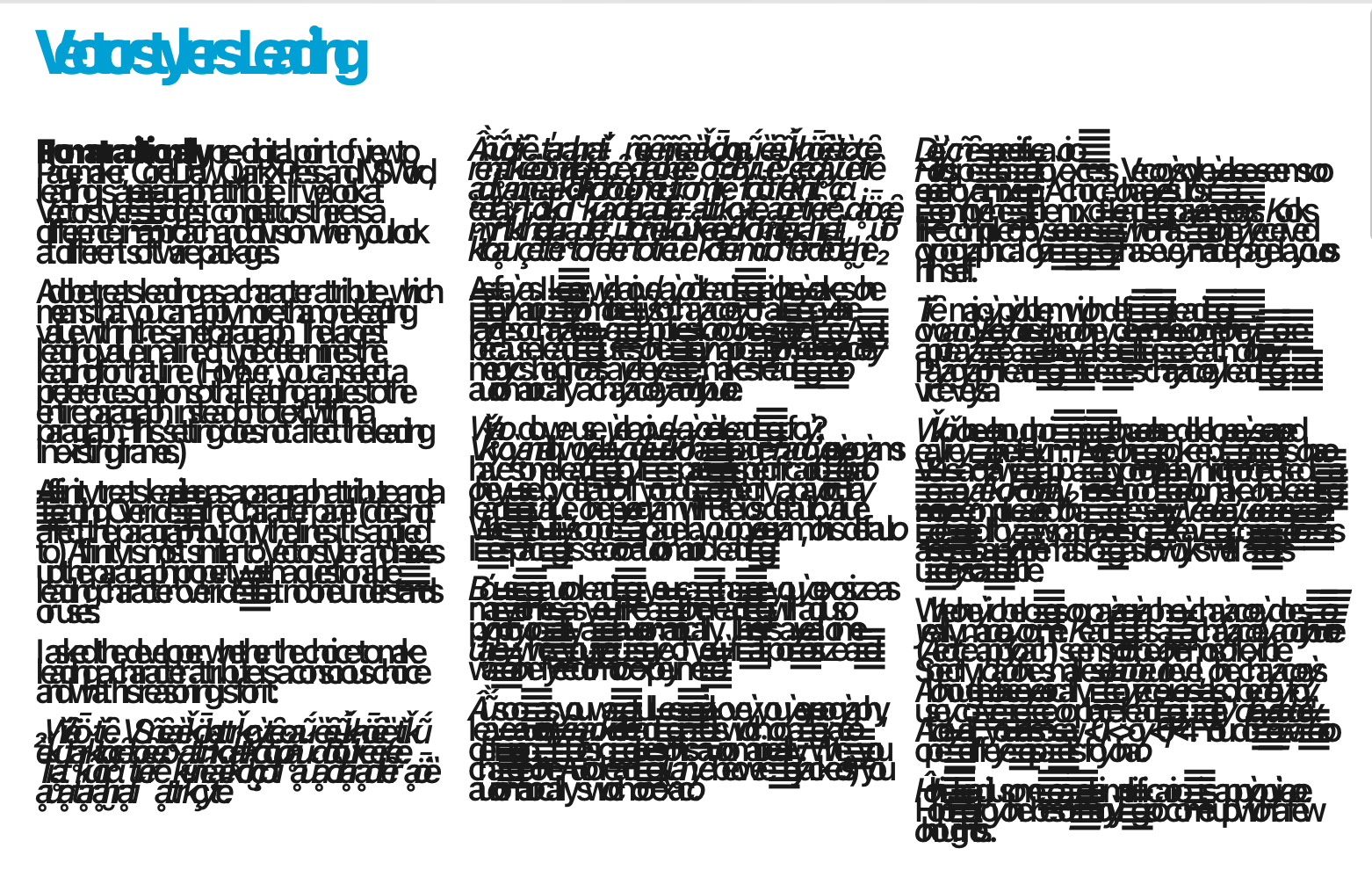
    @Ayo said in Hyphenation doesn't seem to work: That leaves me with three unanswered questions. Yes, sorry about the late answer, was focusing on replicating the bug The default hyphenation is either no hyphenation, or whatever hyphenation was defined at "parent" level (hierarchy of style sheets). About the character options repeated in paragraph. Yes, actually all character options can be defined at paragraph level as the default character settings for that paragraph, and then local character overrides are defined for a part. This is the same in other drawing and typography apps. The settings in the character options override (if set) the paragraph settings.
  • Selecting Threaded Text

    Moved
    2
    0 Votes
    2 Posts
    3k Views
    VectorStylerV
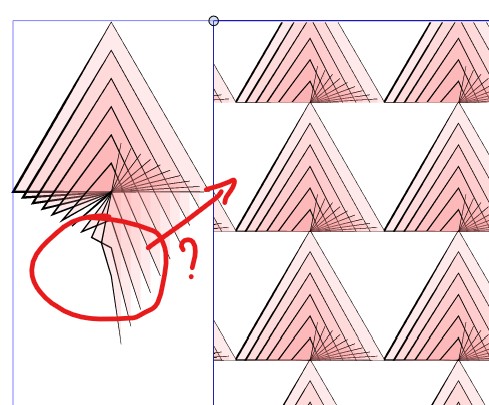
    @Ayo It is a bug. Seems to work with keyboard selection. Will be fixed for the next build.
  • Character Panel additional options appearance

    Moved
    4
    1
    1 Votes
    4 Posts
    4k Views
    VectorStylerV
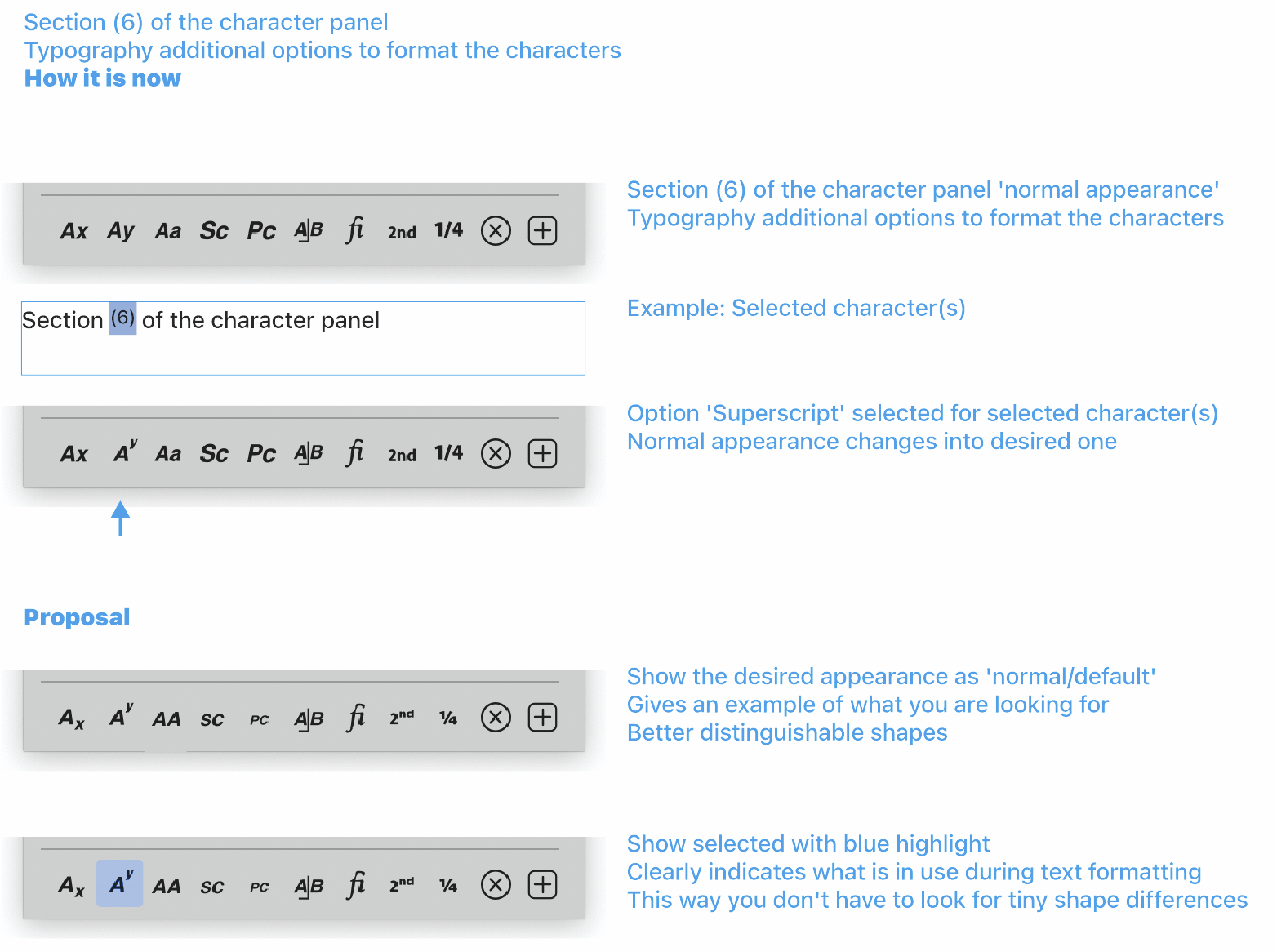
    @Ayo said in Character Panel additional options appearance: Improvement proposal for appearance Character Panel additional options Thanks for the suggestions, these look much better. I will try to add them ASAP.
  • PDF Export Scrambled Text

    Moved
    8
    1
    0 Votes
    8 Posts
    8k Views
    VectorStylerV
    @Ayo Can be replicated here also. I opened a bug on this one.
  • Where do I adjust the node default size in the new beta?

    Moved
    13
    1
    0 Votes
    13 Posts
    12k Views
    VectorStylerV
    @Kumr Could be related. I will improve this.
  • Transform Selection Node. Shape can change, size cannot.

    Moved
    2
    1 Votes
    2 Posts
    3k Views
    VectorStylerV
    @Ayo Could be that is is missing in 1.2. I added this to the backlog.
  • Persistence and Tenacity

    Moved
    4
    1 Votes
    4 Posts
    5k Views
    syllieS
    @Ayo Besides what @Boldline mentioned, I just wanted to say how it makes me happy to see influx of new (serious) testers that run VS through its moves and add to the conversation what can be done better / different / would improve their workflows. I too am testing VS on and off over a couple of years now and can see the large amount of improvements that have been realized in this time. And not just improvements, also extra functionality (such as support for Japanese typography) and things that we cannot do easily in other programs. Contributions like yours are invaluable and help to shape VS into an outstanding application.
  • Font metrics ascender should stick to text frame

    Moved
    3
    1
    2 Votes
    3 Posts
    3k Views
    AyoA
    @VectorStyler Maybe I overstep my role, but I was still thinking about this (mentioned it also in the mis-leading pdf) and thought that the cause might lie in the use of the font metrics font size 'Height' that includes the fonts internally specified leading specified by the font designer. Advanced DTP programs can control the line spacing in terms of point size and use body height (sum acender + decender), but word processors default to single line-spacing are using the build-in line-spacing specified by the font designer. It is important NOT to use the so-called 'default build-in line-height' wich is basically a font designer's personal preference which is irrelevant and undesirable in a professional environment. Leading is highly dependent on line width and use/medium. Maybe I am wrong, I am not a developer. "Maybe I heard the clock chime, but do not know where the clapper is" (dutch proverb) I'm just worried.
  • Unit Soup

    Moved
    5
    1 Votes
    5 Posts
    5k Views
    VectorStylerV
    @Ayo said in Unit Soup: When I specify units for Type as points I want to see points (supervisory). Found the bug. The various leading, etc fields use the wrong defaults. Will be fixed.
  • Artboard stress

    Moved
    4
    0 Votes
    4 Posts
    4k Views
    VectorStylerV
    @Ayo said in Artboard stress: Stack order in panel represents print/export order. That's correct, isn't it? Yes, stack order in Canvas& Artboards panel.
  • [Bug] Strange behaviour of scrolling lists

    Moved
    2
    1 Votes
    2 Posts
    3k Views
    VectorStylerV
    @encart Clearly a bug, added it to the backlog.
  • Font color in text frame

    Moved
    14
    1
    0 Votes
    14 Posts
    13k Views
    b77B
    @VectorStyler OK, could be that the mockup is oversimplifying things — this background color needs to be added as content that can accept transparency masks, effects, etc, right?
  • two Buttons in layer panel are too similar

    Moved
    2
    2
    1 Votes
    2 Posts
    3k Views
    VectorStylerV
    @Boldline I added this to the backlog.
  • Was the transform panel removed?

    Moved
    4
    1 Votes
    4 Posts
    4k Views
    VectorStylerV
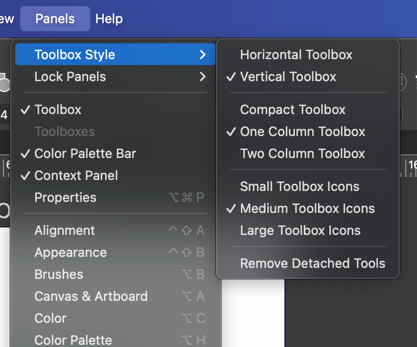
    @Boldline said in Was the transform panel removed?: If I wanted to add it back in again at the top, would that be in the contextual menu bar or can we also alter the very top menu bar area? This can be edited with the Customize Toolboxes command and in Toolbox select the "Context Panel" mode.
  • Stable font for Typotesting

    Moved
    10
    0 Votes
    10 Posts
    9k Views
    AyoA
    @VectorStyler Now you beat me! I ask you an inch, and you go 3 inches. I will be coming back to this later.
  • Paste Text Bug

    Moved
    8
    0 Votes
    8 Posts
    7k Views
    VectorStylerV
    @Ayo If it crashes with this again, back up the resources folder. It might be some settings causing this.