• Toolbox Reconfigure creates a UI glitch

    Moved
    3
    2
    1 Votes
    3 Posts
    4k Views
    Victor VectorV
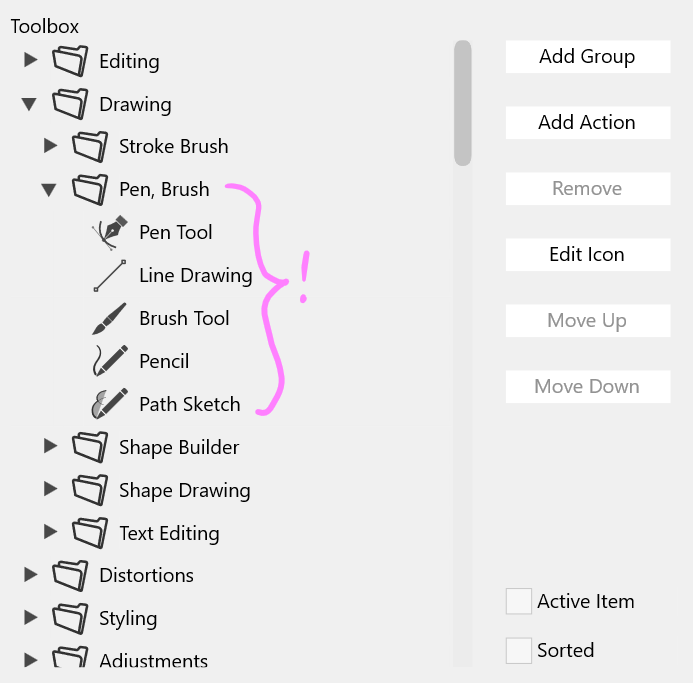
    @VectorStyler I tried adding another subgroup to the drawing group to make it an even 6 groups and it did not solve the issue. It appears that the Pen Tool, Line Drawing, Brush Tool, Pencil, and Path Sketch tool are not in a subgroup in the toolbox interface.

  • Right-ward Panel Migration after Settings Change

    Moved
    3
    0 Votes
    3 Posts
    4k Views
    Victor VectorV
    @VectorStyler, my apologies, I should have been more thorough. It was Windows 11. Also, I noticed this is happening in version 1.1.116 of Vector Styler too.
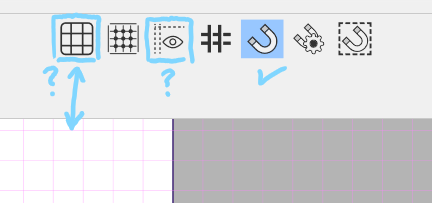
  • Show/Hide Grid and Guide - Needs a blue highlight?

    Moved
    2
    1
    0 Votes
    2 Posts
    3k Views
    VectorStylerV
    @Victor-Vector I added this to the backlog.
  • When selecting only one corner for chamfering

    Moved
    6
    0 Votes
    6 Posts
    7k Views
    L
    @VectorStyler Thank you very much. It turns out that the issue is related to a mouse program called SpotOnTheMouse. The computer that didn't have any issues didn't have SpotOnTheMouse running, while the two problematic computers had SpotOnTheMouse running. After quitting SpotOnTheMouse, everything works fine. I purchased SpotOnTheMouse to record keyboard and mouse actions during screen recording, but I didn't anticipate this issue during testing.
  • Issue with bucket fill tool

    Moved
    4
    1
    0 Votes
    4 Posts
    5k Views
    VectorStylerV
    @FastVector said in Issue with bucket fill tool: One other issue that I have, is that when using the bucket tool, the different areas are not always giving a hover color This occurs just after the bucket fill tool activated, and before the first click. This is to delay the intersection of all the objects after the first click. And when they give a color it is not always the area where you are that is lighting up. I will try to replicate this.
  • An issue with Contour Tool

    Moved
    4
    0 Votes
    4 Posts
    4k Views
    VectorStylerV
    @FastVector Got the file. Yes, there is some bug here, not yet clear what could cause it, but it can be replicated here also. I will try to fix this as soon as possible.
  • Joining objects with path brush causes other objects to disappear

    Moved
    5
    1 Votes
    5 Posts
    6k Views
    VectorStylerV
    @Harry said in Joining objects with path brush causes other objects to disappear: Creating loops with the stylus and Path Brush Tool results in unwanted fills (which do not disappear after pressing the Esc key) - this could be related. Video Yes, this is also a bug with the path brush tool.
  • There are some issues with the Displacement

    Moved
    8
    1 Votes
    8 Posts
    9k Views
    L
    @VectorStyler Thank you. In practical use, will weigh the pros and cons, but having the ability to use it is much better than not being able to use it at all.
  • 0 Votes
    3 Posts
    4k Views
    VectorStylerV
    @Boldline In Settings -> Decimal Widths what is the value at "Inch Decimals"? Try increasing it (set to 3).
  • 0 Votes
    5 Posts
    7k Views
    BoldlineB
    @VectorStyler just emailed you those files you requested. Let me know if you need anything else. i hope you can replicate it. Let me know if you think a screen video would be of help
  • Stroke reapplies itself even when removed prior when using pencil tool

    Moved
    2
    0 Votes
    2 Posts
    3k Views
    VectorStylerV
    @Boldline I added this to the backlog.
  • Issue with workspaces

    Moved
    5
    0 Votes
    5 Posts
    6k Views
    VectorStylerV
    @Pat said in Issue with workspaces: I suppose that I have again to delete some files in the resources folder ? Try deleting all files in resources folder (without VS running). There is one bug in the "reset default" of both workspace and settings that might cause some issues, the fix for this will be in the next build. But it is not related to the toolbox.
  • Moving layers (layers panel) "removes" shape effects

    Moved
    9
    0 Votes
    9 Posts
    8k Views
    B
    @VectorStyler yes, that could be this... Now I think I always activate the history.
  • Stroke and fill in the contextual menu are not displaying information

    Moved
    6
    1
    0 Votes
    6 Posts
    8k Views
    VectorStylerV
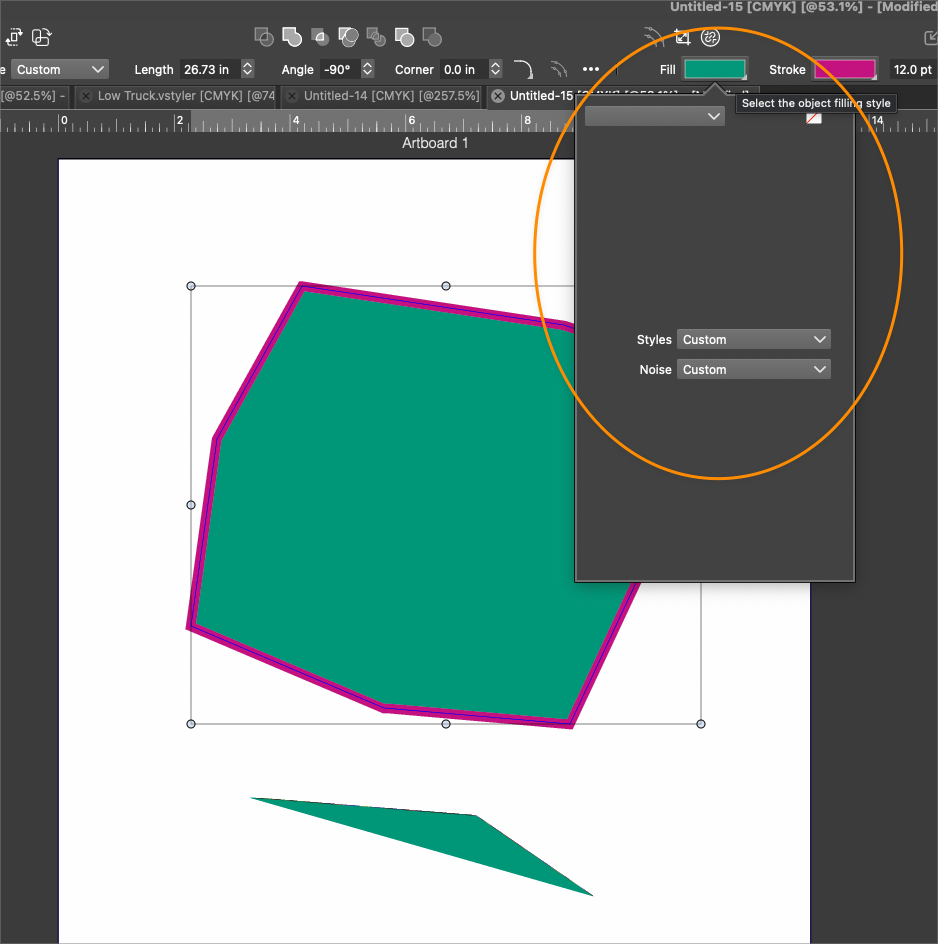
    @Boldline A temporary workaround: select the "Color" mode from the top-right drop down of that popover.
  • Issue adapting the size of the panels

    Moved
    3
    1
    0 Votes
    3 Posts
    4k Views
    B
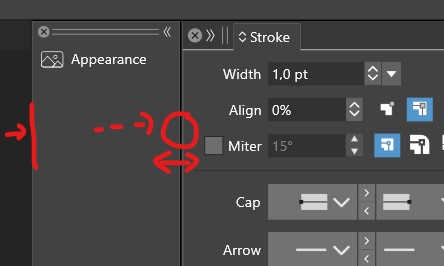
    @VectorStyler perhaps to help: adjusting the width of the innermost column can be done by clicking on the top (see image). If you click and drag below, the width of the other (more external) column is modified (and the width of the innermost column remains unchanged). [image: 1701949318412-p-resized.jpg] Edit: well... it doesn't work 100% either, but once in a while it does.
  • Restoring iconified panel not working, also width changes

    Moved
    4
    0 Votes
    4 Posts
    5k Views
    VectorStylerV
    @syllie Yes, this can be replicated on windows. It occurs for docked, iconified panels. As a workaround: try clicking as much as possible to the left side of the icon (close to the double line). I will fix this in the next build.
  • Settings not applied or remembered

    Moved
    3
    0 Votes
    3 Posts
    4k Views
    IngolfI
    @VectorStyler said in Settings not applied or remembered: Exit the app, and remove these (or back them up if you have important customization), and then restart the app with (will have the default workspace). Yes that worked
  • Document setup & Guidelines

    Moved
    7
    2
    0 Votes
    7 Posts
    8k Views
    VectorStylerV
    @Pat said in Document setup & Guidelines: Here another view, with the canvas & artboard panel: I will try to replicate this issue. It could be related to the recent (last build) changes on how the artboard options are edited.
  • beta 1.2.007

    Moved
    1
    7 Votes
    1 Posts
    3k Views
    No one has replied
  • 'Layer from group' and 'Release to layers' don't seem to work

    Moved
    7
    0 Votes
    7 Posts
    6k Views
    VectorStylerV
    @Ayo said in 'Layer from group' and 'Release to layers' don't seem to work: Maybe better tooltip? Yes