VectorStyler
    • Categories
    • Unread
    • Recent
    • Tags
    • Popular
    • Register
    • Login
    1. Home
    2. Questions and Support
    Log in to post
    Load new posts
    • Recently Replied
    • Recently Created
    • Most Posts
    • Most Votes
    • Most Views
    • BoldlineB

      Sometimes Control-A then delete only deletes last object selected

      Watching Ignoring Scheduled Pinned Locked Moved
      3
      0 Votes
      3 Posts
      5k Views
      VectorStylerV
      @Boldline The select all problem (while in drawing mode) is fixed in the new build.
    • BoldlineB

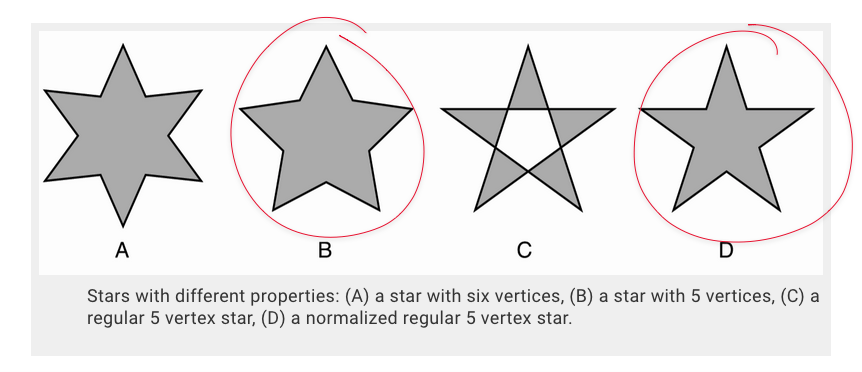
      How do I revert back to initial traditional star shape?

      Watching Ignoring Scheduled Pinned Locked Moved
      9
      1
      0 Votes
      9 Posts
      11k Views
      VectorStylerV
      @vectoradmin The star shape reverting and other issues are fixed in the new build.
    • P

      How to start drawing a new shape with the pen tool next to another

      Watching Ignoring Scheduled Pinned Locked Moved
      5
      0 Votes
      5 Posts
      7k Views
      VectorStylerV
      @vectoradmin Snap to point and snap to shape combination has been improved in the new build.
    • 861475_VctSt8

      This topic is deleted!

      Watching Ignoring Scheduled Pinned Locked Moved
      1
      0 Votes
      1 Posts
      5 Views
      No one has replied
    • BoldlineB

      pen tool drawing guide toggle

      Watching Ignoring Scheduled Pinned Locked Moved
      9
      0 Votes
      9 Posts
      10k Views
      BoldlineB
      The current snap red X indicator also causes a small delay in the process of going on to the next task - the next node, etc.
    • P

      Things that still keep me from using VS for all vector drawing

      Watching Ignoring Scheduled Pinned Locked Moved
      5
      0 Votes
      5 Posts
      7k Views
      P
      Yeah, it is really strange, I hope you find what causes it, thanks @vectoradmin !
    • BoldlineB

      Last stroke of pen tool affects first line

      Watching Ignoring Scheduled Pinned Locked Moved
      4
      0 Votes
      4 Posts
      6k Views
      BoldlineB
      @vectoradmin Great! I will test it out and get back to you
    • syllieS

      Layers Panel - Highlight vs Select

      Watching Ignoring Scheduled Pinned Locked Moved
      4
      1 Votes
      4 Posts
      6k Views
      syllieS
      @syllie I just found it is actually documented - just not where I expected it: Selecting from the Layers panel. Maybe a link to that section is warranted in the description of the layers panel.
    • IngolfI

      Font and interface sharpness

      Watching Ignoring Scheduled Pinned Locked Moved
      7
      1 Votes
      7 Posts
      11k Views
      IngolfI
      Also great
    • A

      Bitdefender gives (false) alarm on VectorStyler.exe

      Watching Ignoring Scheduled Pinned Locked Moved
      5
      0 Votes
      5 Posts
      7k Views
      VectorStylerV
      @Arde What is the message given by Bitdefender?
    • BoldlineB

      Brush keeps returning to default size

      Watching Ignoring Scheduled Pinned Locked Moved
      4
      0 Votes
      4 Posts
      6k Views
      BoldlineB
      Just tried it, much improved thank you!
    • BoldlineB

      Can nodes be set to smooth by default instead of symmeteric?

      Watching Ignoring Scheduled Pinned Locked Moved
      7
      0 Votes
      7 Posts
      9k Views
      b77B
      @Boldline "Fixed: Exclude created a smooth node at a cusp node" is a different fix to a bug I reported, involving the Exclude boolean operation.
    • BoldlineB

      Getting small questions answered

      Watching Ignoring Scheduled Pinned Locked Moved
      5
      0 Votes
      5 Posts
      7k Views
      BoldlineB
      @vectoradmin You're doing great! I just feel bad taking you away from other important things to answer my questions on basics. I promise I do try to always look things up myself before asking. Sometimes I wonder if I'm looking up the right terminology or if it's not been added to the app yet, or if there's another option that might be better than the solution I'm used to thinking based on previous apps. i do appreciate you answering the questions because it means I can keep practicing with VS on real work
    • BoldlineB

      Edit node and arrow size preference

      Watching Ignoring Scheduled Pinned Locked Moved
      3
      0 Votes
      3 Posts
      5k Views
      BoldlineB
      @vectoradmin thanks - I saw that option in there and wondered if it was what i was looking for - thanks for confirming
    • BoldlineB

      Arrow keys move selection box, not fill

      Watching Ignoring Scheduled Pinned Locked Moved
      9
      1
      0 Votes
      9 Posts
      11k Views
      b77B
      @vectoradmin Yes, I figured that out, thanks!
    • BoldlineB

      Shape Object dimensions on contextual menu for selections?

      Watching Ignoring Scheduled Pinned Locked Moved
      2
      1
      0 Votes
      2 Posts
      5k Views
      VectorStylerV
      @Boldline Adding more things to the context panel would not work, as it already too long for typical screen sizes. An easy way to have object sizes accessible from a horizontal panel is to dock the Transform panel horizontally (drag from the panel title, to under the context panel): [image: 1611003288060-transformpanel-resized.png]
    • BoldlineB

      Stablize tool missing on brush - brush size missing from contextual menu?

      Watching Ignoring Scheduled Pinned Locked Moved
      5
      0 Votes
      5 Posts
      8k Views
      BoldlineB
      @vectoradmin yes, I'd suggest moving the brush sizing over more to the left anyway, it's probably one of the more used adjustments one would make while that contextual menu is showing
    • badcatB

      Is VectorStyler Apple Silicon (M1) ready?

      Watching Ignoring Scheduled Pinned Locked Moved
      5
      0 Votes
      5 Posts
      8k Views
      badcatB
      @vectoradmin I submitted.
    • J

      Pen Tool _ Restart Curve at Node (See Links for Examples)

      Watching Ignoring Scheduled Pinned Locked Moved
      5
      0 Votes
      5 Posts
      7k Views
      VectorStylerV
      @Jae There are additional improvements for the pen / node tool in the new build 201
    • BoldlineB

      Brush and Pencil tool issues

      Watching Ignoring Scheduled Pinned Locked Moved
      11
      0 Votes
      11 Posts
      13k Views
      VectorStylerV
      @Boldline Using solid stroke as a default brush should work in the new build 201