• Mac/Win File Swapping

    6
    0 Votes
    6 Posts
    5k Views
    VectorStylerV
    @Igull said in Mac/Win File Swapping: If I open a file created in the Mac version (in the VS Win version) and then use the same printer settings, I get an error from the printer driver I was trying to replicate this error, but could not. What was the printer used on Windows? If there is a file that results in this error when printing on Windows, please send it to me by email. It might help in replicating the error.
  • 0 Votes
    6 Posts
    5k Views
    BoldlineB
    @VectorStyler I realized the post from earlier in this thread is lacking the video. Here is that video where I had the same palette open in two locations and at one point adding colors from the vertical color bar kept adding new spot colors to the main palette panel. Jump to the 55 second mark. UPDATE: I did as you suggested and think I am understanding the issue. I set both the main color palette panel and the vertical color bar to the same palette and they acted like they were different palettes - hence the video link I shared above in this post. But I had to call them both the "palette" so that each was linked. This gets confusing because now both palettes when hovering over them refer to themselves as "palette" which I understand represents whatever palette was saved in the document settings - but it's not showing the palette's actual name. Why is it not good enough to just load the same palette into both locations? VS needs a special setting to link the two in order for it to treat them as the same?
  • Annoying Panel Resizing

    3
    0 Votes
    3 Posts
    4k Views
    IgullI
    @VectorStyler said in Annoying Panel Resizing: OK on Recordit. As for the docking part: not that it is good reason, but AI does the same. The Layers panel will try to take up as much space as it can. Perhaps, but you can still adjust the panel heights to suit afterwards - and it will remember - you can't in VS, once it's docked, you're stuck with it. Neil
  • move stroke below fill

    14
    0 Votes
    14 Posts
    12k Views
    VectorStylerV
    @jfraze It is a bug! when editing the stroke / fill on a text selection.
  • Document Scale

    18
    0 Votes
    18 Posts
    14k Views
    IgullI
    @b77 said in Document Scale: @Igull In 'Customize Toolboxes' you have an 'Edit Icon' button that allows you to change the icons. LOL, back to RTFM I literally find something new that I like in VS every day I can see myself wasting hours on this, thanks. Neil
  • Artboard appears locked

    10
    1
    0 Votes
    10 Posts
    7k Views
    S
    @Dazmondo
  • How do I update live fonts if I activate them after file is open already?

    5
    0 Votes
    5 Posts
    5k Views
    VectorStylerV
    @Boldline said in How do I update live fonts if I activate them after file is open already?: opening the replace text panel Is this the Replace Font view? If so, this does not sound normal. One the missing fonts are replaced, opening the Replace Fonts view again should have an empty list for the Missing mode.
  • Mac/Win Preferences and Workspaces

    7
    1 Votes
    7 Posts
    6k Views
    IgullI
    @Ingolf My windoze is on Mac I use Parallels to emulate win10 home. Parallels automatically uses command keys to do win functions anyway, so this isn't a true representation of what win should look like. Anything that doesn't work, I just fix. Also, my contextual menus are stripped to the bare bones of what I need so again, won't look like yours. FWIW, I've attached a pic ... [image: 1659468446227-screenshot-2022-08-02-at-20.19.44-resized.png] Neil Edit: seems my mac screenshots are too big, so this is a clipped 27" retina pic.
  • Moving Layers?

    5
    0 Votes
    5 Posts
    5k Views
    VectorStylerV
    @SJStalter Restarting the computer should not be needed. Maybe restarting VS only. Let me know if this issue occurs, and if there are any steps to replicate it.
  • Docked Color Palette Oddity

    8
    2
    0 Votes
    8 Posts
    7k Views
    VectorStylerV
    @SJStalter I will try to fix this ASAP, but I have to replicate it first.
  • Warp with top object

    10
    0 Votes
    10 Posts
    8k Views
    VectorStylerV
    @b77 Yes, there seems to be a bug here, can be replicated!
  • Manual Kerning ?

    25
    1 Votes
    25 Posts
    38k Views
    IgullI
    @fde101 said in Manual Kerning ?: a failure to conform to platform standards Yes, I completely agree with you, folks that do that should have their mice (mouses?) taken away from them and forced to use trackpads It really depends on how far back you are prepared to defend these standards - I'd have a wee read of anything that Jef Raskin wrote on the subject. I'm certainly not going to defend anything assumed as a standard currently - I rued the day that apple changed command+m for move to stuff it in the dock Neil
  • convert from eps or .ai and keep text

    6
    0 Votes
    6 Posts
    5k Views
    VectorStylerV
    @jfraze Got the file. This one indeed imports as curves. In this case the EPS file contains the flattened AI text, while there is also AI data stored in the file. The AI data can be opened in VS by enabling the Preferences -> Document Files -> Import AI Data from EPS. But there is a problem (bug): it looks like some of the text is not imported correctly by VS from the AI format. I will fix this ASAP.
  • 0 Votes
    2 Posts
    3k Views
    VectorStylerV
    @Boldline Yes, there seems to be a regression here. This is a bug.
  • Separation preview?

    33
    1 Votes
    33 Posts
    42k Views
    BoldlineB
    @Dazmondo Amazing! Awesome job persevering and sticking in there with it all. I want to echo his compliments to you @VectorStyler - you are indeed a genius. I'm impressed so often by what you figure out and solve and how quickly you make it happen
  • 1 Votes
    25 Posts
    33k Views
    DazmondoD
    @Dazmondo Yes, a few parametric shapes are not "scaled" (rectangle, ellipse). An other way to go around this is to disable the Direct Shape Transformation option in Preferences -> Editing Options 2 (bottom-right corner). Done and working ----
  • Separate at Intersections

    3
    0 Votes
    3 Posts
    3k Views
    BoldlineB
    @b77 oh neat! ok that makes sense now... I was thinking in different terms and that was throwing me off
  • Pasting and layers stack

    8
    0 Votes
    8 Posts
    7k Views
    BoldlineB
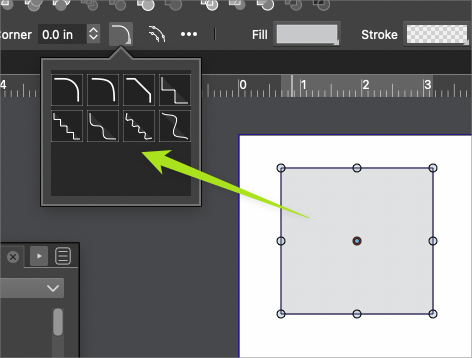
    @VectorStyler This option is awesome. I would think most people have a certain preference for this and stick with it for a while but may still want access for occasional switching modes. This is an example from my viewpoint, of a set of buttons that could be consolidated into one icon with a drop-down, like the current alignment panel at the top of the UI nearby.
  • Questions about Stroke scaling in VS

    4
    0 Votes
    4 Posts
    4k Views
    S
    I am yet a bit unshure if this is really a bug, so i post that Video here. Forgot to mention in my previous Post here that in this case I did the stroke scaling via the menu in the Appearance Panel If I do the stroke scaling this way then it works only with "Scale Image Filters" set Here the video
  • Delete Repeater Presets?

    3
    0 Votes
    3 Posts
    3k Views
    DazmondoD
    @VectorStyler Brilliant stuff