• Snapping options

    7
    0 Votes
    7 Posts
    6k Views
    VectorStylerV
    @Devil-Dinosaur said in Snapping options: Is it possible to have something like : if you move up/down with shift it will snap the (almost) same level point of the same object. Same for shift + right/left ? @Devil-Dinosaur Added this to the backlog.
  • What's the view on New View?

    6
    0 Votes
    6 Posts
    5k Views
    Victor VectorV
    @vectoradmin May I suggest moving Panels > Arrange Views menu item to the View menu? I would suggest under View > New View. As a user it seems better suited there, as evidenced by the question and discussion above, but please let me know if I am missing the mark. Also may I suggest moving View > Lock Panels to the Panels menu. Perhaps the first item in the menu list, where "Arrange Views" used to be. Again, let me know if I am off the mark in my suggestion. Thank you for considering.
  • Knife tool - confusion

    10
    0 Votes
    10 Posts
    8k Views
    VectorStylerV
    @Ingolf The knife tool will try to separate the resulting part now (enabled by default, can be changed in the preferences). But since the parts are touching, separation will not always work. Adding an automatic break apart would not work because it could break shapes with holes.
  • Clipping method

    7
    1
    0 Votes
    7 Posts
    7k Views
    VectorStylerV
    @Devil-Dinosaur said in Clipping method: I guess it would be smoother if the position of the group was "above the fill" by default. Will be in the next build. This a bug
  • Convert object shape to curve shape

    13
    3
    0 Votes
    13 Posts
    12k Views
    Victor VectorV
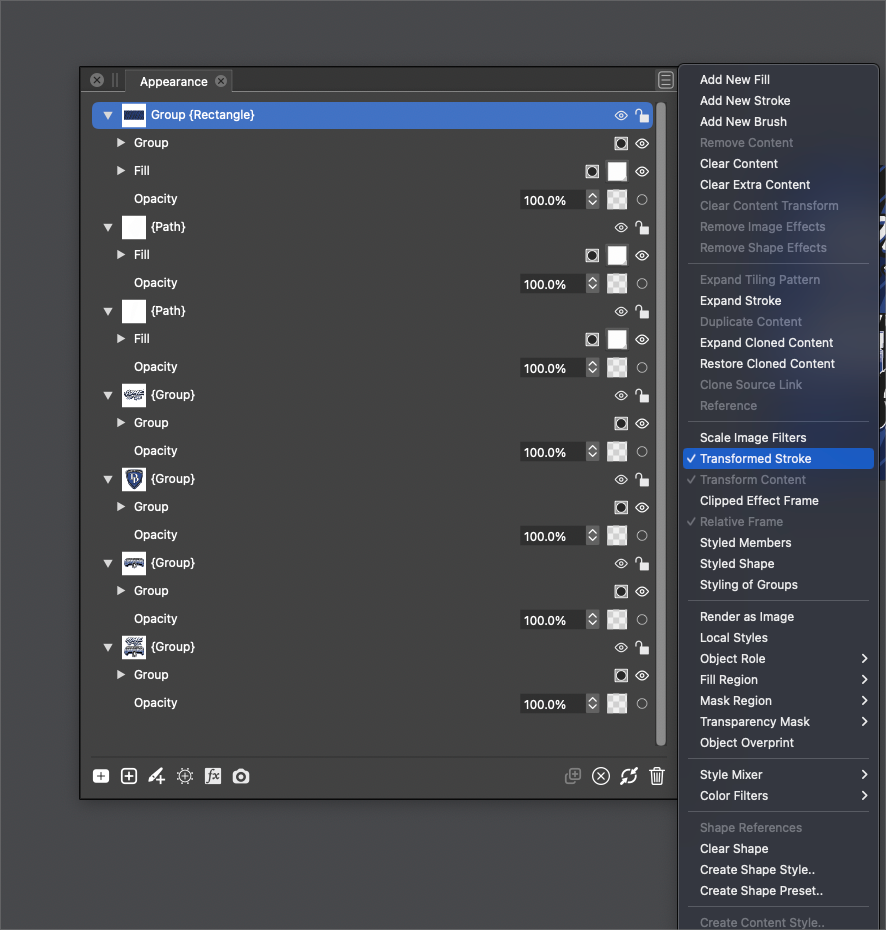
    @gentlecl I think @vectoradmin explained what is going on 3 posts up: https://www.vectorstyler.com/forum/topic/1903/convert-object-shape-to-curve-shape/10 It's not a bug, but it exposes the "Bending" Shape Effect when pressed once. Click on the "Fx" icon to bring up the Shape Effect options window. [image: 1650154868549-bending-shape-effect-after-expand-stroke.png] Press "Expand Stroke" again and it converts the bend effect to curves.
  • Is there a better way to create an editable raylight?

    7
    0 Votes
    7 Posts
    7k Views
    VectorStylerV
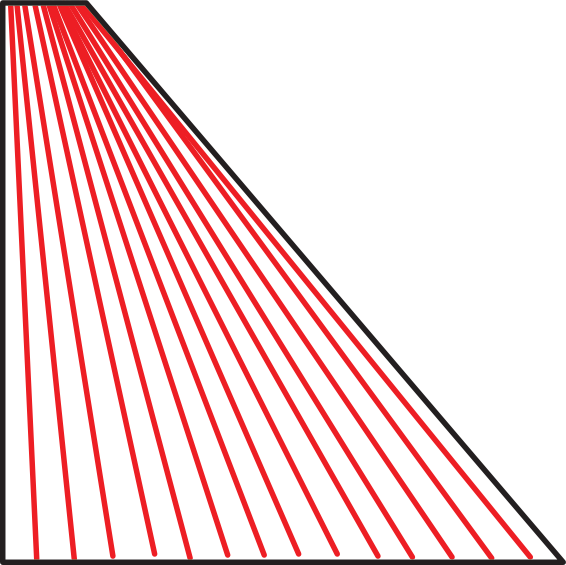
    @Boldline said in Is there a better way to create an editable raylight?: @vectoradmin would it make sense for choosing "clone" from the options inside the rotate panel, for that to suffice in having all duplicates mimic the first shape? I added this to the backlog. Currently clones do not inherit the rotation pivot, I will try to fix that.
  • Style , expand stroke

    2
    1 Votes
    2 Posts
    3k Views
    b77B
    @gentlecl See my reply here: https://www.vectorstyler.com/forum/topic/1903/convert-object-shape-to-curve-shape
  • 0 Votes
    3 Posts
    4k Views
    BoldlineB
    @vectoradmin I already had that setting unchecked. I tried enabling it and using the shared tools (that part works correctly) but then tried unchecking it again and altered the commonly shared settings and switched between tools such as the brush, path brush and eraser for example, and the edits (turned on lasso stabilize and altered the extent)I made at that point to one still applied to all others when they should have been autonomous at that point. Are you able to test this and see if it's just me? I can see the value in having them all synch up, but more often I need them to perform differently and I'd prefer to be able to set them up uniquely and have them retain my overall individual settings [image: 1650046635566-64e45811-5051-403e-a9d0-22bae0af3988-bld-2022-04-15-at-14.15.39-resized.png]
  • Could i Install an old VS version over a new one ?

    4
    0 Votes
    4 Posts
    4k Views
    S
    @vectoradmin Does not work. Windows does not allow me install an older version over a newer version. I have to uninstall the newer version first.
  • How do you use the top section of the repeater?

    2
    1
    0 Votes
    2 Posts
    3k Views
    VectorStylerV
    @Boldline Yes, when that button is clicked, it will list symbols that can be added to the repeated set of objects. The easiest way to have symbols in a document is to set names to objects and set the "Symbol" role (Role button in Object Options).
  • How do I get equal spacing on pattern brush result?

    6
    1
    0 Votes
    6 Posts
    6k Views
    BoldlineB
    @vectoradmin - love it! thank you for adding that in there [image: 1649973508195-706b1b4f-2333-4b95-83ff-33ab86965dcf-bld-2022-04-14-at-17.50.39.png]
  • Start VS with the latest saved File ?

    3
    0 Votes
    3 Posts
    4k Views
    S
    @vectoradmin, try it with the latest build 1.1.030 is solved and works now
  • This topic is deleted!

    1
    1
    0 Votes
    1 Posts
    9 Views
    No one has replied
  • Would be cool to have a Shape outer contour Blur

    Moved
    7
    3
    0 Votes
    7 Posts
    6k Views
    S
    @vectoradmin this is also the case with clipped vector shapes Btw. if you would you could move this thread too the "Question and Support" Section. Because it seems partly solved
  • 1 Votes
    27 Posts
    38k Views
    S
    Unfortunalty only for Windows Can recommend "ScreenToGif" Utility for converting single frames into a Gif-Animation. Also very useful for Screen recording. Video ScreentoGif
  • Artboards and margins

    4
    1 Votes
    4 Posts
    4k Views
    VectorStylerV
    @PatrickM The Styles menu -> Preset Manager should be able to manage / edit most presets. If something is missing (artboard size does), then if it is a simple thing then maybe just overwrite with the same name. For more complex options, presets should be editable.
  • Paths and straight lines

    3
    1
    1 Votes
    3 Posts
    4k Views
    G
    Edit , I was wrong There is way to make a curved line after a straight segment . Click and drag on the last point ( of the straight line ) to pull out the bezier handle . I still think it's one step to many , but glad I got it sorted
  • Some questions and thoughts about vectorstyler

    14
    0 Votes
    14 Posts
    11k Views
    G
    @vectoradmin said in Some questions and thoughts about vectorstyler: @gentlecl The reported Pen tool issues will be fixed in the next build (the fix is already done). About the aliased lines: can you send a screenshot with examples/ The View -> Subpixel menu contains some options regarding anti-aliasing. Made in inkscape , imported in vectorstyler (svg file ) . It mostly occurs when zooming in-out [image: 1649509717282-1-resized.jpg]
  • Show line before being executed

    2
    0 Votes
    2 Posts
    3k Views
    VectorStylerV
    @gentlecl Enable in Preferences -> Changing Options -> Show Segment in Pen Tool (searching for "Show Segment in Pen Tool" in the bottom-left search box should highlight the option).
  • Cannot re-use my license

    5
    0 Votes
    5 Posts
    6k Views
    ParashistikP
    This issue could occur due to some temporary issues with the verification services. After you click on the option to send a verification code to your phone, you will be presented with a box to enter the code and an option to resend the code below the box. I would suggest you try resending the code. If you had set up other options for security verification, click Other verification options, and then try again by selecting a different option. Also, make sure that your phone numbers are correct in your user account settings. You can also try using DATA RECOVERY programs if no solution works.