• How to delete intensity / geometry styles?

    2
    0 Votes
    2 Posts
    3k Views
    VectorStylerV
    @Nils Use the style manager: Styles -> Document Styles
  • When will linked files be affected?

    3
    1
    0 Votes
    3 Posts
    3k Views
    S
    @vectoradmin , thanks i think i get it. Btw I like that linked thing ! I was thinking of a link in the file that I could use to load another linked file if needed and then found this option.
  • Grid - is this intended behavior and a setting?

    7
    0 Votes
    7 Posts
    7k Views
    VectorStylerV
    @b77 I add these to the backlog of feature requests.
  • 1 Votes
    11 Posts
    10k Views
    BoldlineB
    @Victor-Vector said in Second tap of delete key on a node selected with node editor tool deletes entire shape, not just selected path: You would also like the clicking of a single node and pressing delete twice to delete all the contiguous nodes. Understood! I wasn't too subtle was I? lol Please know that as I am sharing my points and asking questions, I am also open to better options - it helps to talk these things out. We might be splitting hairs - we essentially want the same things and I also defer to what @vectoradmin ultimately decides. I appreciate you breaking down the two main options into counted steps. Here are just some thoughts as I think those steps through. In the modifier example, often the user would be going from section to section with the node tool already engaged and just selecting items with it - if they want to do more than just remove a node, they have to remember to use the modifier key when they click. using the other method, they can decide after selection of the node, whether they want to just delete it, delete the entire subpath or alter the subpath. For me I would favor an option where I tap the same key twice - much like we do now with the node properties - pressing L once gives us a cusp node, clicking L a second time retracts all handles. that feels like less thought is required to act - so personally it feels like less of an "extra step" One of my goals is to try to re-use modifiers in any way possible so to preserve them for future features not yet implemented. I also prefer having the ability to edit a selected node and not have to think ahead of time if it's going to be edited do this and if it's just deleted, do that. You make great points and I'm sure the end result will be awesome, whatever @vectoradmin decides would fit best in the program
  • How do I selectively edit the height of some of the text on a path?

    9
    1
    0 Votes
    9 Posts
    8k Views
    S
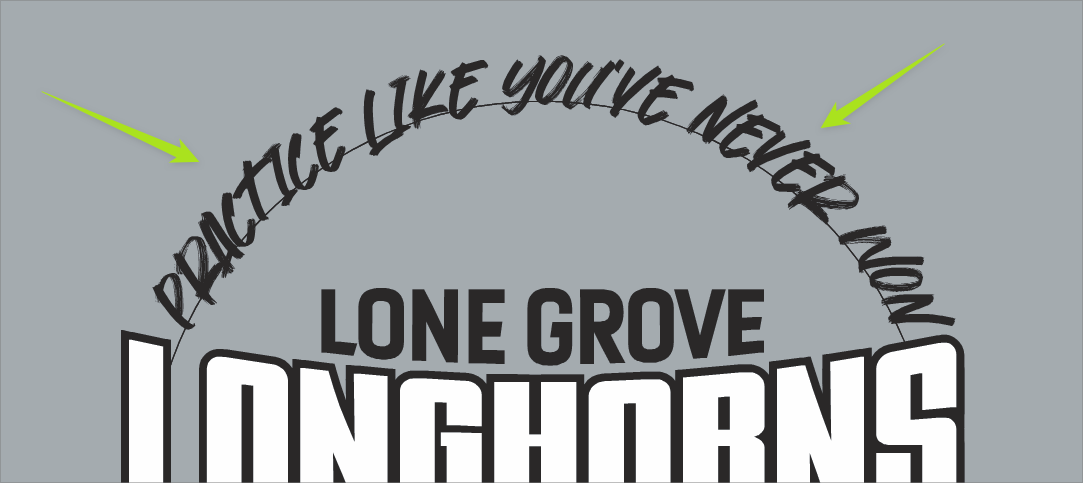
    @b77 .... converting the text to curves is not needed ... Thanks, I already know that. Have been experimenting around with Envelope Shape and others lately. Will post the findings in the tutorial or general section (not sure where yet) in the near future. .... converting the text to curves is not needed ... but could possibly be better in some circumstances for a smoother shape/curve progression
  • Hiding nodes when selecting a group

    3
    1
    0 Votes
    3 Posts
    4k Views
    IngolfI
    @b77 said in Hiding nodes when selecting a group: @Ingolf If I understand correctly, you just need to disable 'Show Nodes of Selected Shapes' in Preferences > Editing Options. Bingo - thanks! [image: 1648767970588-8022fd34-9998-4764-9909-3501871c1455-image.png]
  • How do I change the UI color of the editing curves?

    8
    1
    0 Votes
    8 Posts
    7k Views
    S
    @Raaskot , ok
  • Forcing translate transform shape effect?

    5
    0 Votes
    5 Posts
    5k Views
    VectorStylerV
    @Nils said in Forcing translate transform shape effect?: @vectoradmin Nice to hear that. When's the next bugfix build to be expected? I think you said end of week or something right? If all goes well the current batch of fixes should be in a build by Monday afternoon (Finland time).
  • A problem with opening files via File Explorer in Windows 10

    2
    0 Votes
    2 Posts
    4k Views
    VectorStylerV
    @encart I will try to replicate this, added it to the backlog.
  • Default drawing mode

    3
    1
    1 Votes
    3 Posts
    4k Views
    IngolfI
    @vectoradmin said in Default drawing mode: @Ingolf I think the solution for this is to keep the last selected drawing mode persistent. I added this to the backlog. EDIT: this means there is no need for new settings. For me, that will suffice.
  • Actual size: VS don’t display artboard/canvas in 100%

    3
    1
    0 Votes
    3 Posts
    3k Views
    RaaskotR
    Its non-retina: [image: 1648626397079-591843a9-3f85-4ea9-819f-9aa66ba4ebb5-billede.png]
  • Guide Shapes: Is there a place to save them as Guides?

    4
    1
    1 Votes
    4 Posts
    4k Views
    BoldlineB
    @Victor-Vector Very cool idea to make guide shapes like that for future use - nice job!
  • 0 Votes
    2 Posts
    3k Views
    VectorStylerV
    @Boldline Well, this is the same for most of the other features of VS. There are panels that contain (mostly) a subset of options and then each such feature may have a larger (more complicated) modal view. I think panels are useful, to allow non-modal editing of selected parameters. And it is not possible to publish all options in panels only, so modal views are also needed.
  • Pattern Brush - Do corner options exist in VS?

    3
    2
    3 Votes
    3 Posts
    3k Views
    S
    I really miss these options as well this makes beautiful patterns possible. Like here, only one oversized stroke on a Star. [image: 1648535884757-big-stroke-1.png] [image: 1648535890636-big-stroke-2.png]
  • Copy-paste/sync node angle/tangent

    7
    0 Votes
    7 Posts
    7k Views
    IngolfI
    @vectoradmin Oh, right. Yes, so we can avoid clutter in the UI and just add a sentence in the documentation. Elegant.
  • Panels Opened on Startup

    3
    3 Votes
    3 Posts
    3k Views
    VectorStylerV
    @Sullyman I think this is part a bug, part missing feature. The (minified) panel states should be restored at startup, if not this is a bug. Having a toolbar-style arrangement of minified panels is not possible now, this is in the feature request list, has been requested before. One thing that is possible now, and could be close to this, is to create a new custom toolbox (Customize Toolboxes) and add the panel opening actions to that. This will temporarily pop-up the panel, but it will also close when clicking away.
  • Resizing Floating Panels - Cursor Outside vs. Inside feedback

    2
    1
    1 Votes
    2 Posts
    4k Views
    VectorStylerV
    @Victor-Vector This looks like a bug, as it should not depend from which side the mouse approaches. I just checked, and the same issue happens on Windows 10 also.
  • Sliders and Color Wheels

    3
    0 Votes
    3 Posts
    3k Views
    Victor VectorV
    @Petar_MK Initially I was a bit thrown by this too, but then I came to realize it had advantages to be able to set them separately. For instance I like to work with an HSB wheel for the visual feedback of the wheel, but sometimes I will want to see RGB values to my corresponding choices. I certainly has helped me understand the relationships between the different color system representations. I suppose it's easy to set if you want them the same, and there are only 4 that correspond between 18 the sliders and wheel/spectrums.
  • 0 Votes
    6 Posts
    6k Views
    RaaskotR
    Cool! Thanks:-)
  • Can strokes with width adjustments be blended?

    15
    1
    0 Votes
    15 Posts
    12k Views
    VectorStylerV
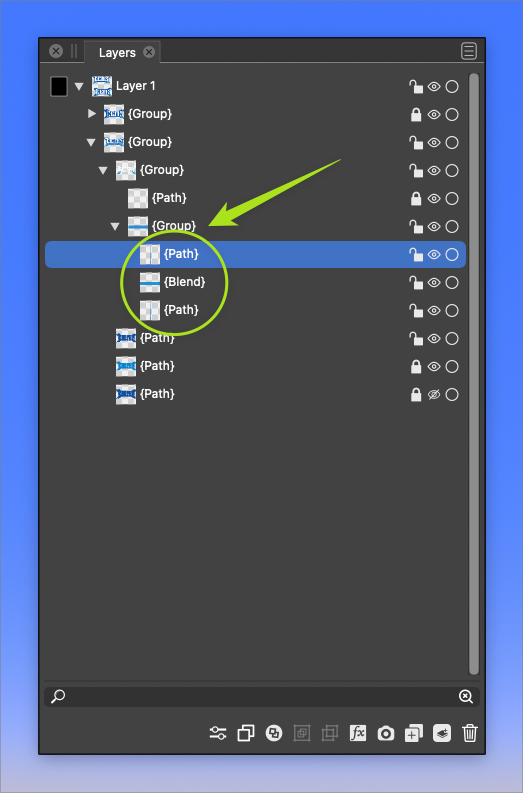
    @Boldline I think the issue is that these two shapes contain brushes, and it seems that the brush content is not blended.