Subcategories

  • These features and ideas have been implemented in VS as suggested

    180 Topics
    1k Posts
    VectorStylerV
    @Ayo said in About the Snap feature: Wouldn't it be better to change "Snap to Visible Only" to "Snap to View Extend Only" or shorter "Snap to Viewport Only" or even shorter "Snap to View Only" ? There is a big chance of confusion with the term 'visible' which is mainly linked to the layer system. I added this to the backlog.
  • Allow red dot center point to snap to other object red center points

    2
    2 Votes
    2 Posts
    3k Views
    VectorStylerV
    @Boldline Added this to the backlog.
  • 1 Votes
    26 Posts
    38k Views
    IgullI
    @b77 said in Align single object to the artboard without enabling the special button for that: Any drawbacks to this simple solution? Yes, that sounds like a plan Neil
  • 5 Votes
    7 Posts
    7k Views
    VectorStylerV
    @Jayanta-Das said in reposition new shapes or box drag selections with the space bar before committing to a press release: it seem there is some delay in the movement of the object Yes, this could happen while holding the space key, especially on Windows. I will try to improve it.
  • Deleting values in layers transparency

    7
    1 Votes
    7 Posts
    7k Views
    VectorStylerV
    @Ingolf said in Deleting values in layers transparency: Indeed it does - but the transparency panel itself does nothing now? No effect of any value using sliders or keyboard? Regression, will be fixed ASAP.
  • Blend mode for image effects + flatten/merge

    10
    0 Votes
    10 Posts
    10k Views
    VectorStylerV
    @Ingolf Added this to the backlog as a bug.
  • Guideline Position Field

    6
    1 Votes
    6 Posts
    6k Views
    IgullI
    @VectorStyler said in Guideline Position Field: @Igull This issue should be fixed in build 1.1.062 Yes, the position indicator is now out of the way, thanks. However :-(( When testing this, I notice that guidelines (X or Y) are only able to snap to the bounding box or centre of an object ? Snapping is enabled along with snapping to points/guidelines/objects/collisions - tried various combos, but no luck. Vid attached. No guideline snap Neil
  • Improving the Polygonal Lasso

    5
    1
    1 Votes
    5 Posts
    5k Views
    VectorStylerV
    @Boldline said in Improving the Polygonal Lasso: what are your thoughts on adding a slight magnetic pull to "close" where once the selection closes I added this to the backlog.
  • Allow for color panel color swaps with active text tool

    3
    0 Votes
    3 Posts
    4k Views
    VectorStylerV
    @Boldline This issue should be fixed in build 1.1.062
  • Could the file open timer pause when computer is sleeping?

    4
    2 Votes
    4 Posts
    5k Views
    VectorStylerV
    @Boldline This feature should be available in build 1.1.062
  • Scroll Through Color Palettes

    10
    1 Votes
    10 Posts
    10k Views
    VectorStylerV
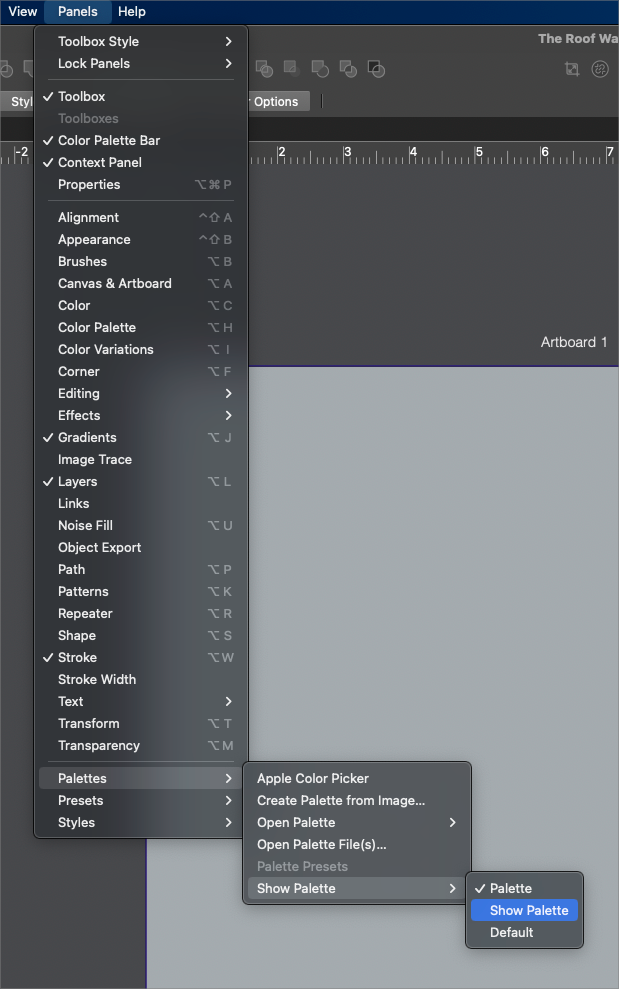
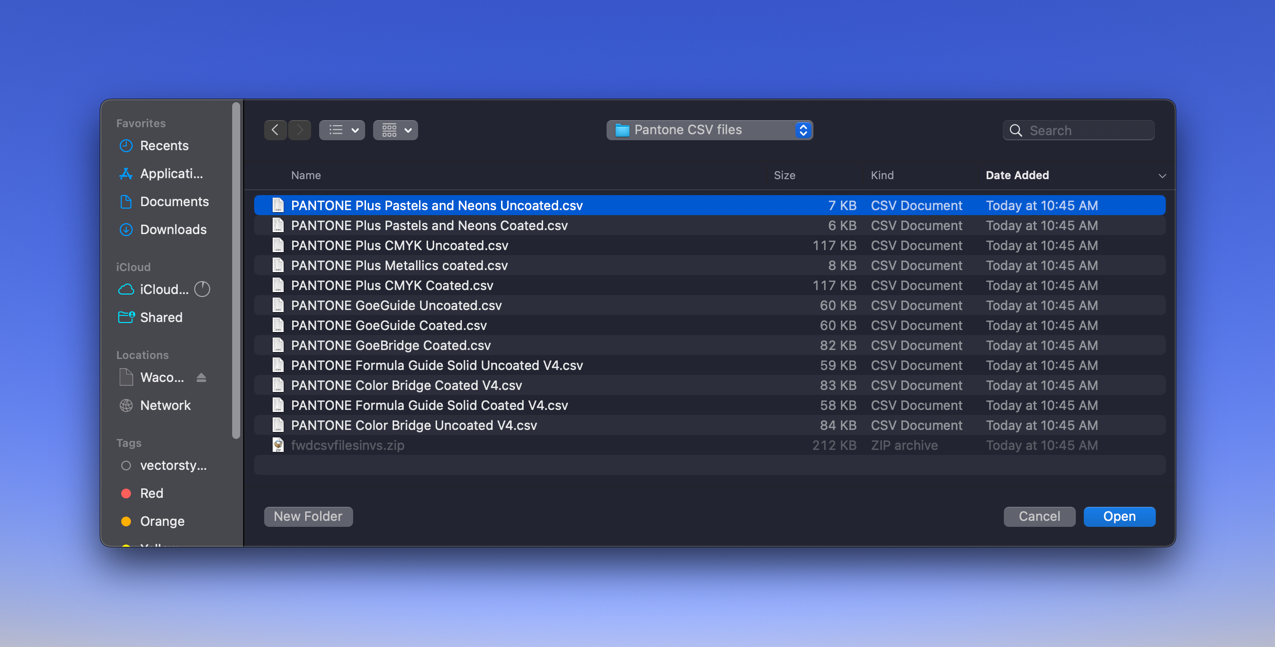
    @SJStalter said in Scroll Through Color Palettes: Bummer-so complicated. How to get my 15 color palettes into a group? I have my 15 color palettes in one folder. Is that the problem? Does each color palette I create and save have to be in its own folder? When I create a color group I don't see it anywhere. Sorry no instructions are clear to me. I did the add folder thing but its a folder of all 15 palettes. I restart program and I don't see what you show above. Maybe I'm too dense or maybe I need clearer steps. Above you say "Can be created/managed with the palette panel menu commands." Well thats all well and good but how to manage? No instructions. Sorry for the late answer. Yes, those 15 color palettes will stay separate (in separate panels). The only way to make them a single palette is to create a new palette and drag&drop those colors from the other palette.
  • 1 Votes
    2 Posts
    3k Views
    VectorStylerV
    @Boldline This feature should be available in build 1.1.062 (reported twice, but I somehow missed it
  • Simply Group or Clipping Group?

    7
    2 Votes
    7 Posts
    7k Views
    VectorStylerV
    @VectorStyler Clipping groups are shown now with the proper name in the Layers panel.
  • 0 Votes
    5 Posts
    5k Views
    VectorStylerV
    @Boldline This issue should be fixed in build 1.1.062
  • Usability: smoother workflow (layers panel, selection)

    4
    1 Votes
    4 Posts
    5k Views
    VectorStylerV
    @Ingolf Use the Preferences -> Changing Options -> Select After Delete option, in the new build 1.1.062
  • Global Swatch marker

    3
    0 Votes
    3 Posts
    4k Views
    VectorStylerV
    @William-Kansepa I postponed this feature request. The main issue is that changing the background to a fixed color would not help for colors that are too close to that fixed color. I will have to find a better solution for this.
  • The Swatches Palette issues

    5
    0 Votes
    5 Posts
    5k Views
    VectorStylerV
    @William-Kansepa Replace colors when creating Global / Spot palette colors should be fixed in build 1.1.062 EDIT: part two, color merge is also available now.
  • Align via glyphs

    4
    2 Votes
    4 Posts
    4k Views
    VectorStylerV
    @encart Yes, this works for text shapes. But for text frames, the alignment will be to the frame, not the glyph content.
  • Perspective tool

    20
    1
    1 Votes
    20 Posts
    21k Views
    S
    @Dazmondo In my post above I wrote that Copy and Past is only possible from ClipStudioPaint to VectorStyler. Need to correct that. Found an option in VS Preferences > Performance > Copy as SVG If you set this Option, then it is also possible to copy Vector Objects from VS to CSP. But only lines, because CSP has no vector fill also lines profiles from VS do not work. Here an example of copying from VS to CSP VS [image: 1665561258100-bildschirminhalt-erfassen-1.png] CSP [image: 1665561266998-bildschirminhalt-erfassen-2.png]
  • Close curve feedback (inspiration)

    20
    1 Votes
    20 Posts
    18k Views
    b77B
    Wouldn't hurt to have a similar indicator when the transform pivot snaps to one of the corners of a shape/bounding box when moving it, and also when you move it back to the center. https://recordit.co/kSOI8CFqB0
  • The context panel – possible improvements

    13
    4 Votes
    13 Posts
    12k Views
    S
    I agree with predefined workspaces/setup themes, I'm used to that from Corel Draw. Always had my custom defined workspace there. Corel Draw 2020 has these Workspaces Lite Standard Touch Specialty: illustration Page Layout Adobe illustrator just for inspiration Apart from that you could always create your own Workspace and name it where ever you want