Subcategories

  • These features and ideas have been implemented in VS as suggested

    180 Topics
    1k Posts
    VectorStylerV
    @Ayo said in About the Snap feature: Wouldn't it be better to change "Snap to Visible Only" to "Snap to View Extend Only" or shorter "Snap to Viewport Only" or even shorter "Snap to View Only" ? There is a big chance of confusion with the term 'visible' which is mainly linked to the layer system. I added this to the backlog.
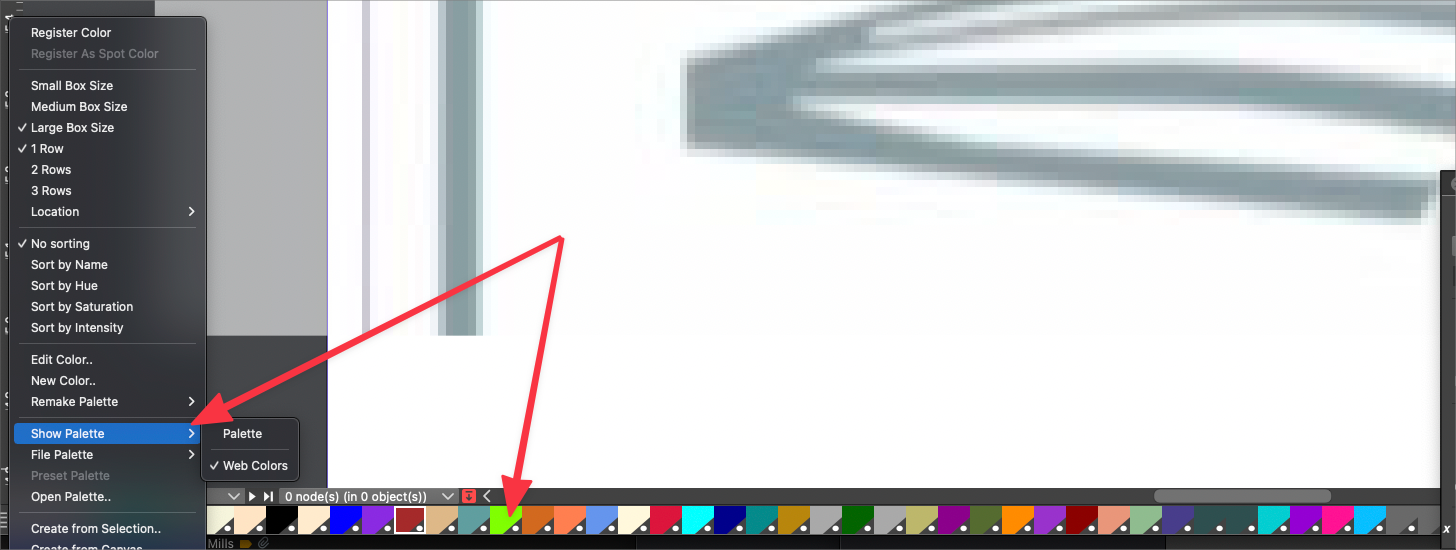
  • Add a Document Palette

    5
    1
    0 Votes
    5 Posts
    7k Views
    VectorStylerV
    @b77 @Vector-Rock I will check if we could have such popup menu. Having a list of recent fill styles somewhere is a great idea, I will add this as a feature request to the backlog.
  • Add Edit Fill and Outline Options Dialog Boxes

    5
    5
    0 Votes
    5 Posts
    7k Views
    V
    @Boldline Yes I agree that over time, as VS continues to evolve and improve with each update , as VS Documentation is further developed, and as more people become knowledgeable about the program and post videos and other tutorials, it will help us all get a better handle on the program. All vector programs have a steep learning curve to a beginner. The developer has acknowledged VS has a steep learning curve. It goes hand-in-hand when you have a program packed with a lot of stuff and still in early development. I mentioned it in the context that anything (like improving the Status Bar) that helps people grasp the program sooner in today's "microwave society" (not saying I agree with it, but just how it is), will help VS succeed (and I know you and I are amoung the biggest contributors and champions of VS! ) While of course the target market is relevant, the focus and goal should be to make the program as simple, intuitive, and user friendly as possible, regardless of the experience of the user. Even power-users don't want stuff harder to use just because they have experience or can figure it out, ha, ha: It is encouraging to see the continued improvement of VS. The developer and its loyal users need to continue to press forward to help continue this trend.
  • Enhanced Color Palette Options: Color Values, Tints, Drag and Drop

    2
    4
    0 Votes
    2 Posts
    4k Views
    VectorStylerV
    @Vector-Rock These exist partially: Name or RGB values are shown Drag&drop over non-selected objects applies as fill I will add these to the backlog as improvements of existing features.
  • Document Default Object Properties Options

    2
    10
    0 Votes
    2 Posts
    4k Views
    VectorStylerV
    @Vector-Rock I add these to the backlog. Technically these will be doable, once the status bar is implemented.
  • 0 Votes
    2 Posts
    4k Views
    VectorStylerV
    @Vector-Rock I will add this to the backlog for new features.
  • Adding a Choice within an Action set and other ideas

    2
    2
    2 Votes
    2 Posts
    4k Views
    VectorStylerV
    @Boldline I think these are all doable. There is a plan to improve the way actions are handled, once the (public) plugin and scripting is available (around version 2). I will add these ideas to the backlog, but they will be implemented further down the road.
  • Pencil tool improvement?

    9
    1
    1 Votes
    9 Posts
    10k Views
    P
    @vectoradmin said in Pencil tool improvement?: BTW: if there are some specific features of FreeHand that would be good to have, please just post about it. Thanks. I will. I think I keep the Freehand manual downloaded not so long ago. https://www.manualslib.com/download/389871/Macromedia-Freehand-Mx-11.html
  • Intro 3d

    2
    0 Votes
    2 Posts
    4k Views
    VectorStylerV
    @STEVED Is it possible to import SVG into Blender? VectorStyler can export to SVG. Extrude, is in the requested features backlog, and will be implemented some time, but probably around version 2 only.
  • Dealing with colors

    27
    0 Votes
    27 Posts
    53k Views
    P
    Yes, thank you.
  • Improve the Line Drawing Tool with Dialog Box Options

    1
    1
    1 Votes
    1 Posts
    4k Views
    No one has replied
  • Mirrored guideline when rotating objects

    1
    2 Votes
    1 Posts
    4k Views
    No one has replied
  • 0 Votes
    8 Posts
    9k Views
    BoldlineB
    @b77 @vectoradmin thank you both - I'll experiment further. Really enjoying VS - so many ways to use it
  • VectorStyler Needs a Website Revamp!

    2
    2 Votes
    2 Posts
    4k Views
    VectorStylerV
    @richbyte I agree, at some point soon it has to be reworked.
  • Auto-return to last used tool after rotation

    3
    0 Votes
    3 Posts
    6k Views
    VectorStylerV
    @b77 and @b77 This can be done, but it still needs a trackpad. For those who have a touch tablet, the rotate view works with the two finger rotating gesture. There is a Spacebar+Shift (pressed in this order) and the click and drag to rotate the view. And Spacebar+Command click and drag to zoom.
  • Art gallery section on forum

    2
    1 Votes
    2 Posts
    4k Views
    VectorStylerV
    @Boldline I opened a Tutorials top level category. Also possible to post links there to external files.
  • Eraser cut with ability to not affect line attributes

    3
    0 Votes
    3 Posts
    5k Views
    BoldlineB
    It sounds like we're on the same page. Basically, I'd love the ability to cut a tapered stroke and have the option to not have it change it's remaining shape automatically. So if I had a stroke width selected that featured a taper at both ends, after I lay the stroke down, I could use the erase to cut it in the middle and the two resulting smaller strokes would then only have one end each still tapered and the other would be thick with a flat edge resulting from the cut. If you're getting another cool idea that is not what I'm suggesting that is all good! But For sake of clarity I made a diagram to show what I meant: [image: 1623341589458-9249b36b-7a79-4710-aacd-0e89df1a0a21-image.png] Diagram 1 - shows how the tapered stroke reacts after being cut - this is not bad - but would love the next option I show as well. Diagram 2 - the black circle shape is the initial stroke - the green stroke over top is the new crossover stroke. If I cut that stroke with the pencil eraser option, the red line shows what happens - it tapers at both ends adjusting to the new size. The purple line shows the alternative option for cutting that I would like to see. where both ends retain the original taper width effect where cut. At the risk of beating a dead horse - I wanted to be sure I was clear in the first diagram - in the pic below - you see the dual tapered stroke - then part 2, shows after it's cut in two pieces, the line adjusts automatically - the third part shows the option I'd like to see [image: 1623341975596-06b33fd1-e00d-4aa3-b177-f9cff5ed47a4-image.png]
  • Pen and brush symmetery tool

    3
    0 Votes
    3 Posts
    5k Views
    BoldlineB
    @vectoradmin cool! I like the potential. I was able to follow your directions and the video also helped. I hope a dedicated gets added into VS at some point. Clip Studio Pro (raster app) has a good way of doing it with a symmetrical tool. Maybe it gets bundled with an advanced perspective tool? [image: 1623199640514-35797141-ced5-40f6-b9f4-4474ee118bbd-image.png]
  • Retaining transparency when cutting shapes which include negative spaces

    8
    0 Votes
    8 Posts
    11k Views
    VectorStylerV
    @Kyriakos I keep the issue open.
  • Multiple saved items accessible

    2
    0 Votes
    2 Posts
    5k Views
    VectorStylerV
    @Boldline There is a task in the backlog for having multiple items in clipboard. The easiest way to do the same now, is to use the Presets panel and save / reuse the objects as Symbols.
  • 0 Votes
    7 Posts
    15k Views
    VectorStylerV
    @zorglup Yes of course, thank you! But there are about 17800 UI text resources, as it is not just the menu, but texts in views and tool tips. I'm not sure if partial translation would be sufficient. Maybe these text resources could be made public in the near future. For now, the main issue is that these are frequently changed.