• Viewing Bookmarked Posts on Forum

    2
    1
    0 Votes
    2 Posts
    3k Views
    VectorStylerV
    @Boldline Go to your profile, click this icon [image: 1630422240056-profile.png] , the menu will contain a bookmarks link.
  • Placing obcjects along the path

    3
    1
    0 Votes
    3 Posts
    5k Views
    VectorStylerV
    @encart Or maybe, a proportional pattern brush, created from the small circle and applied on the large one is the best option.
  • Shape builder and outlines works much better

    1
    2 Votes
    1 Posts
    3k Views
    No one has replied
  • Difficulties making a clipping mask

    3
    0 Votes
    3 Posts
    5k Views
    VectorStylerV
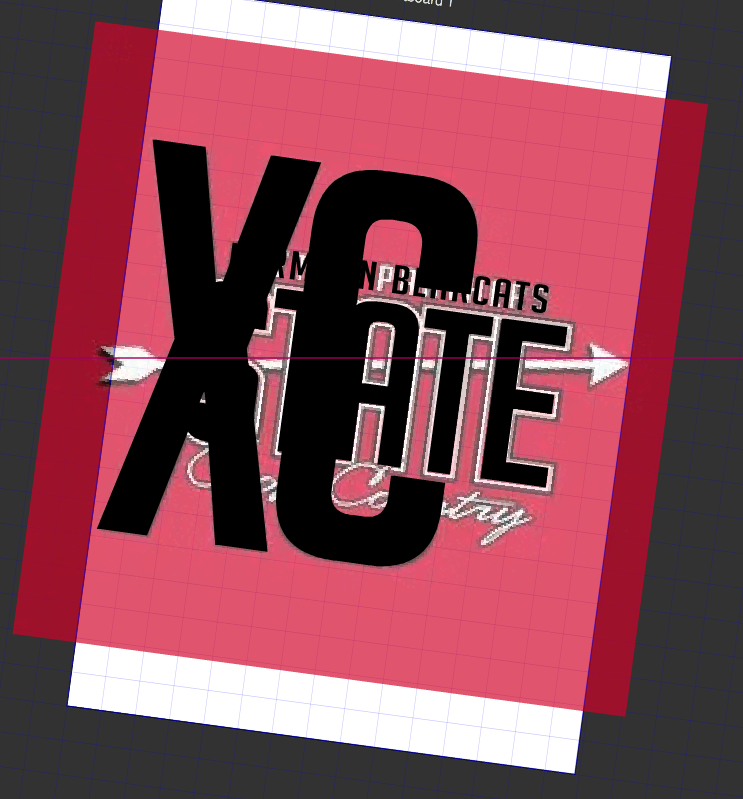
    @Boldline There are two ways to do this. One way: as @b77 said, ungroup all black shapes and them combine with Union to create a single clipping shape. Then paste inside, or drag&drop in the layers panel will do the trick. The other way: if you want to keep all the black part editable, leave it as a single group. select the black group and select Object -> Object Options and given a name for the group, and then click on Role and select the Shape role and confirm with OK. now we have a shape style that we can use for clipping the other group. And the shape is obtained ynamically by combined the shapes from the black group. select the red group and in the context panel Shape drop down select the shape name given to the black group. this selects the shape style as the clipping shape of the red group. BTW: these above steps are very VS specific, I send a basic example by email.
  • 0 Votes
    2 Posts
    3k Views
    VectorStylerV
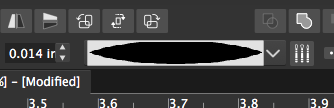
    @Boldline The size of that dot (circle) is also important. By default the pattern brush is stretched to the width of the brush, while the advance along the brush is determined by the size of the content (in this case a dot). Create the patter brush with the settings above, and when it is used on a shape, check the Proportional option in the brush panel. This will stretch the content (dots) proportionally.
  • Back and panel knock out issues

    7
    1
    0 Votes
    7 Posts
    9k Views
    861475_VctSt8
    @vectoradmin (1.0.045) A "Flat" type theme. Thank you very much. I guess it was a lot of work. I was fully satisfied with the functionality of VS, but I felt uncomfortable with the round screen. I guess it's because I've been working with square tools for almost 30 years. The harmony with the gray tone is wonderful, and I feel right at home.
  • 0 Votes
    4 Posts
    6k Views
    VectorStylerV
    @b77 said in What is the preference setting for allowing secondary drag selection of nodes in selected shape?: @vectoradmin Having this disabled by default would make more sense, IMO. Will do so!
  • Merging overlapping nodes

    4
    0 Votes
    4 Posts
    6k Views
    VectorStylerV
    @Gremriel So basically it is a removal of zero length segments. I added this to the backlog, it is doable. Overlapping nodes cannot always be removed, as the segment between them (if it is not a line) can be a loop.
  • Path Sketch consistency in adding or subtracting

    5
    0 Votes
    5 Posts
    6k Views
    BoldlineB
    @vectoradmin ok I think that makes sense! I found a video of what I'm ultimately trying to accomplish and really, it's not in any of the vector apps. Even in this vector inking video by Hydro74 he uses the pen tool set the fill/no stroke (keep volume low or off until after it starts - there's just background music) The pen tool can accomplish this but it's lacking the free-form of the pencil and the creative process is slowed by the need to lay down nodes. Sometimes i just want to be able to keep the forms totally freehand and natural and see the result fill as I go... I think it would add a real hand drawn dimension
  • 0 Votes
    13 Posts
    15k Views
    BoldlineB
    @encart ok I get it now - that works. thank you for showing me that
  • Potential Brush issue

    2
    0 Votes
    2 Posts
    4k Views
    VectorStylerV
    @Boldline Yes, the brush tool will always switch form the plain (solid stroke) to a brush. This is by design for now. To paint with a plain stroke (including tapering), use the Pencil tool. II open a new bug on this one, to have the brush tool paint with solid stroke also.
  • Rounding the corners

    corners rounding
    9
    0 Votes
    9 Posts
    15k Views
    VectorStylerV
    @encart Box selection of corners is an open issue (not always working right). I also managed to replicate the issue on Windows (Control+Click is not working). I will open a new bug around these corner issues.
  • Select>Outline> Variable Width Brushes not working?

    3
    0 Votes
    3 Posts
    5k Views
    VectorStylerV
    @Boldline For example, you have a drawing with lots of these brush strokes (tapered, or just variable width from pressure sensitive tablet). You want to find them so that you can expand and convert to curves. That is when you use this select action.
  • 0 Votes
    3 Posts
    5k Views
    BoldlineB
    @vectoradmin Wow my mind is blown!.... I need to take some time with this! Thank you for explaining. This is awesome
  • Text rotate center by default?

    6
    1
    0 Votes
    6 Posts
    8k Views
    BoldlineB
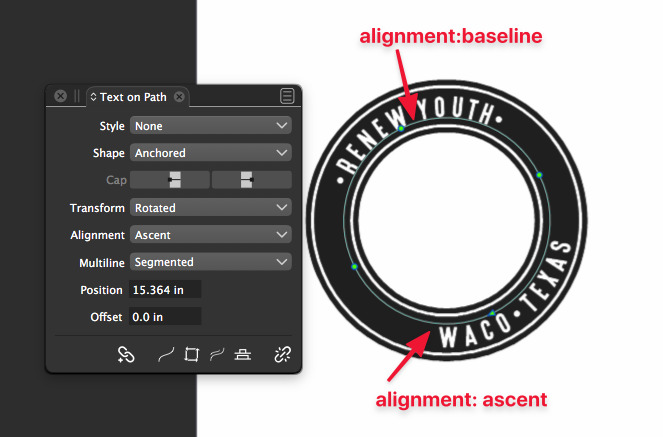
    Thank you for fixing this! I will test it out more but I'm liking that it's right in the center by default now
  • License server down?

    3
    0 Votes
    3 Posts
    4k Views
    S
    Thanks for the fast reply! I just activated now.
  • live Warp settings do not carry over to another VS document

    3
    0 Votes
    3 Posts
    5k Views
    BoldlineB
    I tried to replicate it again as well. I think I had copied it when it was still selected using the warp tool. When I tried again using the transform tool, it carried over the warp successfully to the new document
  • Adjusting length of rope stablizer

    3
    1
    0 Votes
    3 Posts
    4k Views
    BoldlineB
    @vectoradmin ok thanks - I had accidently shrunk my box some and that was obscured - my fault.
  • Sampling Colors from imported images/ artboard/background

    4
    0 Votes
    4 Posts
    5k Views
    b77B
    @Boldline It's in the name of the tool — Copy Style. Simple click with it copies the fill(s), stroke(s) AND the image effects of another object. Shift-click picks only the fills and strokes from vector objects and color from bitmaps.
  • 0 Votes
    5 Posts
    7k Views
    BoldlineB
    Ok.. Do what works best. I'm not a programmer. I guess what I was seeing was that the initial pieces used to make the blend were left behind after the blend was made. But I'm not saying I'm right or what I'm suggesting is best