• 0 Votes
    3 Posts
    4k Views
    BoldlineB
    @vectoradmin I could be wrong, but rope currently seems to act more like what I'd expect and see from "curvature" It reminds me a little of what is used in raster design programs to help get nice curves and line work - usually referred to as "streamline" where the stroke is immediately altered upon completion to be more smooth, etc. But yes, it would be awesome to use the actual rope in all the applicable tools, not just in the brush tool
  • Clicking on a node to move it does not always do so

    2
    0 Votes
    2 Posts
    3k Views
    VectorStylerV
    @Boldline I have to try to replicate it. It could be something to do with the click selection sensitivity. Send me the file with this shape by email.
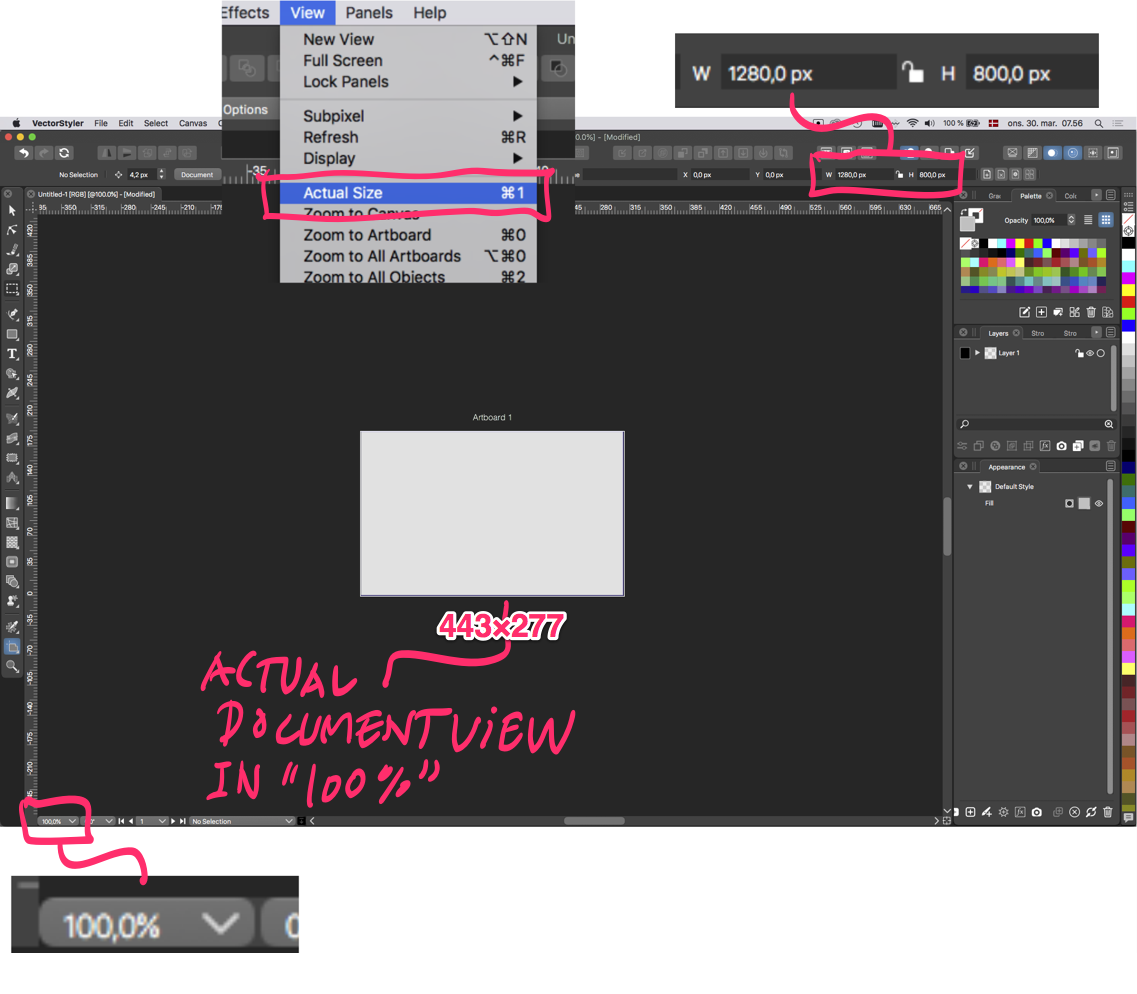
  • 'Actual Size' is bigger than the actual size

    4
    0 Votes
    4 Posts
    4k Views
    G
    @vectoradmin It's the same on my 4K screen. I have it set at 150% (my eyes just aren't having it anymore). I know in Clip Studio Paint I have to fiddle with a ruler on screen to get the actual size (and have the app set to 160.4 dpi or some odd value, but it works really well.
  • Converting layers or groups to Artboards

    4
    0 Votes
    4 Posts
    5k Views
    R
    Exported Successfully! @vectoradmin Thanks. [image: 1644055423616-screen-shot-2022-02-05-at-3.32.35-pm-resized.png]
  • Need some advice on pen pressure

    20
    0 Votes
    20 Posts
    16k Views
    VectorStylerV
    @Jayanta-Das Then this is still an open bug, it has been reported before.
  • Blend not showing result

    6
    1
    0 Votes
    6 Posts
    6k Views
    VectorStylerV
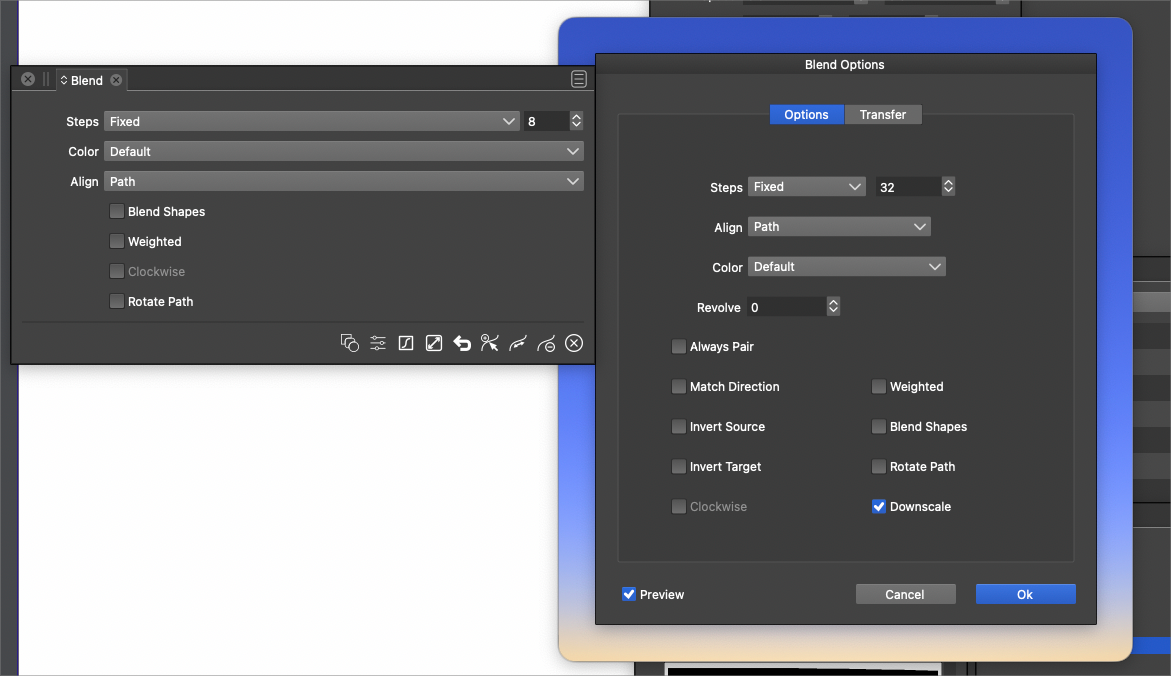
    @Boldline I think the Contour effect might have the same bug.
  • I don't see artboard names on screen anymore after latest upgrade

    4
    0 Votes
    4 Posts
    4k Views
    b77B
    @Ingolf
  • Repeating a set of grouped shapes around a circle

    5
    1
    0 Votes
    5 Posts
    6k Views
    VectorStylerV
    @Boldline There is already a plan for having a repeater type "along a path" that is dynamic (repeated objects are updated as the shape is changed).
  • Shape Paint -Am I missing a step?

    3
    0 Votes
    3 Posts
    4k Views
    BoldlineB
    @vectoradmin ok glad it wasn't just me Do you need me to send you anything or are you able to replicate it?
  • Changing the default palette for new files

    3
    0 Votes
    3 Posts
    4k Views
    BoldlineB
    @vectoradmin I'm not a palette expert. I know most of what I do, I rely on a curated palette filled with spot colors (that match up to pantone colors) and I end up using them almost all the time for everything. Back when I used Illustrator all the time, I caused an issue with a shirt design film printout because I had mistakenly used a default palette color and not a spot color. After that mistake, I cleared a palette of all non-spot colors and either imported them from other palettes (pantone ones) or I made my own and set them as unique spot colors (like 0,0,0,100k) for a deep rich printing film opaque black to send to clients. If a job needed more than the basic spots I had in my new default palette, I could easily open another spot color palette and add on to my default for that particular job. Because all colors were spot colors only, I wasn't going to mistakenly miss something in printing film. I saved out that spot color customized palette and created a template file in Illustrator and made that my default palette whenever I opened that template. I assume I could just replace all the colors in the default palette and then save that file as a template correct? Each time I pull up that template, I'll get my own default palette each time? I want to be able to do a similar thing in VS - I don't expect everyone to have the same needs from their palette as me - I can see myself wanting to also make an RGB palette I could easily pull in and use as well - especially when it comes to florescent colors which cannot be mimicked in cmyk obviously I might be rambling here but I fully admit not being a palette expert and just wanted to express what i was needing and hoping to replicate in VS
  • Shape Paint causes most of design to disappear

    3
    0 Votes
    3 Posts
    4k Views
    BoldlineB
    @vectoradmin Just emailed it to you. Thanks!
  • Is there a way to set the negative gap space amount between text lines?

    10
    0 Votes
    10 Posts
    10k Views
    VectorStylerV
    @Boldline After you enter the number in the Space field, do not press Enter. Just click on the top-right alignment icon. Confirming the Space with enter will apply the last alignment mode, or the default (left) alignment.
  • Fill and outline in toolbox?

    17
    1
    1 Votes
    17 Posts
    15k Views
    BoldlineB
    @b77 said in Fill and outline in toolbox?: Don’t miss it either. Maybe as an option it won’t hurt. I'm working on a large monitor and I set my toolbar icons to be smaller than default, just based on my preferences. Even if the toolbar had more icons, it would not feel overpacked to me. I understand the need to be considerate of smaller screen sizes; if @vectoradmin were to add the fill/stroke chooser to the vertical as an option, I could see that being a beneficial solution. [image: 1643640698203-63d12c26-d143-402c-bbe5-cab7be75e7cb-bld-2022-01-31-at-09.49.47.png]
  • How to show the cursor movement in ruler.

    3
    1
    0 Votes
    3 Posts
    4k Views
    J
    Thank you. You save me.
  • Window menu for some programs in Monterey

    3
    1
    0 Votes
    3 Posts
    4k Views
    IngolfI
    Hi @Boldline The official explanation of that menu is described here (in the "Window Menu" section): Apple macOS Human Interface Guidelines Affinity just included it as is (Serif are certainly not the great Apple adopters that they think they are) Amadine used it as recommended by Apple Adobe adopted the menu in a major way and offer access to all panels from that menu and much more Vectorstyler is very similar to Adobe - it is just labelled panel instead [image: 1643481908339-sk%C3%A6rmbillede-2022-01-29-kl.19.44.17.png] So it would be a question of adding the standard macOS window menu - or adapting the panel menu to reflects its purpose.
  • 2 Votes
    3 Posts
    4k Views
    BoldlineB
    @vectoradmin great! I didn't know if the prior discussion had included fixing when live text was included. That will be a useful update.
  • Appearance panel sliders should favor smaller numbers

    4
    1
    1 Votes
    4 Posts
    4k Views
    S
    @Boldline Hi Apart from the fact that I also find that some sliders in VS need a better range of values and could be more precise. I read in a post, a while ago. Was also new to me. That it is possible to move the sliders in VS in more precise steps. if you use the Cursor Up-Key ( in 0,1 0,2 03 ... steps ) and Shift and the Cursor Up-Key ( in 1,0 2,0 3,0 ... steps ) Cursor Down-Key decreases the values.
  • Copying appearance panel options

    3
    1
    0 Votes
    3 Posts
    4k Views
    BoldlineB
    @vectoradmin said in Copying appearance panel options: Maybe later a "single mode" could be added to have the appearance panel show a single object appearance that is applied to all selected? Yes this sounds like a good long term improvement. I will experiment more with copying styles between objects with drag&drop, and using copy / paste appearance.
  • Gradients copied and exported as images in PDF and SVG

    4
    0 Votes
    4 Posts
    7k Views
    VectorStylerV
    @Ingolf said in Gradients copied and exported as images in PDF and SVG: Can't reproduce now that I switched to RGB from CMYK... so that was the root cause, CMYK? Could be. At least in the case of SVG, the color transition made in CMYK mode cannot be simulated in RGB mode.
  • Experience with the new macBook Pro 16 M1 chips ?

    2
    0 Votes
    2 Posts
    3k Views
    VectorStylerV
    @Scampolo_123 I can only speak of the MacMini M1 (late 2020 model), and it is faster than an Intel iMac. Do you have a macBook Pro with M1 Max?