• Contours

    4
    2
    0 Votes
    4 Posts
    4k Views
    BoldlineB
    @vectoradmin Really impressive! The more I explore, the more I don't want to use any other vector editing programs. The hardest part is getting to an understanding of it all that feels natural and intuitive. I know that's just a matter of time and practice. @Torakikiii nice to see you on the forum! I think I can speak for most everyone in saying that lots of questions, ideas, suggestions and any bug alerts are welcomed and appreciated. When people ask questions, it prompts me to go explore what they are trying out and then I follow along with any answers others give in response. Questions one person asks can easily help all the users!
  • Restoring default brush pack

    2
    1
    0 Votes
    2 Posts
    3k Views
    VectorStylerV
    @Boldline Those got hidden. The Brush Presets panel menu has a Reveal Hidden Presets command. (same works for other Preset panels).
  • Transform tool (V) select mode toggle

    4
    1
    0 Votes
    4 Posts
    5k Views
    IngolfI
    @vectoradmin said in Transform tool (V) select mode toggle: @Ingolf said in Transform tool (V) select mode toggle: Is it by any chance possible to toggle selection mode with a keyboard shortcut - for when I need another selection mode? I add this to the backlog. Thx - CTRL + V seems to be availble.
  • Measuring a Warp amount from the toolbar warp tool

    Moved
    3
    1
    0 Votes
    3 Posts
    4k Views
    BoldlineB
    @vectoradmin ok I'll try that. I figured there was a panel for that already but I was trying to find it in image effects - but now that you mentioned shape effects, that makes total sense!
  • could font dropdown menu default to all fonts?

    Moved
    3
    1
    0 Votes
    3 Posts
    4k Views
    BoldlineB
    @vectoradmin ok yes that is working as it should - sorry, I should have investigated that part further first
  • Text file export for keyboard shortcuts is awesome!

    1
    1 Votes
    1 Posts
    4k Views
    No one has replied
  • Difficulty Getting horizontal Arrow to pull shape left or right

    2
    0 Votes
    2 Posts
    3k Views
    VectorStylerV
    @Boldline When those nodes are too close, there can be a problem with sensitivity. I will try to find a solution for this.
  • How to keep hierarchy and groups names in SVG file

    6
    4
    0 Votes
    6 Posts
    7k Views
    encartE
    @vectoradmin I forgot to mention one more detail. When I imported the file into other software ( also AI), all objects were duplicated. I will try to recreate it and send the appropriate file.
  • Is it possible to break/expand a Pattern brush within VS?

    5
    1
    0 Votes
    5 Posts
    5k Views
    J
    Ah, brilliant. My test brushes were beginning to pile up a bit! Thanks again!
  • How do I select further inside a grouped object than the top part?

    4
    1
    0 Votes
    4 Posts
    5k Views
    BoldlineB
    @William-Kansepa I will play around with that and see if I can get further - thanks!
  • Show Nodes within Selection?

    3
    1
    0 Votes
    3 Posts
    4k Views
    BoldlineB
    @vectoradmin "not very efficient to show those nodes"- because it eats up system resources? It's ultimately your decision as the developer. As far as my opinion goes, I'm torn on whether it's better to try to go forward with it using minimal selection (just bounding box), see if adding just the starting node as you suggested, or if it's better to give the full option and allow for a keyboard shortcut/menu item toggle like in Illustrator. I know it's been the default operation in Illustrator - (though you have the option in the menu in Illustrator to toggle only see the bounding box of all selected shapes if you prefer that) I liked the toggle option and used it when I needed to things would otherwise get bogged down but be able to flip back and forth to be sure I had what I wanted selected, etc... This is my go-to solution thought - give the user the choice and even leave the minimalist method the default instead of what Illustrator does. To me, I would remove this as a preferences option and just make it a toggled option with a menu click and a keyboard shortcut. Because I could see it being used both ways at different points in a design; I know I did this often in my work in Illustrator I was looking at Affinity Designer and they select all nodes and paths when large groups are selected Obviously we don't need to do what any other program does or does not do - but giving perspective on other vector app solutions I'd be curious what other people's views/ideas/solutions are on this topic
  • New VS user, help with the interface?

    36
    1
    0 Votes
    36 Posts
    79k Views
    S
    @Ingolf Looks like a really usefull List. I guess that List is for UI-Design.
  • Disabling or changing filler text(placeholder)

    9
    0 Votes
    9 Posts
    12k Views
    A
    @vectoradmin These are things I remember now. (but I think there're more.) Placing the input cursor on the text(anywhere) and Ctrl+A does not work at once. It usually requires two times of Ctrl+A, some times needs more, some times never works. This happens on English text too.(but less problematic) Emptying the text frame, changing the font to Japanese and typing Japanese put the current font back to Times New Roman. Selecting text partially does not work, I think this happens especially on Japanese vertical text. (this does not always happen so it's a bit difficult to replicate now)
  • Can Path Brush Settings Options Remain After Use?

    3
    1
    0 Votes
    3 Posts
    4k Views
    BoldlineB
    @vectoradmin said in Can Path Brush Settings Options Remain After Use?: workspace.xml just emailed you the files. thanks
  • How do I create a mask ?

    5
    0 Votes
    5 Posts
    5k Views
    VectorStylerV
    @Ingolf If the image object is inside a clipped group (as it happens when dragged in the layers panel), double click the group and the the image can be selected and moved around to show different clipped parts. Moving the shape will move the whole group (clipping shape + content).
  • Loading AI data from Illustrator EPS

    11
    0 Votes
    11 Posts
    10k Views
    VectorStylerV
    @ash-f For now it will be with the preferences. I will think of a better way later.
  • How do I properly expand and merge text on a path?

    3
    0 Votes
    3 Posts
    4k Views
    BoldlineB
    @vectoradmin that workaround took care of it - thanks!
  • Options not visible in Windows 10

    8
    2
    0 Votes
    8 Posts
    8k Views
    M
    I checked the Mac version. It doesn't have these issues [image: 1638500094284-screenshot-2021-12-03-at-8.19.11-am-resized.png]
  • Should it take multiple delete commands to totally remove closed paths?

    2
    0 Votes
    2 Posts
    4k Views
    VectorStylerV
    @Boldline It should be a single delete. I tried to replicate (composite shape, with multiple parts), but for me at least it deleted in a single step. Maybe it has to do with the shape. If there is a small example where it does not delete in a single step, please send it by email. Thanks!
  • Can't get trace to work logically

    23
    0 Votes
    23 Posts
    36k Views
    ambrosA
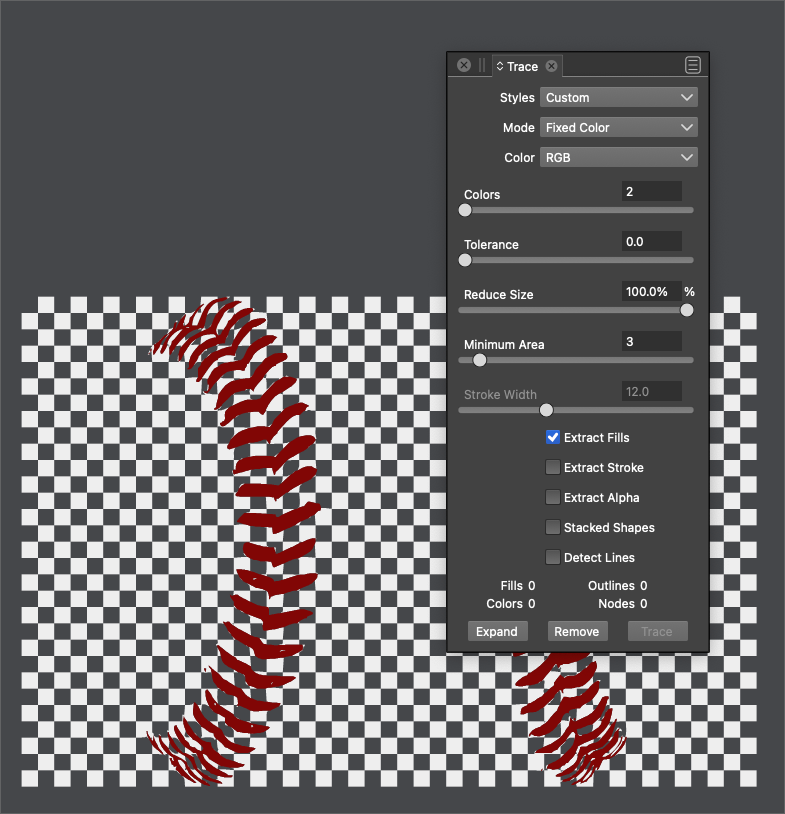
    Yes Of Course