• Select object on canvas from layers - keyboard

    8
    1 Votes
    8 Posts
    8k Views
    b77B
    @William-Kansepa Hey, I searched for that shortcut and didn't find it, so it's useful for me, thanks!
  • 0 Votes
    2 Posts
    3k Views
    b77B
    @encart After choosing one of the existing presets (say, PDF) you can change the export resolution from 120 to 300 dpi, go under the Text tab and check 'Vector Text' and do any other changes you consider. Then you can save it as a preset by clicking the 'Save as Preset' option from the 'Style' dropdown at the top (let's say, 'PDF for print 300dpi'). Afterwards the preset will be available in the same 'Style' menu at the top.
  • 0 Votes
    5 Posts
    5k Views
    VectorStylerV
    @Boldline Looks like the shortcut for this is not working. I open a bug on this one.
  • Help! Custom toolbox merged with context panel

    6
    1
    0 Votes
    6 Posts
    6k Views
    VectorStylerV
    @Ingolf Restoring the workspace to default may also help in some of these cases: VectorStyler -> Restore Workspace on Mac
  • Does the Font Manager in VS link to font files?

    2
    0 Votes
    2 Posts
    4k Views
    VectorStylerV
    @Boldline VS font manager can only link to the fonts. If you have some folder(s) with fonts, that are not installed, then in the font manager just use "Add Folder". This creates a font "group" that points to the content of the folder (and its sub folders). Adding / removing font files from the folder will automatically update the "font group" (it is a sort of "virtual" group linked to the folder content). It is always a good idea to have large collections of fonts organized in folders (and not add these to the OS). In VS these groups can also be accessed separately (improving the font scrolling time) by selecting the font group, or merged "virtually" by selecting the "All Fonts" group (clicking on the button next to the font name search field). Here is how I have for testing, "color", "variable" etc fonts in separate folders (even testing "windows" fonts on mac). [image: 1637957331931-fontgroup-resized.png]
  • 0 Votes
    15 Posts
    13k Views
    IngolfI
    @vectoradmin said in Insert new object in layer panel when drawing with pen tool - exactly where you are: @Ingolf said in Insert new object in layer panel when drawing with pen tool - exactly where you are: They could be added to the context panel, toolbox, or create a new toolbox for these. Using Customize Toolboxes . I managed to create my own toolbox - but I will create a new thread for these options I found to be broken or illogical or both on both macOS and Windows.
  • Can't edit control points of a shape.

    5
    0 Votes
    5 Posts
    5k Views
    ambrosA
    ah OK. well that explains it..
  • Shortcut for pulling both handles on a non-symmetrical node

    10
    0 Votes
    10 Posts
    9k Views
    IngolfI
    @vectoradmin said in Shortcut for pulling both handles on a non-symmetrical node: If I understood correctly, this would work on a Smooth node, by changing the other side proportionally (not symmetrically)? Correct
  • Help !! Major issue : Text not showing on print out

    7
    0 Votes
    7 Posts
    7k Views
    ambrosA
    Ah OK. I mean I have a workaround, so not too dismayed.
  • Can it be exported to eps10?

    4
    0 Votes
    4 Posts
    5k Views
    VectorStylerV
    @POKPAK101 It looks like the VS exported EPS header is marked as EPS 8 (thanks @b77 for pointing this out). I will open a bug on this one, I don't think it is a big issue.
  • Some advice for supporting Vectorstyler the hard(ware) way

    7
    0 Votes
    7 Posts
    7k Views
    S
    @vectoradmin: Thanks for the info! I'd love to get a high end mac but my x-wives have all my money. Don't know about a M1 but a M16 comes to mind thanks again, stephen
  • Option for exporting solid one-bit, bitmaps?

    15
    3
    0 Votes
    15 Posts
    16k Views
    VectorStylerV
    @Boldline I open an issue on this one, to improve 1-bit export handling
  • How do I get material cut from one layer to paste on new layer?

    6
    0 Votes
    6 Posts
    7k Views
    VectorStylerV
    @Boldline Try turning them off. If there are no other cause for this issue, then it should work. The fix for the problems caused by these two options will be in the next build.
  • Stroke width control tool : how did I...

    10
    1
    0 Votes
    10 Posts
    9k Views
    B
    @vectoradmin Ok, thanks. Hope it is useful then since there is a bug.
  • Shortcut to selected object

    14
    1 Votes
    14 Posts
    14k Views
    IngolfI
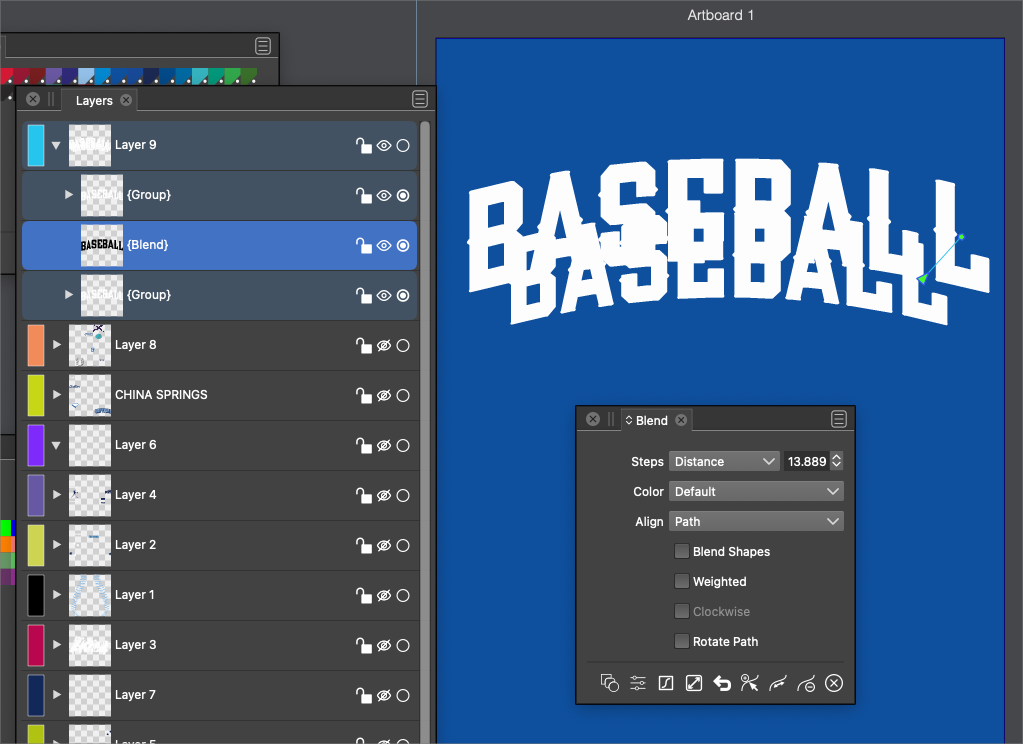
    @b77 said in Shortcut to selected object: @Ingolf Did you scroll the menu? It should be the last menu entry of the Layers panel: http://g.recordit.co/AFVI5EWdfw.gif B77 to the rescue! THX! There it was. As you can see from my post there is no scroll down symbol, but I could scroll with the mouse wheel now you gave me a (vital) clue. @vectoradmin When I scroll down with the mouse wheel to the last item (Panel Options) I see a scroll symbol at the top of the (too) long list. But in the lower part I never see one whatever I do. [image: hn0znro.gif]
  • 0 Votes
    4 Posts
    5k Views
    IngolfI
    @vectoradmin To avoid getting too many preference settings over time this setting could perhaps be broadened in the future to "Remember previously used tools" or whatever label that may be suitable for this. For example I customized the toolbar in VS, I added a pen tool button below the shape editor because the pen tool is always hidden in the pencil-brush-pen tool submenu on the toolbar and not remembered. I wouldn't have to do this if VS kept the pen tool active in the toolbar between sessions. But I had a workaround for this. Adobe and Affinitys remembers what built-in shape tool you used last, what text tool you used etc. etc. which is really helpful because I (at least) tend to use the same tools intensively accross many documents. I also like to return to Photoshop that remembers my last choices in the toolbar because I work for days on the same project and often with the same tools. A setting to turn this behavior on and off globally in VS would make sense to me, and it would be a single checkbox in the settings as well. Opt-in or opt-out wouldn't make any difference for me, as long as it is there. Thanks for considering.
  • 0 Votes
    7 Posts
    7k Views
    S
    @Boldline look here, you may be interested. Halftone Tip
  • Possible to convert the Html Help to PDF ?

    4
    1 Votes
    4 Posts
    7k Views
    B
    I support this request : a pdf help file would be a benefit while helping me progress in using VS
  • Paste attributes UI question

    5
    2 Votes
    5 Posts
    5k Views
    BoldlineB
    @Ingolf I'm glad you brought this up because I had assumed this was already within VS. As I had mentioned earlier I had not yet examined what keyboard shortcut went with which. One universal copy command on an object with multiple paste options is ideal and offers much more control to the user than illustrator does while still retaining that muscle memory
  • Can negative spaces be copied and pasted - or option-dragged to copy?

    2
    0 Votes
    2 Posts
    3k Views
    VectorStylerV
    @Boldline If the negative spaces are created by Group and then Combine, then it is possible. Either isolate the group with double click, or use the deep select tool to select inside any group: [image: 1637039102271-toolmode.png] This tool is a mode of the Transform tool and can be selected in the context panel.