VectorStyler
    • Categories
    • Unread
    • Recent
    • Tags
    • Popular
    • Register
    • Login
    1. Home
    2. Questions and Support
    Log in to post
    Load new posts
    • Recently Replied
    • Recently Created
    • Most Posts
    • Most Votes
    • Most Views
    • H

      How to open multi page PDF on one canvas?

      Watching Ignoring Scheduled Pinned Locked Moved
      8
      3
      1 Votes
      8 Posts
      11k Views
      VectorStylerV
      @Harry Yes, pages are overlapped in this one. I will try to fix this as soon as possible.
    • B

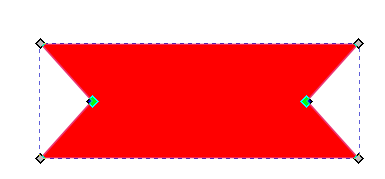
      Easy way to switch from a shape with two node points to one

      Watching Ignoring Scheduled Pinned Locked Moved
      8
      2
      0 Votes
      8 Posts
      7k Views
      B
      @VectorStyler ... and -at least on this test- the corner editor tool works very well ! you may not see it here but at the beginning, it was a rectangle which I rounded the corners [image: 1669651938534-cap-resized.jpg]
    • BoldlineB

      Could we reduce magnetic strength in half?

      Watching Ignoring Scheduled Pinned Locked Moved
      2
      1
      0 Votes
      2 Posts
      2k Views
      VectorStylerV
      @Boldline Will do so!
    • B

      Moving clipped objects changes their shape

      Watching Ignoring Scheduled Pinned Locked Moved
      3
      3
      0 Votes
      3 Posts
      3k Views
      B
      @VectorStyler File sent.
    • G

      Stroke mitre/overlap question

      Watching Ignoring Scheduled Pinned Locked Moved
      6
      1
      0 Votes
      6 Posts
      5k Views
      G
      Success. Excellent, thanks.
    • B

      Object with two strokes, how to convert to curves ?

      Watching Ignoring Scheduled Pinned Locked Moved
      3
      2
      0 Votes
      3 Posts
      3k Views
      VectorStylerV
      @Pat Edit the stroke attributes or the shape? The stroke attributes can be edited in the Appearance panel: [image: 1669476567968-stroke.png] The shape cannot be edited separately. For that we instead should use the Offset Path live shape effect, and then convert to curves.
    • IgullI

      Transform Pivot Point Snapping

      Watching Ignoring Scheduled Pinned Locked Moved
      4
      0 Votes
      4 Posts
      4k Views
      VectorStylerV
      @Igull said in Transform Pivot Point Snapping: I wonder if there is a preference on this that I might be missing No preference for this. I will try to find out what is the issue.
    • IgullI

      Distribute/Align Shapes Help

      Watching Ignoring Scheduled Pinned Locked Moved
      10
      0 Votes
      10 Posts
      8k Views
      IgullI
      @VectorStyler
    • J

      Object Style Preset

      Watching Ignoring Scheduled Pinned Locked Moved
      6
      1
      0 Votes
      6 Posts
      5k Views
      J
      @VectorStyler Yes its fill was set to zero, thats the effect I wanted. As I said after saving as preset I had tested the preset by applying to other shape and it was working ok.
    • BoldlineB

      Increasing the range of keyboard shortcuts by adding more keys

      Watching Ignoring Scheduled Pinned Locked Moved
      4
      0 Votes
      4 Posts
      6k Views
      F
      Suggest looking to WordStar for inspiration.
    • B

      New document setup - Why duplicates of the same data/parameters?

      Watching Ignoring Scheduled Pinned Locked Moved
      5
      1
      0 Votes
      5 Posts
      5k Views
      B
      @VectorStyler Well, I understand. In this case, why not remove the redundancies in the "Artboard options" window? It can be confusing to have all these different ways of changing/adjusting the same parameters whatever they are. It's not an issue, but at the beginning you always wonder if they are exactly the same settings.
    • BoldlineB

      does it make sense to have a zero width path brush stroke?

      Watching Ignoring Scheduled Pinned Locked Moved
      2
      0 Votes
      2 Posts
      3k Views
      VectorStylerV
      does it make sense to have a zero width path brush stroke? No, not really, but there needs to be a lower limit.
    • B

      Why can't I permanently change the colour panel to "RGB sliders"?

      Watching Ignoring Scheduled Pinned Locked Moved
      6
      1
      0 Votes
      6 Posts
      5k Views
      B
      @VectorStyler I will finish a drawing and I'll send you the file. You can then test colour gradient changes with the "undo" function.
    • J

      Pattern brush.. Help

      Watching Ignoring Scheduled Pinned Locked Moved
      5
      2
      0 Votes
      5 Posts
      4k Views
      J
      @VectorStyler sent
    • B

      How to improve VS performance ?

      Watching Ignoring Scheduled Pinned Locked Moved
      6
      0 Votes
      6 Posts
      5k Views
      VectorStylerV
      @Pat There is no reason for the slowdown, other than a possible bug with some effect or gradient type. If you send me that document I will try to replicate this.
    • B

      Editing a gradient colour

      Watching Ignoring Scheduled Pinned Locked Moved
      15
      1
      0 Votes
      15 Posts
      10k Views
      VectorStylerV
      @Jayanta-Das I will try to replicate this issue.
    • B

      Paste --> Paste in place -... : why in "Placing"?

      Watching Ignoring Scheduled Pinned Locked Moved
      3
      1
      0 Votes
      3 Posts
      3k Views
      B
      @VectorStyler Ok but why not create a submenu in "Paste" for all "Paste..." instead of having it in "Placing", it's just that I expect to find all the "Paste 'something' " in the same submenu of the "Paste" menu... not a big deal anyway.
    • B

      Testing Create adjustment layer: some effects apply to all objects (not only the selected one)

      Watching Ignoring Scheduled Pinned Locked Moved
      10
      2
      0 Votes
      10 Posts
      8k Views
      b77B
      I'm not sure, but I think the adjustment layers with effects is not a feature of other vector apps, but it does exist in Photoshop. It's awesome that we have adjustment layers in a vector graphics app.
    • B

      After Boolean Intersect, no more objects

      Watching Ignoring Scheduled Pinned Locked Moved
      5
      1
      0 Votes
      5 Posts
      5k Views
      B
      @VectorStyler In fact, "intersection" works if I merge the two letters first. I can't keep them separated in two distinct layers. Nice ! [image: 1668668348315-618bef82-73b7-4127-91d1-cf0a1efe32a3-image.png]
    • B

      Blending: how to get a specific path & not another ?

      Watching Ignoring Scheduled Pinned Locked Moved
      7
      2
      0 Votes
      7 Posts
      6k Views
      S
      @Pat Like your "VS" too very creative